When using Distribution Services to deliver a document with HTML format, the Export Engine is used to generate an HTML file. The generated HTML format may have some formatting issues when opened via Outlook. The following are issues you may encounter:
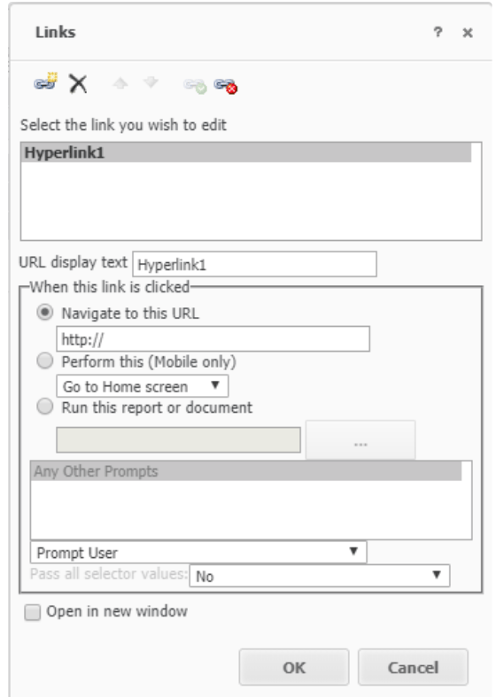
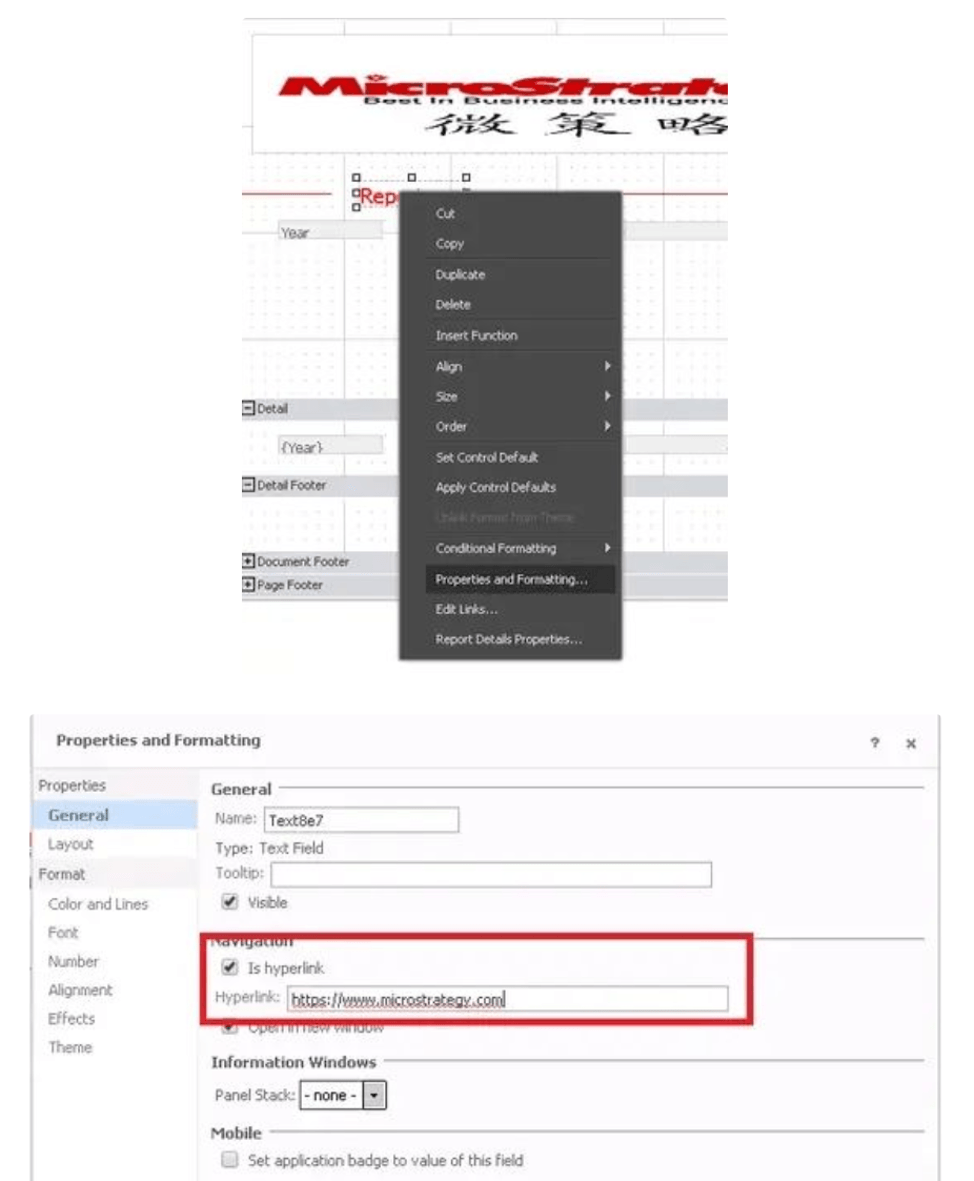
The Export Engine does not support links in the Edit Link functionality for email subscriptions in HTML format.
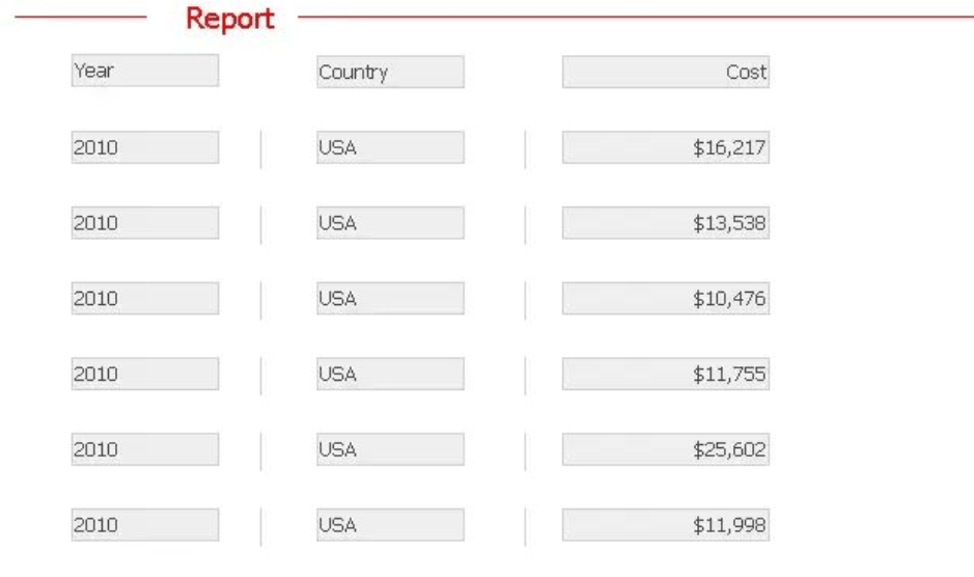
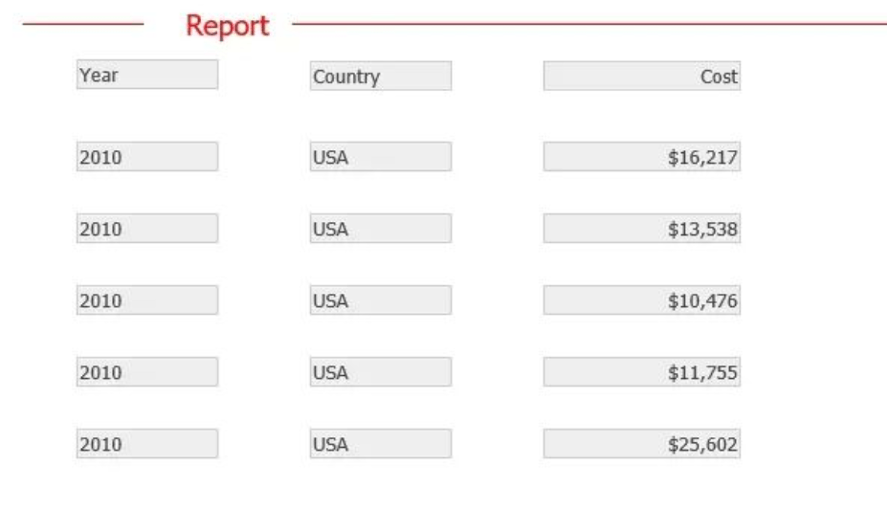
The email provider, for example Outlook 2007, does not render the lines. Thus, the vertical lines disappear from the HTML subscription.
A document containing a grid with many rows of data will display a scroll bar in Web for you to view all data. However, in an HTML subscription for this document, the grid is cut off and only a part of the data is displayed in the HTML output.
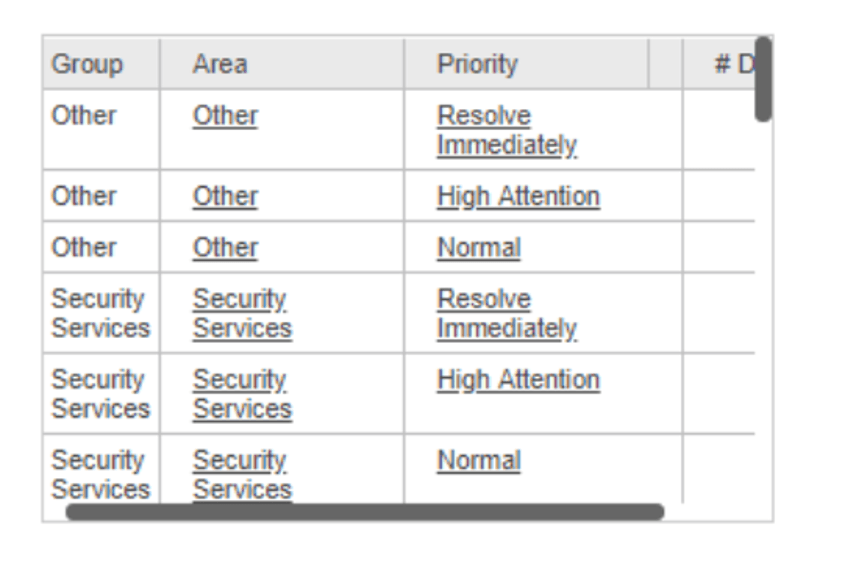
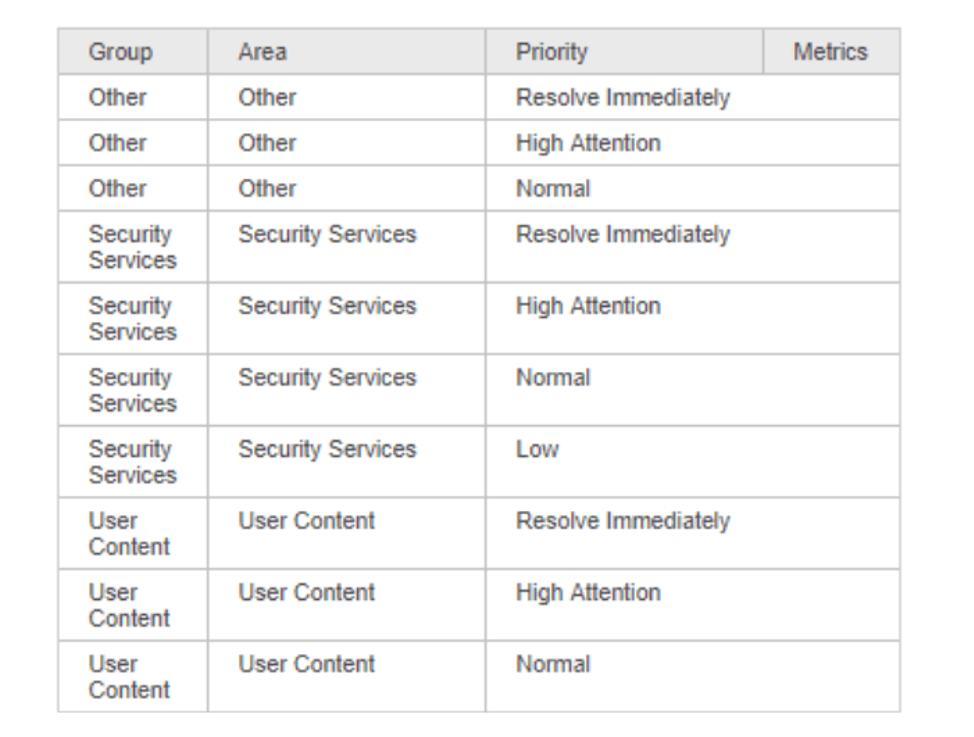
The scrollbar in a grid is not supported by HTML subscriptions.
As shown in the following screenshot, there is a setting "Use only tables to position elements in HTML (Enable for Microsoft Outlook 2007)" in Strategy Developer.
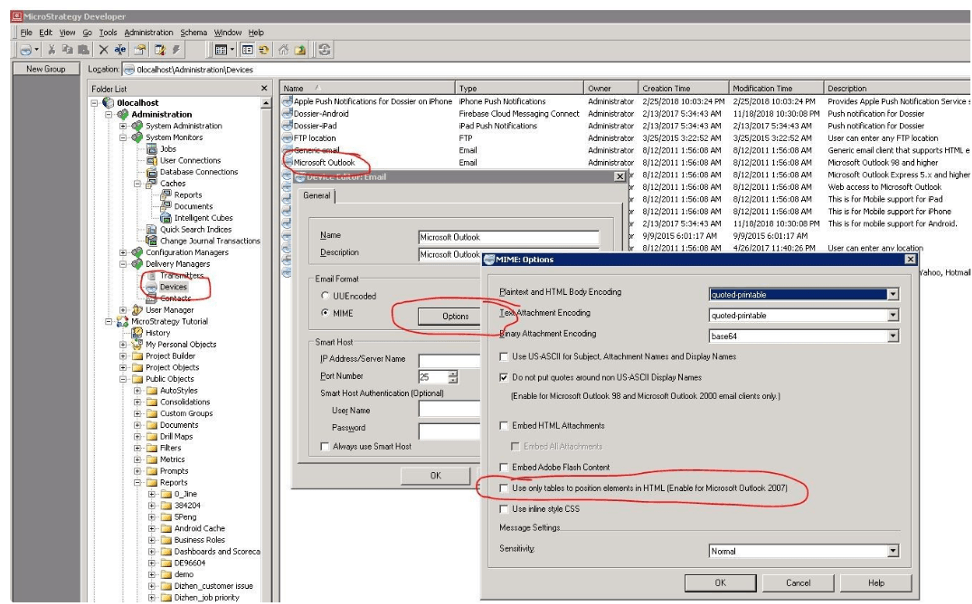
When the setting is enabled, the tables (<td>) is used to display elements in the HTML. In this case, the width and height for the image (<img>) node are not defined. This is because defining the width and height in will not scale the image.
When the setting is disabled, the width and height for an image () node are saved. When am email is opened directly from Outlook 2007, the image is not scaled. However, when viewing the email from web browser, the image is scaled.
View the HTML from a web browser.
