The Platform Analytics warehouse is created when running the Strategy Installation Wizard. The Installer will prompt the user for the connection info and credentials to an existing MySQL Database to create the platform_analytics_wh database.
However, it's possible that there is an issue during installation (including upgrade) that results in a partial deployment of the Platform Analytics Warehouse. In this case, the customer may want to only recreate the Warehouse, without re-running the installer and modifying the Platform Analytics configuration files or Platform Analytics consumer jar. To support recreating the platform_analytics_wh without re-running the full installation wizard, the customer can use the Platform Analytics Warehouse Custom Installer.
Before running the custom installer, open Windows Services, locate Strategy Platform Analytics Consumer and Strategy Usher Metadata Producer. If they are running, right-click each service, and select Stop.
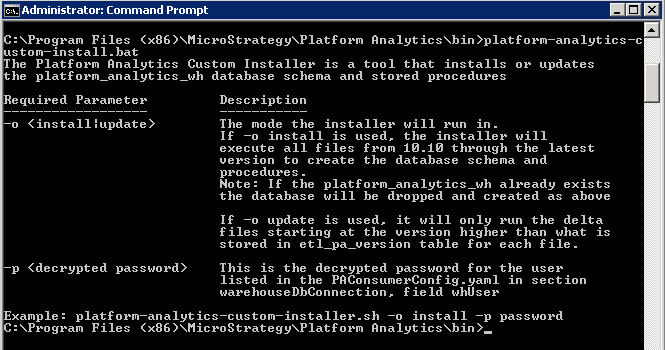
platform-analytics-custom-install.bat
/platform-analytics-custom-install.sh
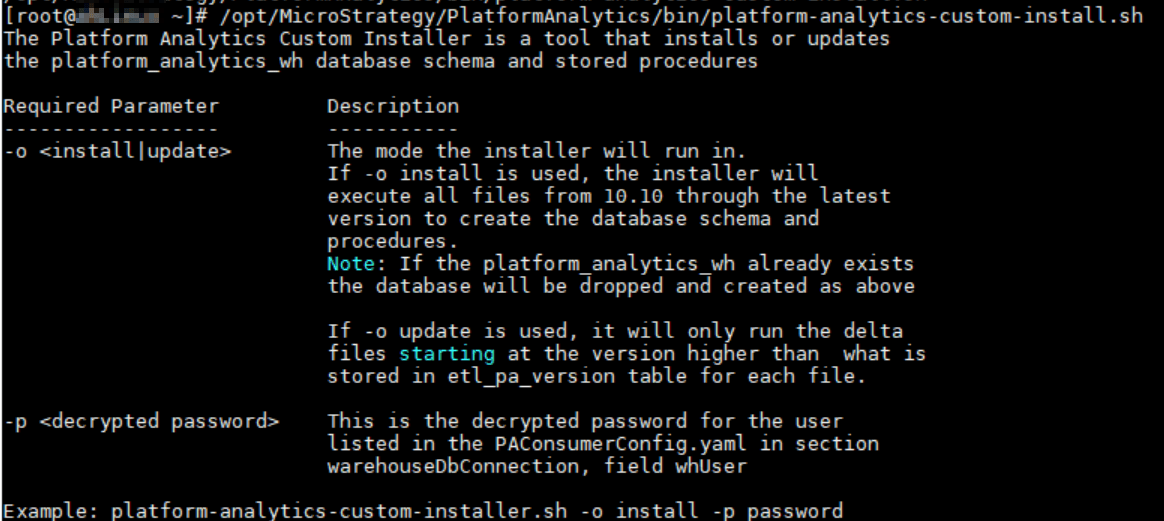
-o: either install or update
-p: the decrypted password for platform_analytics_wh (decrypted whPasswd) for the given whUser in the PlatformAnalytics/conf/PAConsumerConfig.yaml file as shown in the example below. Note that the whUser should be the user used to create the Platform Analytics Warehouse database which should have all privileges to the database.
Note: If your password includes certain special characters, you may need to wrap the password in single-quotes.
For example,
'password$inSingleQuotes'.
Interested in learning more about Platform Analytics? Visit the Learning Center on Community!
Or feel free to look to our Documentation pages for product information.
