To manually configure the Strategy Repository, Platform Analytics, and the Collaboration Server database user, schema, and warehouse, use the steps below:
Prerequisite: Ensure the mstr user, or any other non-root user used to register services, is a valid system user and able to log in. For steps, see KB483867: System User Settings for Registering Services Before Installing Strategy 2020.
Execute
<MSTR_HOME_PATH>/bin/mstrfixprotif the Strategy installation files are owned by a root user and not by the user that is supposed to register services.
<REPOSITORY_INSTALL_PATH>/bin/mstr_initdb
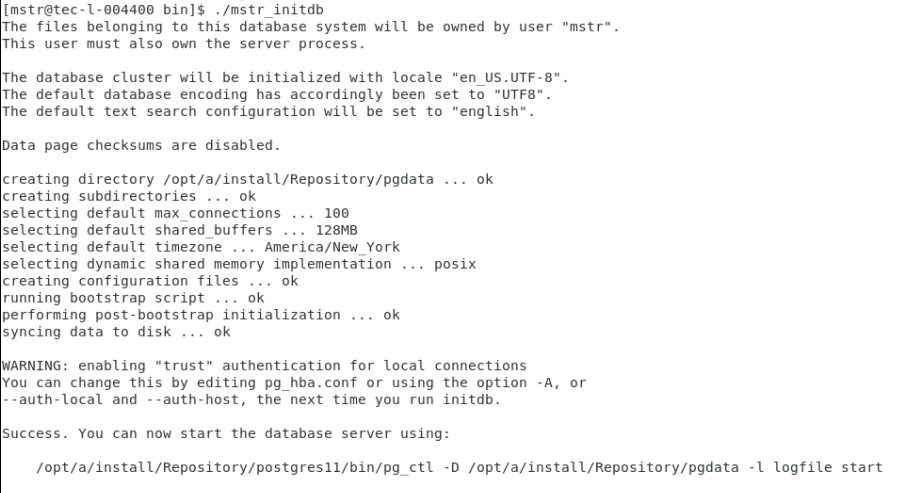
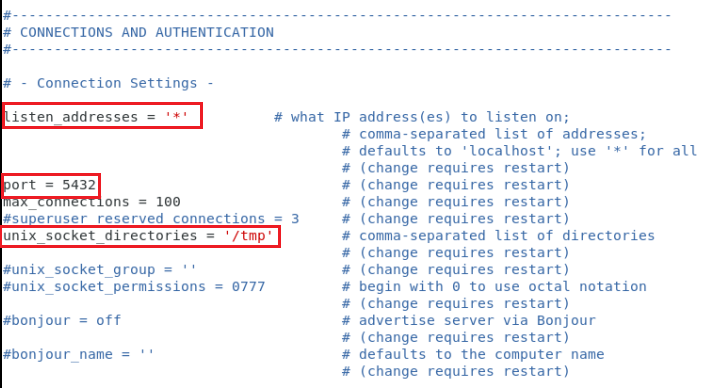
<REPOSITORY_INSTALL_PATH>/pgdata/postgresql.conf, remove the comments and update the values of the following entries:
<REPOSITORY_INSTALL_PATH>/bin/mstr_pg_ctl start
Default_Accounts.txtand update
<REPOSITORY_INSTALL_PATH>/bin/create_mstr.sqlby replacing
<MSTR_PWD>with the mstr PostgreSQL user password.
ALTER USER mstr WITH PASSWORD <MSTR_PWD>
<REPOSITORY_INSTALL_PATH>/bin/create_mstr.sqlby replacing
<MSTR_PWD>with the mstr PostgreSQL user password.
CREATE USER mstr WITH ENCRYPTED PASSWORD '<MSTR_PWD>' SUPERUSER;
<REPOSITORY_INSTALL_PATH>/bin/mstr_psql -d postgres -f create_mstr.sql -h 127.0.0.1 -S
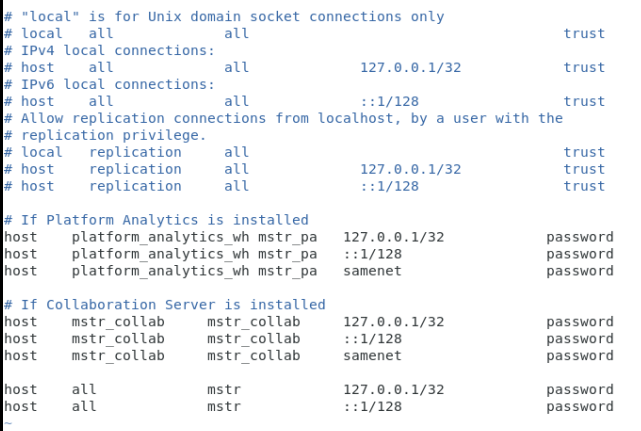
REPOSITORY_INSTALL_PATH/pgdata/pg_hba.conf.
<REPOSITORY_INSTALL_PATH>/bin/mstr_pg_ctl restart
Default_Accounts.txtand replace
<mstr_pa_pwd>with the mstr_pa user password.
create_mstr_pa.sql.
<REPOSITORY_INSTALL_PATH>/mstr_psql -d postgres -f create_mstr_pa.sql -h 127.0.0.1 -S -U mstr
<REPOSITORY_INSTALL_PATH>/bin/platform-analytics-custom-install.sh -o install
<REPOSITORY_INSTALL_PATH>/bin/mstr_psql -d platform_analytics_wh -U mstr_pa -h 127.0.0.1
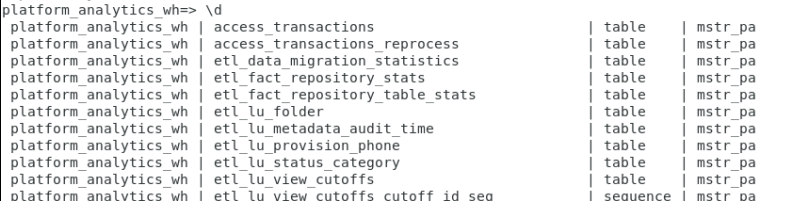
Default_Accounts.txtand replace
<mstr_collab_pwd>with the mstr_collab user password.
create_mstr_collab.sql.
<REPOSITORY_INSTALL_PATH>/mstr_psql -d postgres -f create_mstr_collab.sql -h 127.0.0.1 -S -U mstr
INI_updated_2.sql.scpt.
<REPOSITORY_INSTALL_PATH>/mstr_psql -d mstr_collab -f INI_updated_2_sql.scpt -h 127.0.0.1 -U mstr_collab
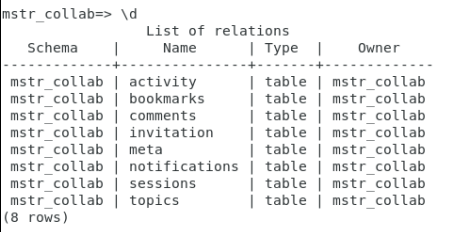
<REPOSITORY_INSTALL_PATH>/mstr_psql -d mstr_collab -U mstr_collab -h 127.0.0.1 \d