EducationSoftwareStrategy.com
StrategyCommunity

Knowledge Base

Product

Community

Knowledge Base

TopicsBrowse ArticlesDeveloper Zone

Product

Download SoftwareProduct DocumentationSecurity Hub

Education

Tutorial VideosSolution GalleryEducation courses

Community

GuidelinesGrandmastersEvents
x_social-icon_white.svglinkedin_social-icon_white.svg
Strategy logoCommunity

© Strategy Inc. All Rights Reserved.

LegalTerms of UsePrivacy Policy
  1. Home
  2. Topics

KB440764: Map markers are exported to PDF only if they have integer coordinates in Dossier


Community Admin

• Strategy


This KB article discusses an issue that affects Dossiers exported to PDF when the browser language or the MicroStrategy Web language are set to something different from English. The issue is limited to those attribute elements not having integer coordinates. A solution is currently under investigation but a workaround is available.

Starting with the release of Strategy ONE (March 2024), dossiers are also known as dashboards.
SYMPTOM:
When exporting a Dossier with a map to PDF from Strategy Web 10.9, the markers are not exported or, in case of some attribute elements having integer coordinates, the map is magnified on those elements, as shown below:
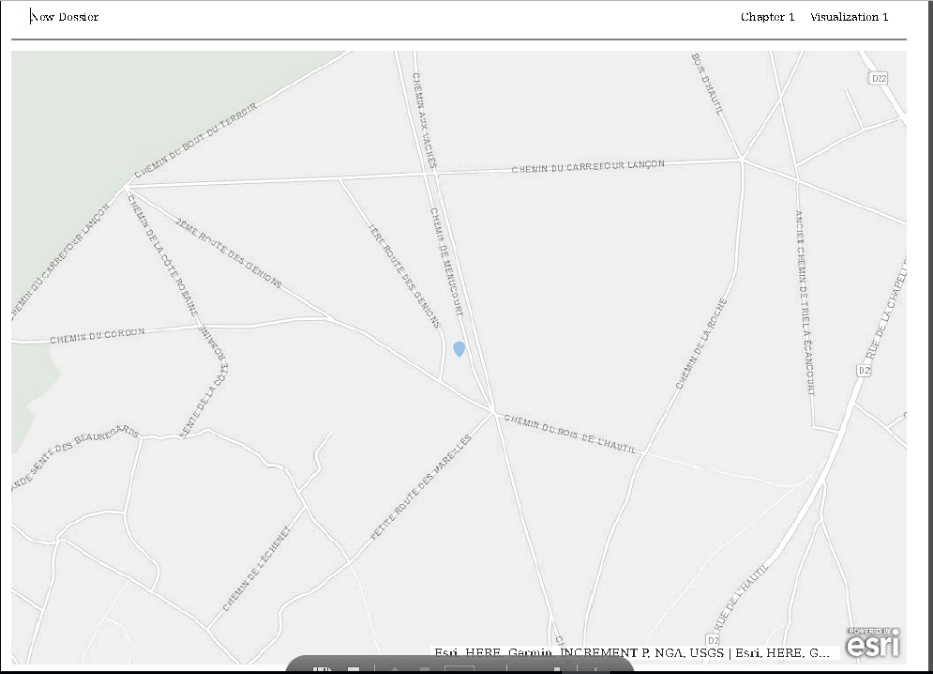
ka0PW0000001JPuYAM_0EM44000000WMO8.png

STEPS TO REPRODUCE:

  • Do either one of the following:
    • set the browser language to other than English and the Strategy Web language to default
    • set the Strategy Web language to other than English
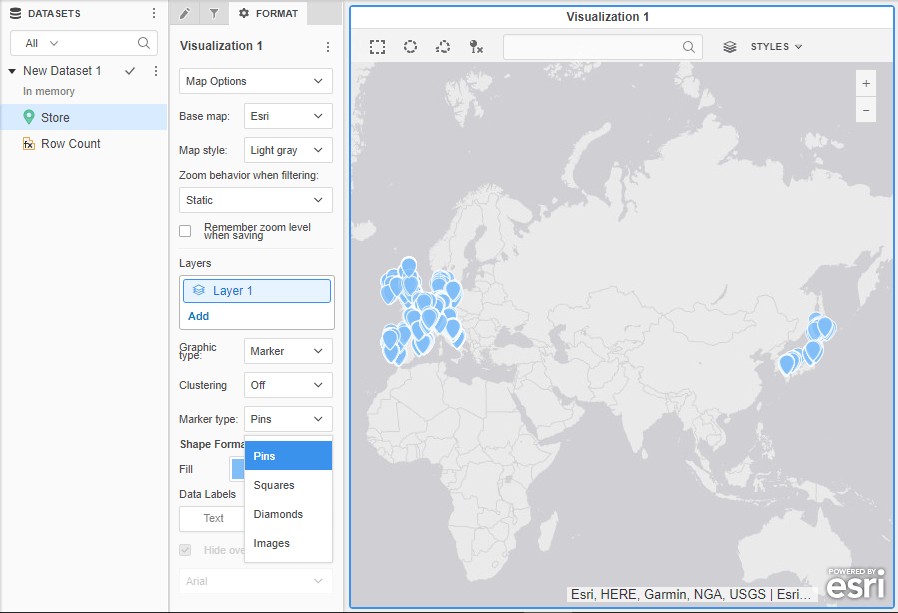
  • In the Strategy Tutorial project, create a Dossier using the Store attribute, choose Map visualization: 
ka0PW0000001JPuYAM_0EM44000000WMOm.png
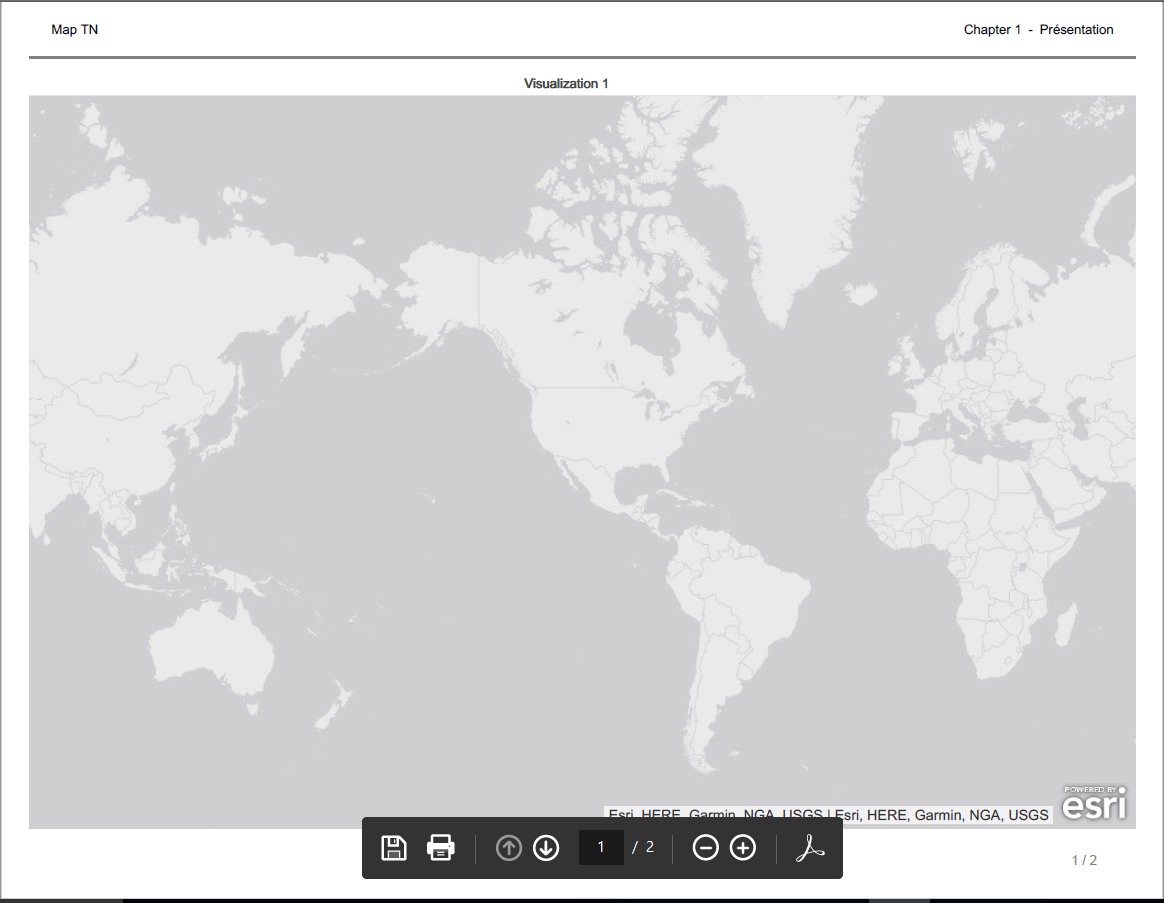
  • Export to PDF, notice the map has no markers:  
ka0PW0000001JPuYAM_0EM44000000WMP1.png

CAUSE:
This is an identified defect with Strategy 10.9 - 10.11.
ACTION:
Currently this issue is being reviewed by Strategy for a potential code fix on an upcoming Strategy release.
WORKAROUND:
Use English language settings so the map is exported with all markers: 
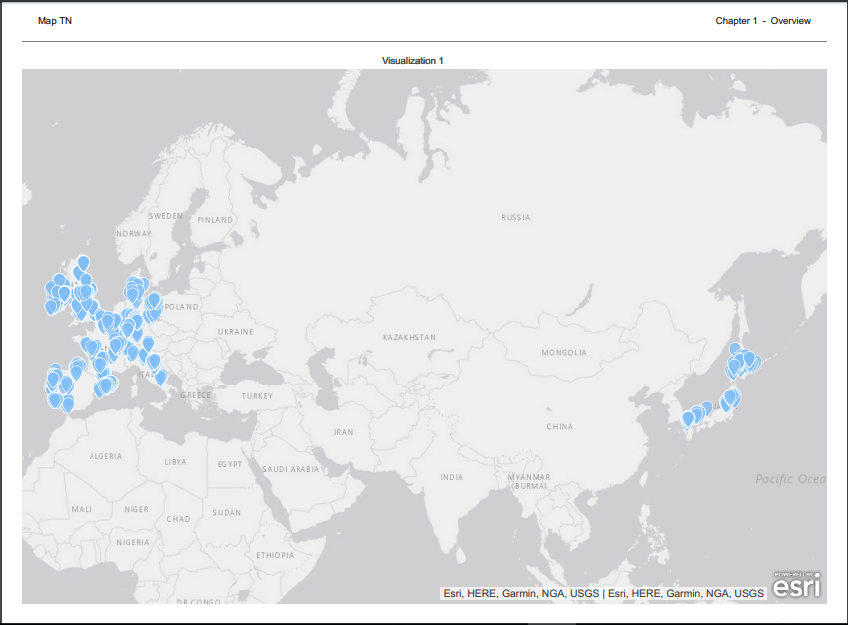
ka0PW0000001JPuYAM_0EM44000000WMOw.png

Article Reference Number: KB440764


Comment

0 comments

Details

Knowledge Article

Published:

May 7, 2018

Last Updated:

March 21, 2024