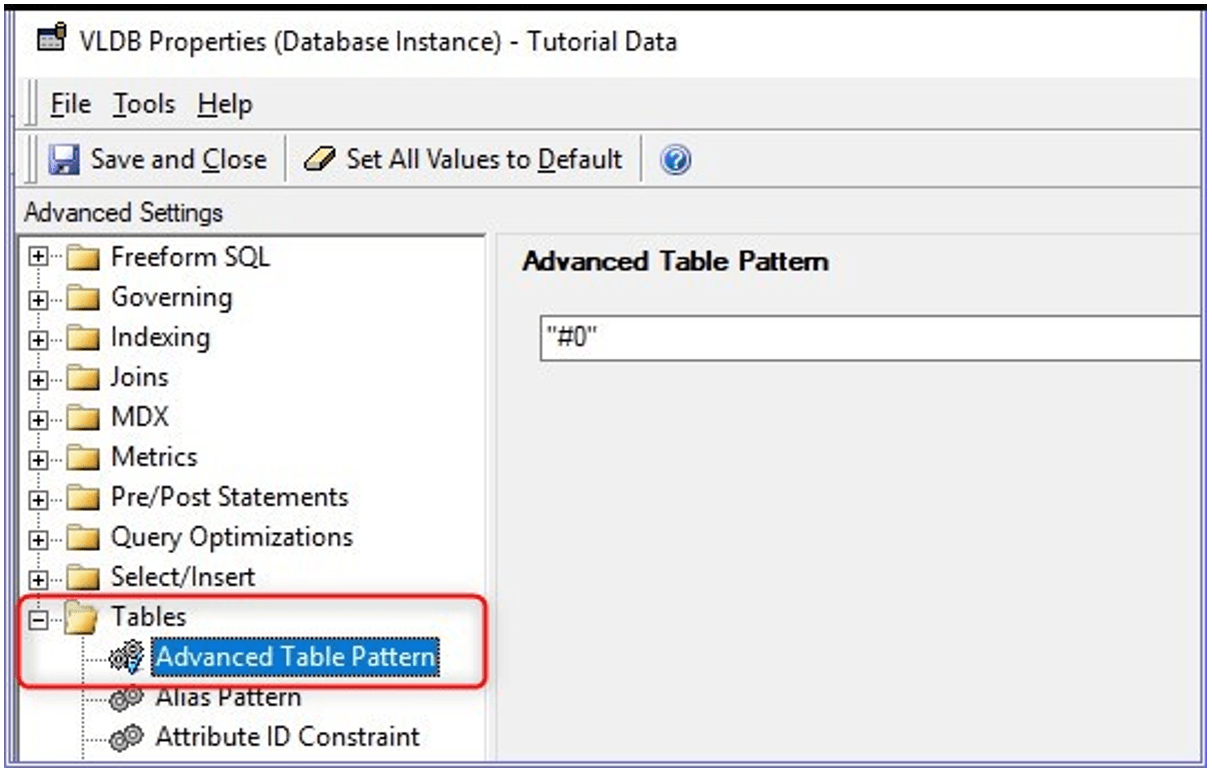
After upgrading to Strategy 2021.x and using Oracle 19c database, in generated SQL table names are surrounded with double quotes, but before the upgrade there were no quotes.
Before upgrade:
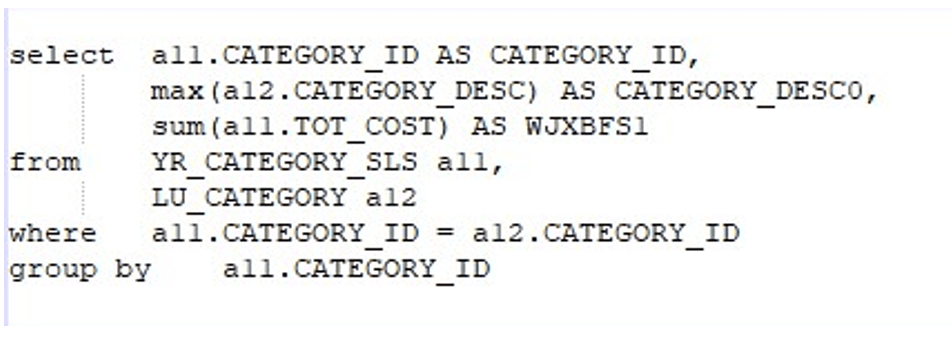
After upgrade:
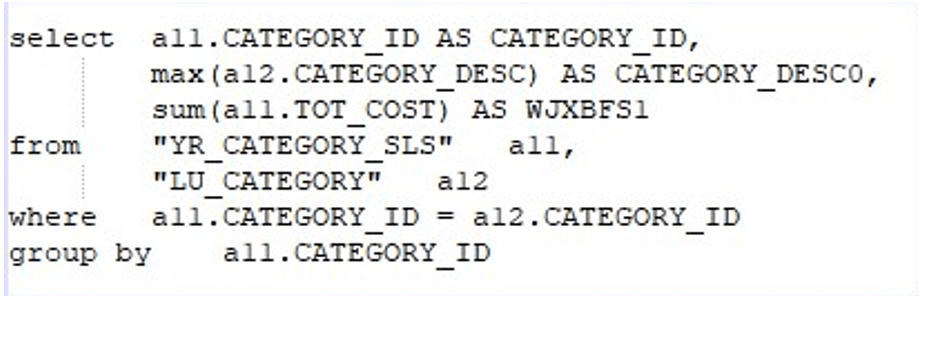
The reason why this issue occurs in Strategy 2021 or newer, is that the default value of Advanced Table Pattern for Oracle 19c Database has been changed in Strategy 2021.
Starting with Strategy 2021, the table pattern behavior for Oracle 19c Database is to wrap the table names in double quotes.
This can be changed by adjusting Advanced Table Pattern at Database Instance level VLDB settings.
Advance Table Pattern is hidden by default. To expose and change the Advance Table Pattern VLDB setting please follow KB426353.
After exposing the setting, go to VLDB Settings at DBI level, remove the quotes and restart the Intelligence Server or reload the project to make the changes take effect.