EducationSoftwareStrategy.com
StrategyCommunity

Knowledge Base

Product

Community

Knowledge Base

TopicsBrowse ArticlesDeveloper Zone

Product

Download SoftwareProduct DocumentationSecurity Hub

Education

Tutorial VideosSolution GalleryEducation courses

Community

GuidelinesGrandmastersEvents
x_social-icon_white.svglinkedin_social-icon_white.svg
Strategy logoCommunity

© Strategy Inc. All Rights Reserved.

LegalTerms of UsePrivacy Policy
  1. Home
  2. Topics

MicroStrategy Community Connector Displays a Blank Window After Upgrading to MicroStrategy 2019 Update 3


Community Admin

• Strategy


This knowledge base article describes a known issue which can result in a blank window when selecting the MicrosStrategy Community Connector from the Data Import dialog.

Description

Selecting the Strategy Community Connector on the Data Import dialog opens a blank window.

What is this happening?

The page for the Tableau connector is being loaded by default: http://webservername:portnumber/CommunityConnectors/mstr/
The page for the Strategy Community Connector should be loading instead: http://webservername:portnumber/CommunityConnectors/mstr-native/

Workaround

The administrator should manually replace /mstr in the Strategy Community Connector URL to /mstr-native.
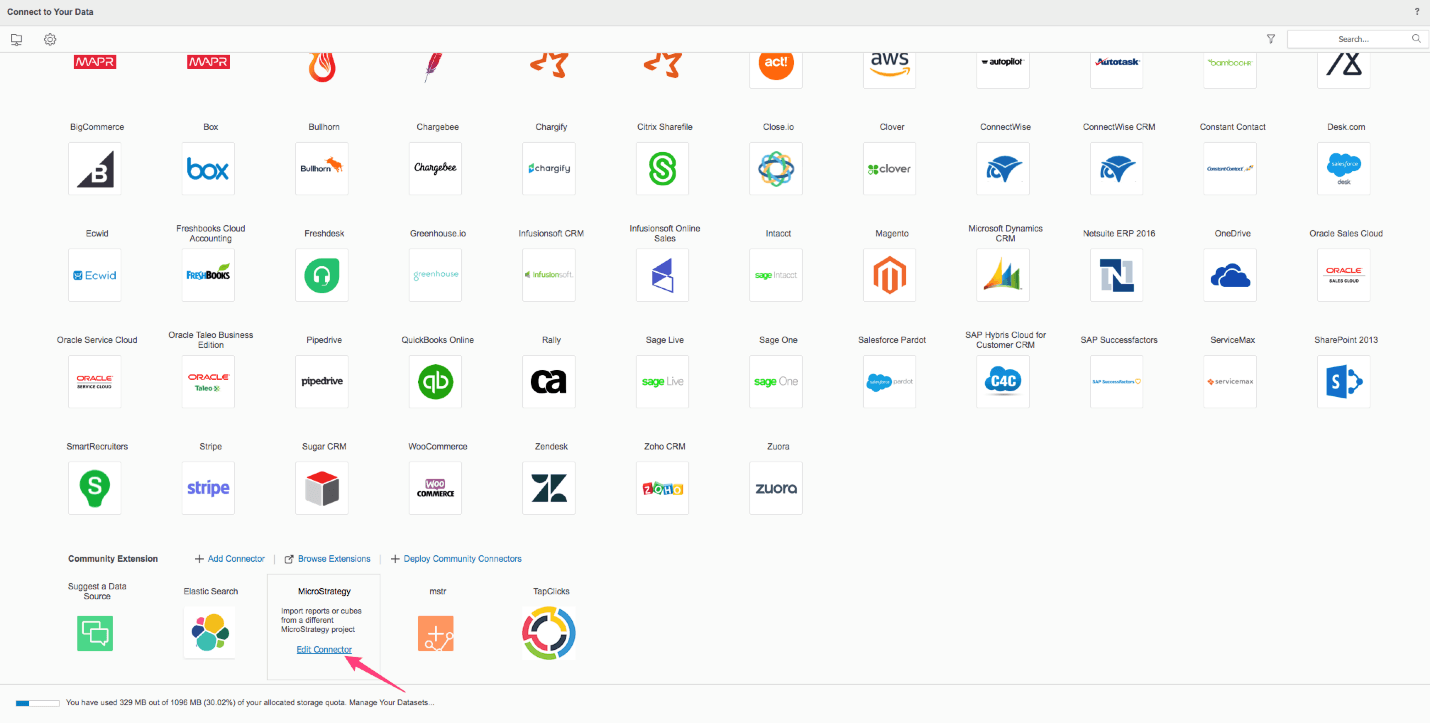
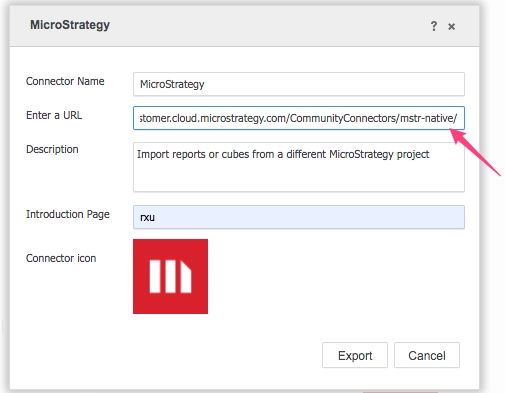
ka04W000001IwxgQAC_0EM2R000000m4Q0.jpeg
ka04W000001IwxgQAC_0EM2R000000m4Q5.jpeg

Comment

0 comments

Details

Knowledge Article

Published:

September 20, 2019

Last Updated:

September 20, 2019