Starting with the release of Strategy ONE (March 2024), dossiers are also known as dashboards.
Watch our "Top Tips: Enhancing Dossier Design and Performance" On-Demand webinar for more insights from Strategy experts.
How do I change the banding color in a dossier grid visualization?
There is currently no way to define banding colors. Light grey is the default banding color.
How do I change the header description of subtotals in a grid visualization, such as Total Region and Total District, instead of just the word ‘Total’?
To create custom subtotal headers, use calculated groups in your dossiers. Each new group can be renamed as needed to provide custom headers, such as Total Region. To create a calculated group, select the desired elements, right-click and select Calculation. Add the values together for Total and name as needed.
For reference, click here.
Is there an option to create a combination chart in a dossier (e.g., area and line chart)?
Yes, create a dual-axis graph which is useful for displaying metrics that contain very different ranges of values. A dual-axis graph displays two different axes, on opposite sides of the graph. To put both metrics on one side of the axis, place the “Metric Names” object in the Color By and Break By drop zones.
For reference, click here.
Is there a way to pass a prompt answer from one dossier to another? For example, if I click on a Country (USA) in the parent dossier, will the prompt selection be reflected in the child dossier?
Contextual linking can pass over prompt answers from one dossier to another. It also allows prompts to be answered dynamically.
For reference, click here.
Is there more flexibility in formatting tooltips? For example, when using Butterfly or Tornado charts, negative values of metrics are always shown as -130, which is incorrect.
Currently, Strategy does not have Butterfly (also known as Tornado or Divergent) charts in the Visualization Gallery. Tooltips are not customizable at this time.
Is Strategy Desktop still available for creating dossiers?
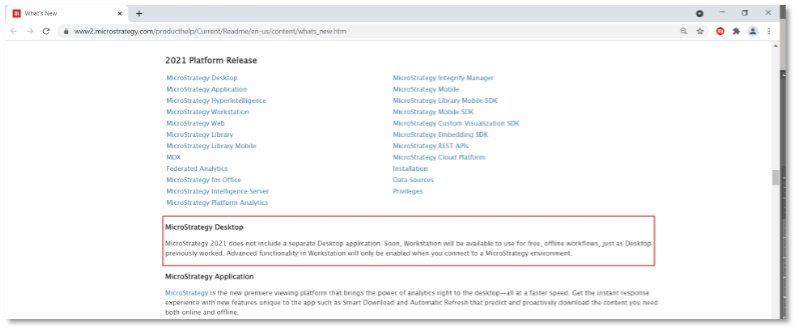
For dossier authoring, you should use Strategy Workstation as the local dossier editing tool.
Refer to the What's New page in the Strategy 2021 Readme.
I often import data from Excel into my dossiers. After making any changes in the underlying Excel file, I republish and/or wrangle the data coming from that file. However, such changes are not taking effect. I have to remove the Excel file and add it again to see the changes. Why is this happening?
Republishing and wrangling depend upon a consistent data source structure. Modifying the underlying data source structure requires a new import of the data by using the Replace Dataset option.
For an In-Memory Cube for dossiers, is a 17.7GB cube too big even if there's 296GB of memory on the Intelligence Server machine?
We cannot definitively say that this specific memory and cube size will be enough to accommodate a high performing dossier. We recommend consistently testing and following a specific process to make sure] your dossiers are running well at all times.
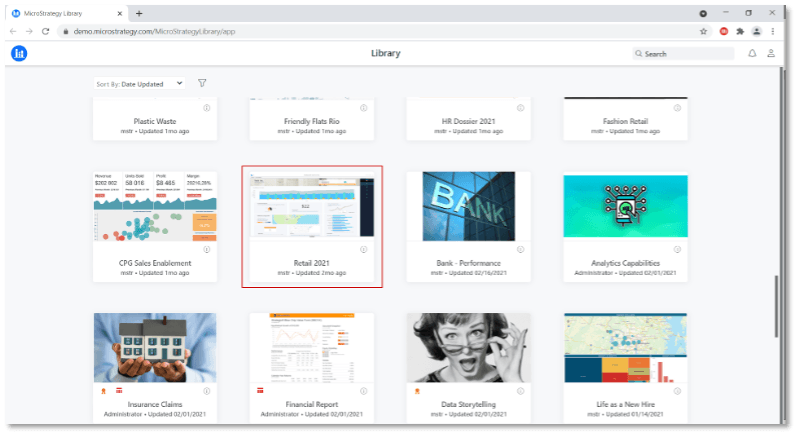
How do I find the dossier from the second demo in Top Tips: Enhancing Dossier Design and Performance?
Navigate to this site and scroll down halfway through and find the Retail 2021 dossier.
What is the URL to access the Strategy Education protal for an Architect or Analyst Pass holder?
Click here and select a course to enroll in. For a guided tour through our Education offerings, please check out our Pass Orientation, found here .
Is it possible to obtain a free trial license for Strategy Analyst or Architect courses?
Yes, you can sign up for a free 30-day Architect Pass trial through our Expert.Now service. It gives you exclusive access to Strategy experts on-demand or on-schedule, as well as access to all 56 courses in the Strategy Education Catalog. We have found that educated users are more likely to use the product on a daily basis.
Watch this video to learn more about the Expert.Now offering.
Q: Is there a way to see a preview of new features for dossiers planned for future Strategy releases?
To get a sneak-peak of new functionalities in dossiers, watch our Top Tips: Enhancing Dossier Design and Performance webinar on-demand, where our experts present the product roadmap.
Enroll in the What’s New for Analysts Strategy Education course with your Architect or Analyst Pass to explore new features.
Sign up for our MicroMinute newsletter to get access to demo videos, register for Top Tips webinars in advance, and get notifications to stay updated!
Discover the latest features and capabilities here.
