SYMPTOM
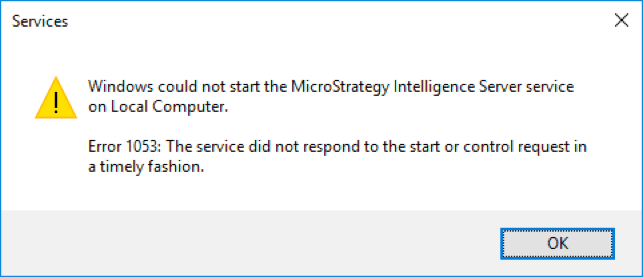
When starting Strategy Intelligence Server 10.7 and 10.8 through Service Manager or Windows Services the following generic error message is displayed immediately:
Windows could not start the Strategy Intelligence Server service on Local Computer.
Error 1053: The service did not respond to the start or control request in a timely fashion
In order to identify this as the same issue described here, users can check the Event Viewer which will display a more detailed error message as shown below:
Faulting application name: MSTRSvr2_64.exe, version: 10.8.7.45, time stamp: 0x591c5818
Faulting module name: ucrtbase.dll, version: 10.0.15063.0, time stamp: 0xaf2e320b
Exception code: 0xc0000005
Fault offset: 0x000000000001c118
Faulting process id: 0x1498
Faulting application start time: 0x01d2d38ed8a0005a
Faulting application path: C:\Program Files (x86)\Strategy\Intelligence Server\MSTRSvr2_64.exe
Faulting module path: C:\WINDOWS\System32\ucrtbase.dll
Report Id: ac93ed7e-1aa3-498a-bb93-34c7ef9b6f51
Faulting package full name:
Faulting package-relative application ID:
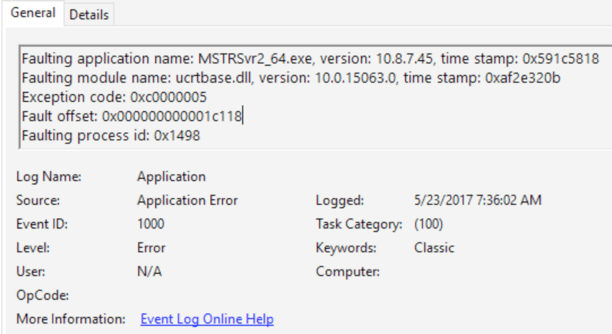
Exception code should always be 0xc0000005 (Access violation) and it should occur in ucrtbase.dll.
CAUSE
This is caused by a conflict between the Strategy Intelligence Server and the latest Windows 10 Feature Pack 1703 and the root cause is still under active investigation. In order to identify the Windows 10 feature pack on a machine, navigate to the System information page and check the Version number as shown below:

The 1703 "creators update" carries the 10.0.15063 version number. For comparison, previous service packs include 1607 "Anniversary Update", identified by version 10.0.14393 and the original 1511 feature pack identified by version 10.0.10586 which do not encounter this issue. A complete list of Windows 10 versions is available at https://en.wikipedia.org/wiki/Windows_10_version_history.
ACTION
Strategy maintains support for server products on client operating systems like Windows 10 in order to enable the quick creation of evaluation and demo systems. For the immediate future, customers on Windows 10 Feature Pack 1703, will need to use a previous version of Strategy, an earlier feature pack of Windows 10, or a different operating system for Intelligence Server. This issue is currently under investigation and an update will be posted once available.
