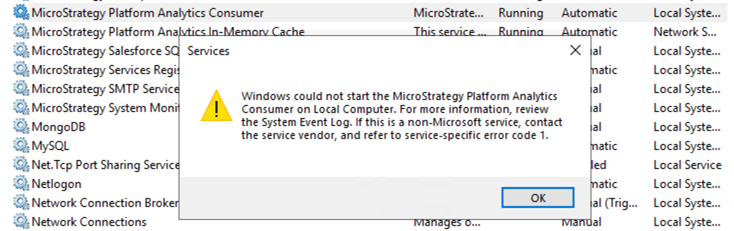
When starting the Strategy 2021 Platform Analytics Consumer, users may receive the following error: "Windows could not start the Strategy Platform Analytics Consumer on Local Compute. For more information, review the System Event Log. If this is a non-Microsoft service, contact the service vendor, and refer to service-specific error code 1."
In the Event Viewer, users can see the following error: "The Strategy Platform Analytics Consumer terminated with the following server-specific error: Incorrect function."

The root cause to this error is incorrect formatting in your PAconfiguration.yaml, such as a missing space between the key and value.
pgWarehouseDbConnection:
pgWhHost: "localhost"
pgWhUser: "mstr_pa"
pgWhPasswd: "YAGzHSfhFtcfKGhF/FMrt41PlkSp1DruotLz,EWRPZV6YmE04znSe"
pgWhPort: 5432
pgWhDb: "platform_analytics_wh"
pgWhSSLcert: ""
pgWhSSLkey: ""
pgWhSSLrootcert: ""
pgWhSSLmode: "disable"
pgWarehouseDbConnection:
pgWhHost: "localhost"
pgWhUser: "mstr_pa"
pgWhPasswd:"YAGzHSfhFtcfKGhF/FMrt41PlkSp1DruotLz,EWRPZV6YmE04znSe"
pgWhPort: 5432
pgWhDb: "platform_analytics_wh"
pgWhSSLcert: ""
pgWhSSLkey: ""
pgWhSSLrootcert: ""
pgWhSSLmode: "disable"
You can solve this error by adding a blank space between the key and value, and then restarting the Strategy Platform Analytics Consumer.
