Starting with the release of Strategy ONE (March 2024), dossiers are also known as dashboards.
Imagine this situation: There are two environments, say on-cloud and on-premise. Both of them contain the same metadata and the same report. You run this report from both environments, but the report execution time is different. Cloud is much slower. Your task is to find out why.
You retrieve a SQL code of the report - it's a big one with almost 4000 lines of code and 250 SQL passes. And you need to check two files like that. You need to find where the delta is, meaning which passes are slower in the under-performing environment.
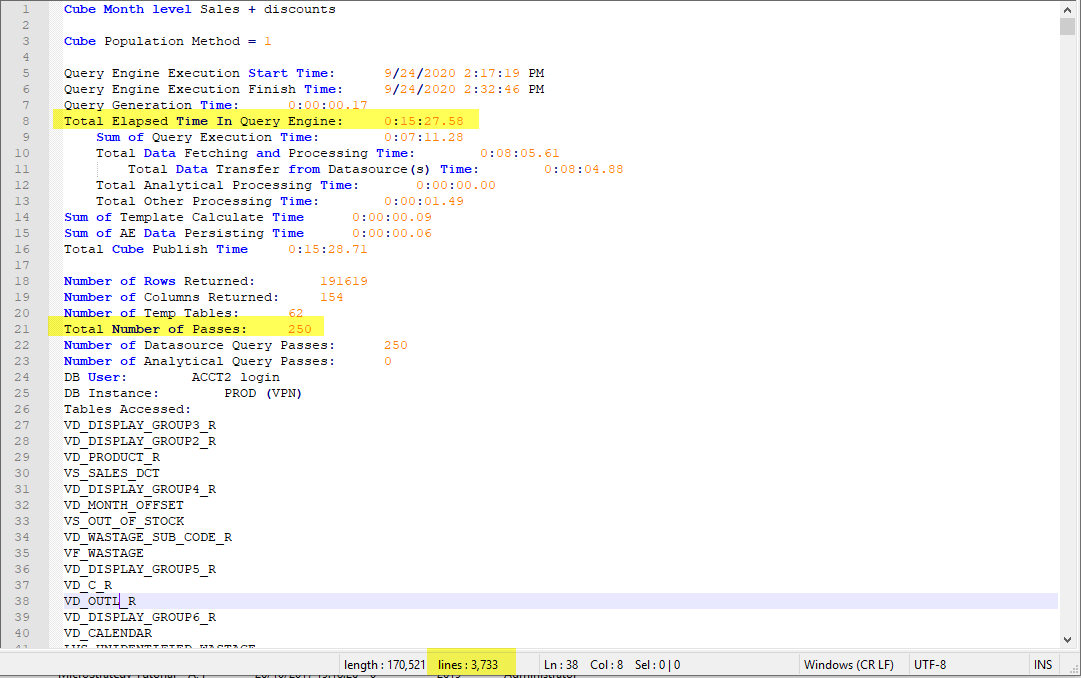
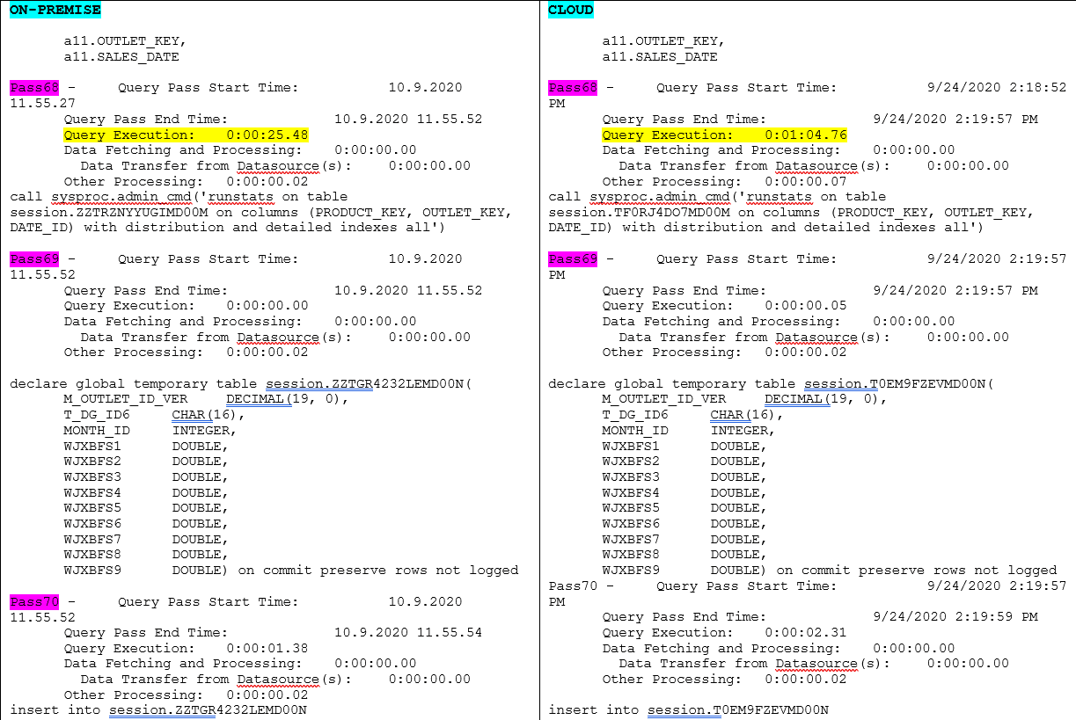
So, now you can scroll through those thousands of SQL code lines, pass by pass, compare both files... Or you can be smarter! You can use "Strategy SQL Query Analyzer" utility and shorten the process! Instead of losing your eyes on reading 8000 lines of code let's use a fast dossier that would highlight all the important information in a pleasant way.
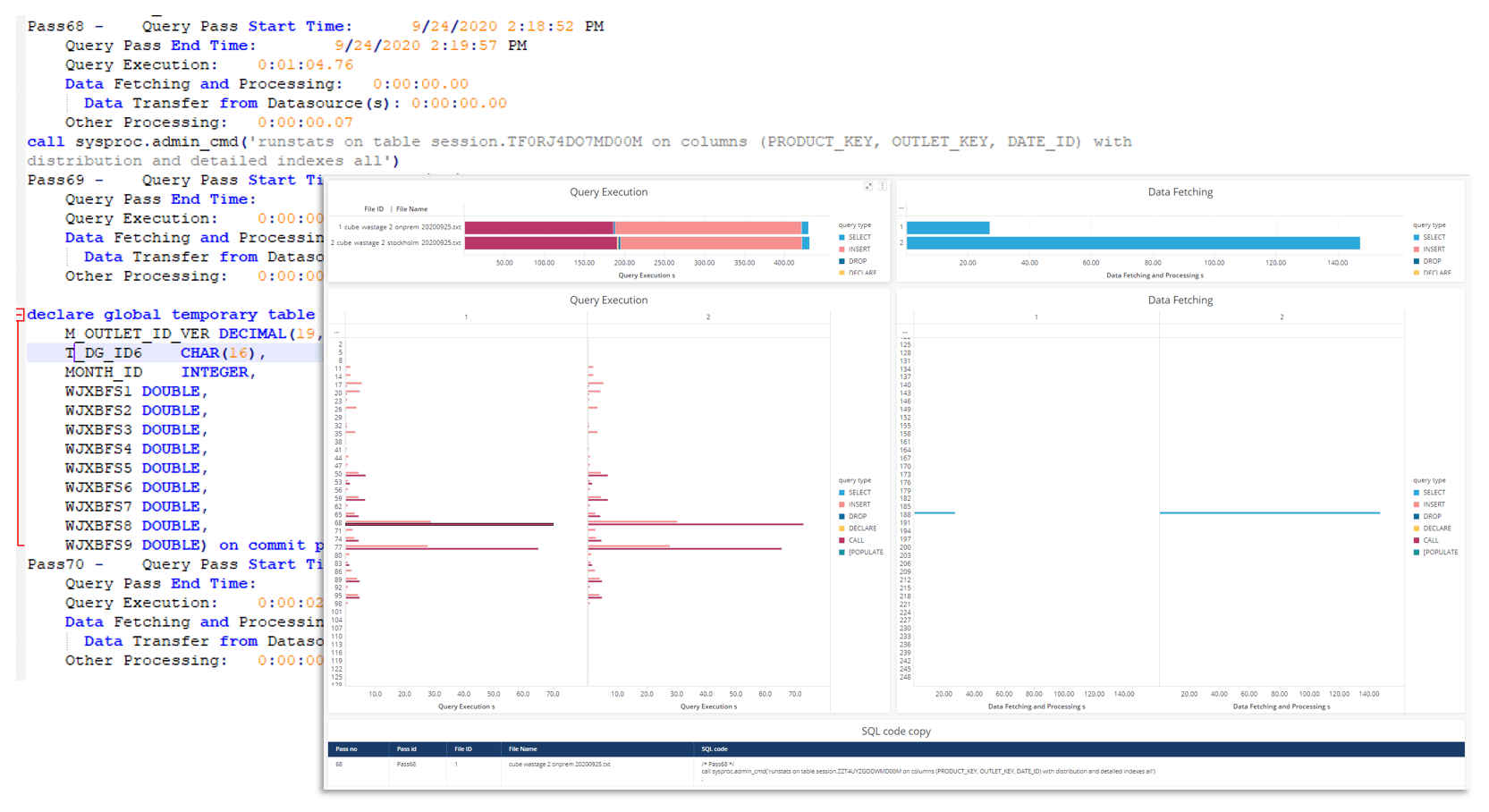
"Strategy SQL Query Analyzer" actually consists of two files: one is a Python script and one is Strategy dossier.
1. Python script parses two blobs of SQL code generated by Strategy SQL engine. It searches for Execution Times and other parameters. As an outcome it generates a CSV file that will be used in the second part. The only thing you need to change in the Python code are the names of the SQL files.
2. The second piece is a Dossier based on previously generated CSV file. This dossier visualizes execution times of each query pass and provides additional information like query type and code.
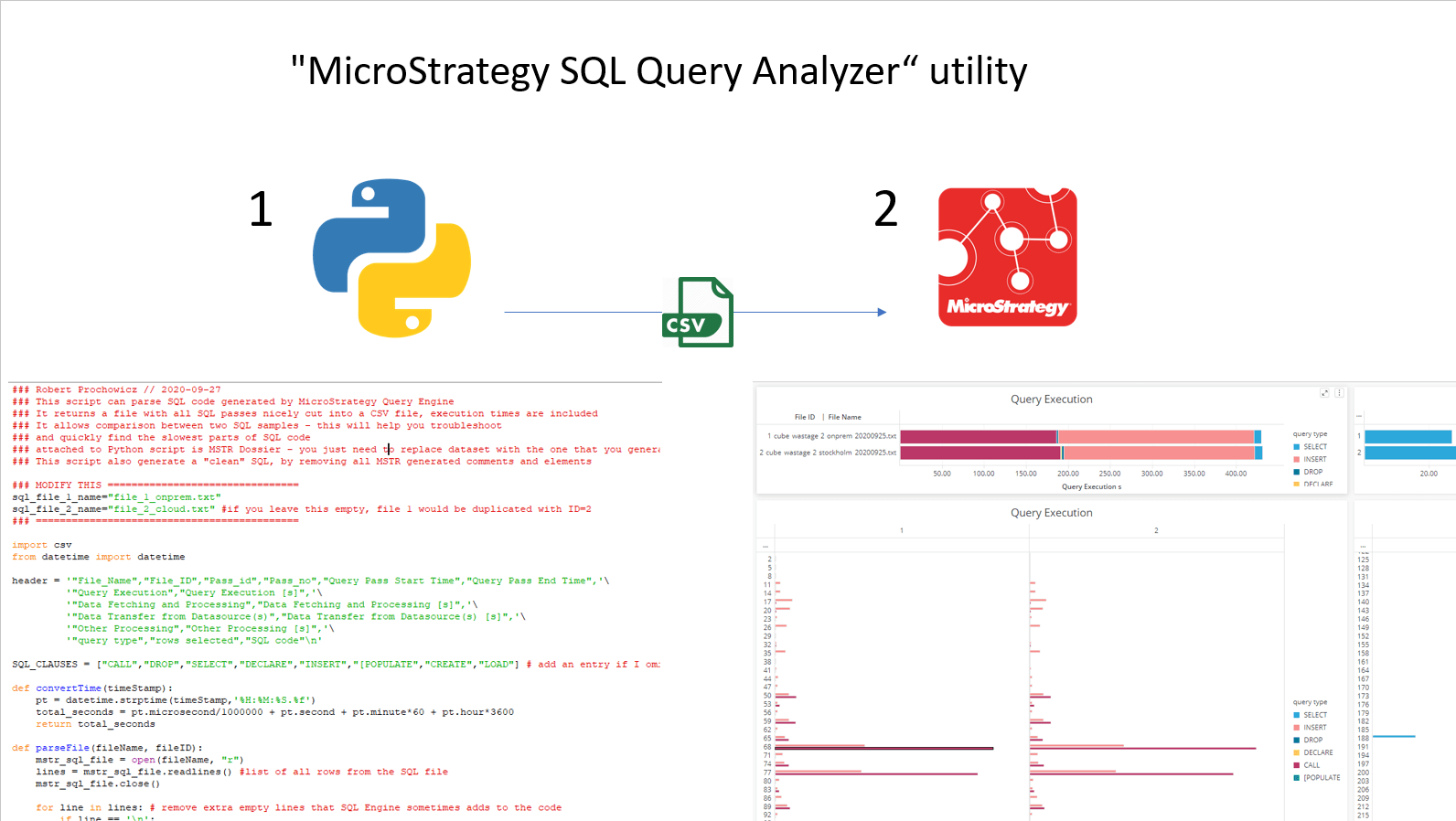
The process looks like this:
With the dossier you can start analyzing the data and hopefully you will find a reason of the slow performance in record time! In the dossier you will find:
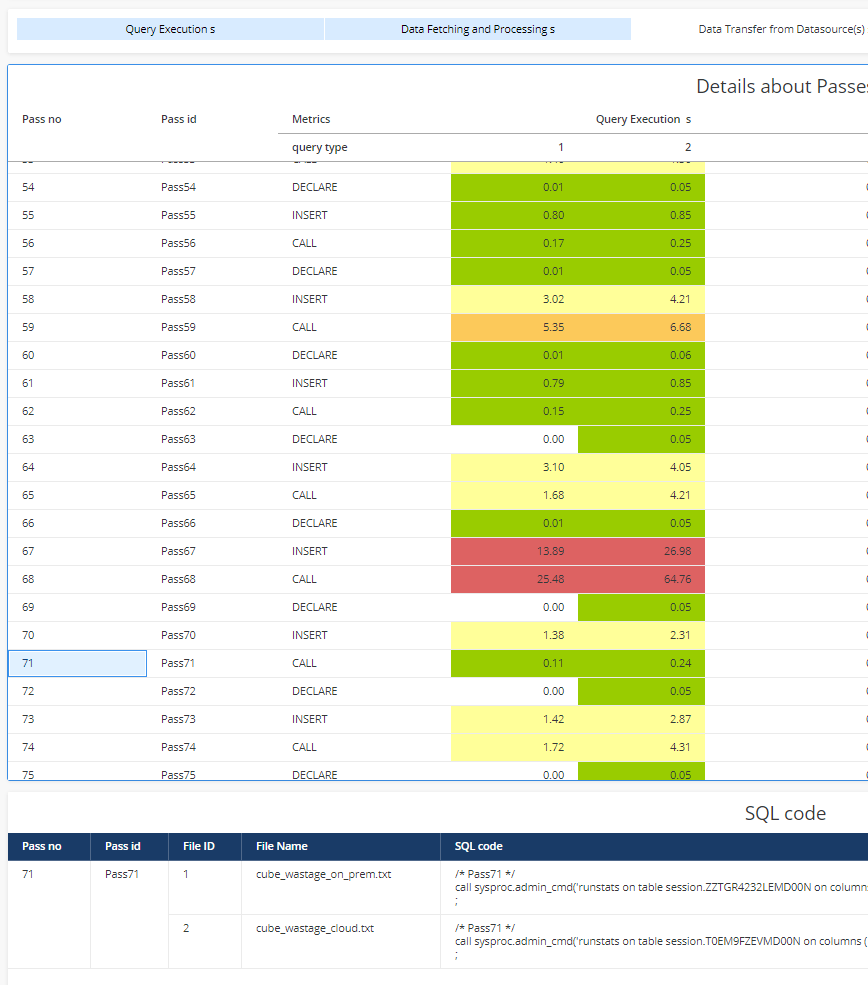
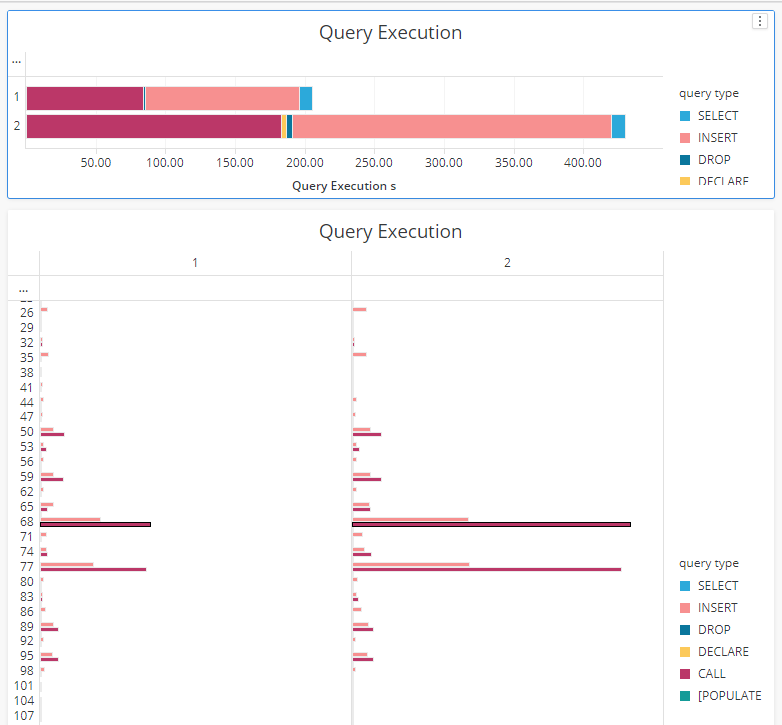
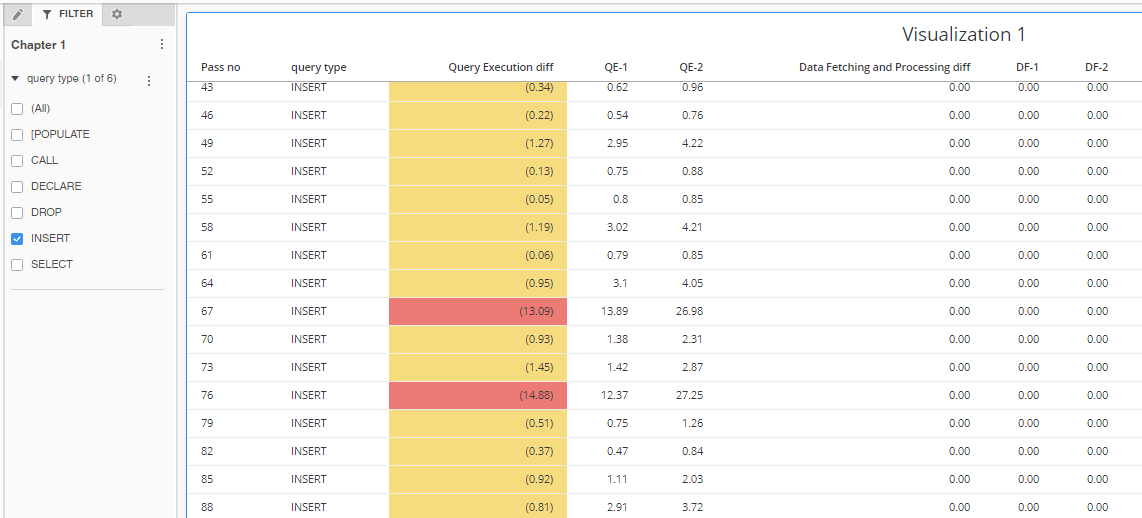
The Python script also generates a clean SQL code for each report. It removes all the additional parts that are relevant to Strategy. So, now you can just copy a pass or group of passes and run it in another SQL client like SQL Server Management Studio or Strategy DB Query tool.
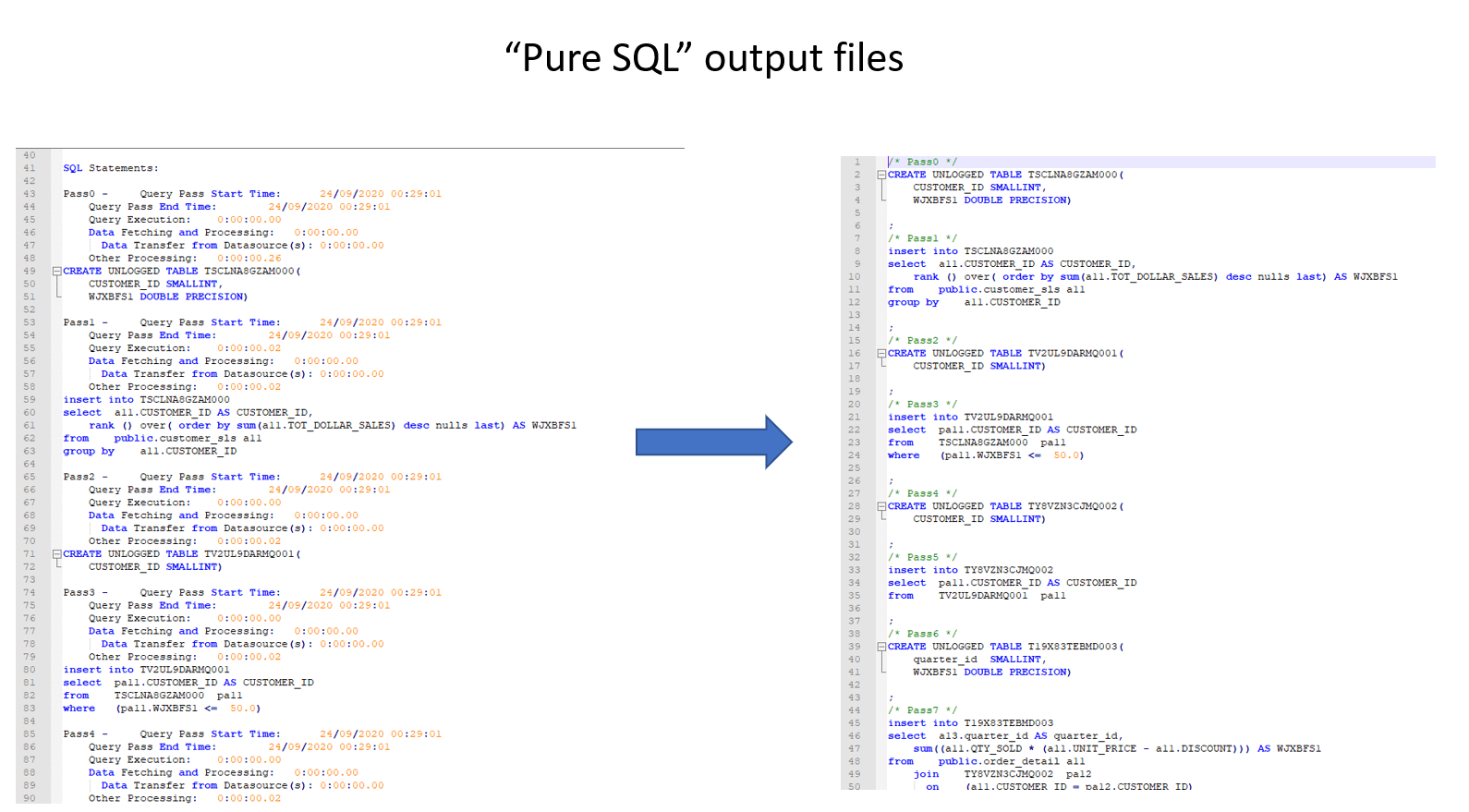
IMPORTANT. It's version #1 of the script, so I might have overlooked something. There might be some regional settings that change the way the date or time is generated and it could break the program. Send me the details please and I will try to fix it.
