EducationSoftwareStrategy.com
StrategyCommunity

Knowledge Base

Product

Community

Knowledge Base

TopicsBrowse ArticlesDeveloper Zone

Product

Download SoftwareProduct DocumentationSecurity Hub

Education

Tutorial VideosSolution GalleryEducation courses

Community

GuidelinesGrandmastersEvents
x_social-icon_white.svglinkedin_social-icon_white.svg
Strategy logoCommunity

© Strategy Inc. All Rights Reserved.

LegalTerms of UsePrivacy Policy
  1. Home
  2. Topics

KB485438: MicroStrategy SharePoint Files Connector only shows files and folders from the Documents folder


Pascal Deguine

Principal Product Specialist • Strategy


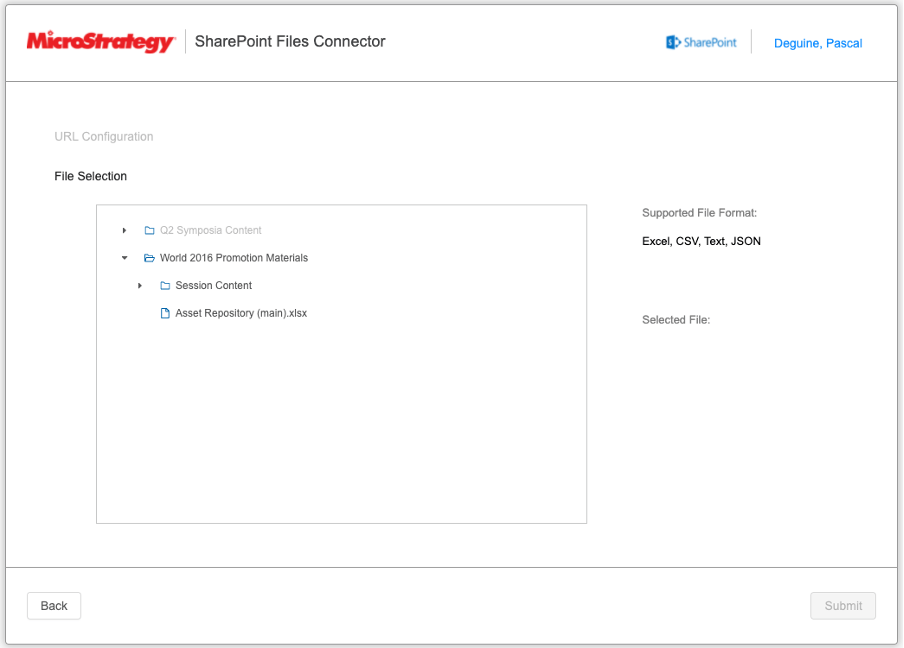
This Knowledge Base article describes a known limitation where the MicroStrategy SharePoint Files Connector only allows importing files from within the SharePoint documents folder in a given SharePoint Site.

Description


When using the SharePoint Files connector, only folders and files from the SharePoint Sites’ “Documents” folder are available to be selected for Data Import.
ka04W000001IuoxQAC_0EM4W000004Z16r.jpeg

Files located outside the “Documents” folder cannot be imported.
 

Action


This is currently working as designed. An enhancement request to allow import from other locations than the “Documents” folder is currently under review. Contact Strategy Technical Support for an update on this limitation. 
 

Workaround


Move files to the “Documents” folder to use Strategy Sharepoint Files Connector to import data into Strategy.


Comment

0 comments

Details

Knowledge Article

Published:

April 1, 2022

Last Updated:

April 1, 2022