Feature description:
This new feature allows a user to easily email a link, copy and share the link or copy and share the HTML to the Report or Document of interest to other users. In addition, the user can enable public access to the object and/or edit the object's access control list before sharing.
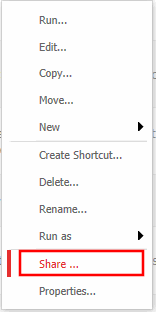
In order to access the share screen, right-click a report or document and choose "share":
Users will the see the following screen with share options via Email, link or HTML:
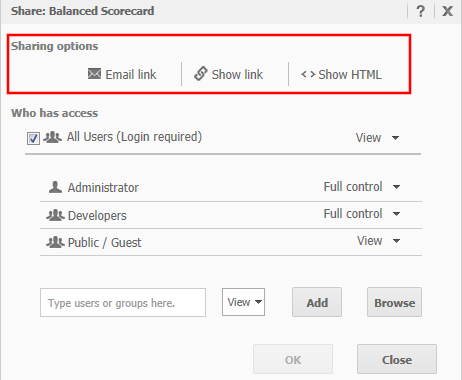
a. Email link
Clicking Email Link will open the default e-mail program and create a new e-mail containing the link to the report or report services document.
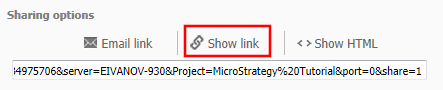
b. Show Link
Show Link displays a text field containing the link for users to copy and share with other users.
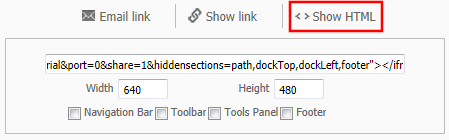
c. Show HTML
Show HTML creates HTML ready to be shared within an iFrame. In addition, users are given the option to define viewing options such as the size of the iFrame and display of Navigation Bar, Toolbar, Tools Panel or footer.
The share functionality was originally implemented into Strategy Web 9.2.0. For more information on Access Control of reports and documents by other users, please refer to technical note TN: 36702 - New feature in Strategy Web 9.2.0: Modify object access (ACL) to share objects with other users.
