Starting with the release of Strategy ONE (March 2024), dossiers are also known as dashboards.
After a Platform Analytics setup, users can look at our out-of-the-box Dossiers that are provided. One such Dossier is called “Mobile Telemetry”. Users may open this Dossier and realize that it returns no data.
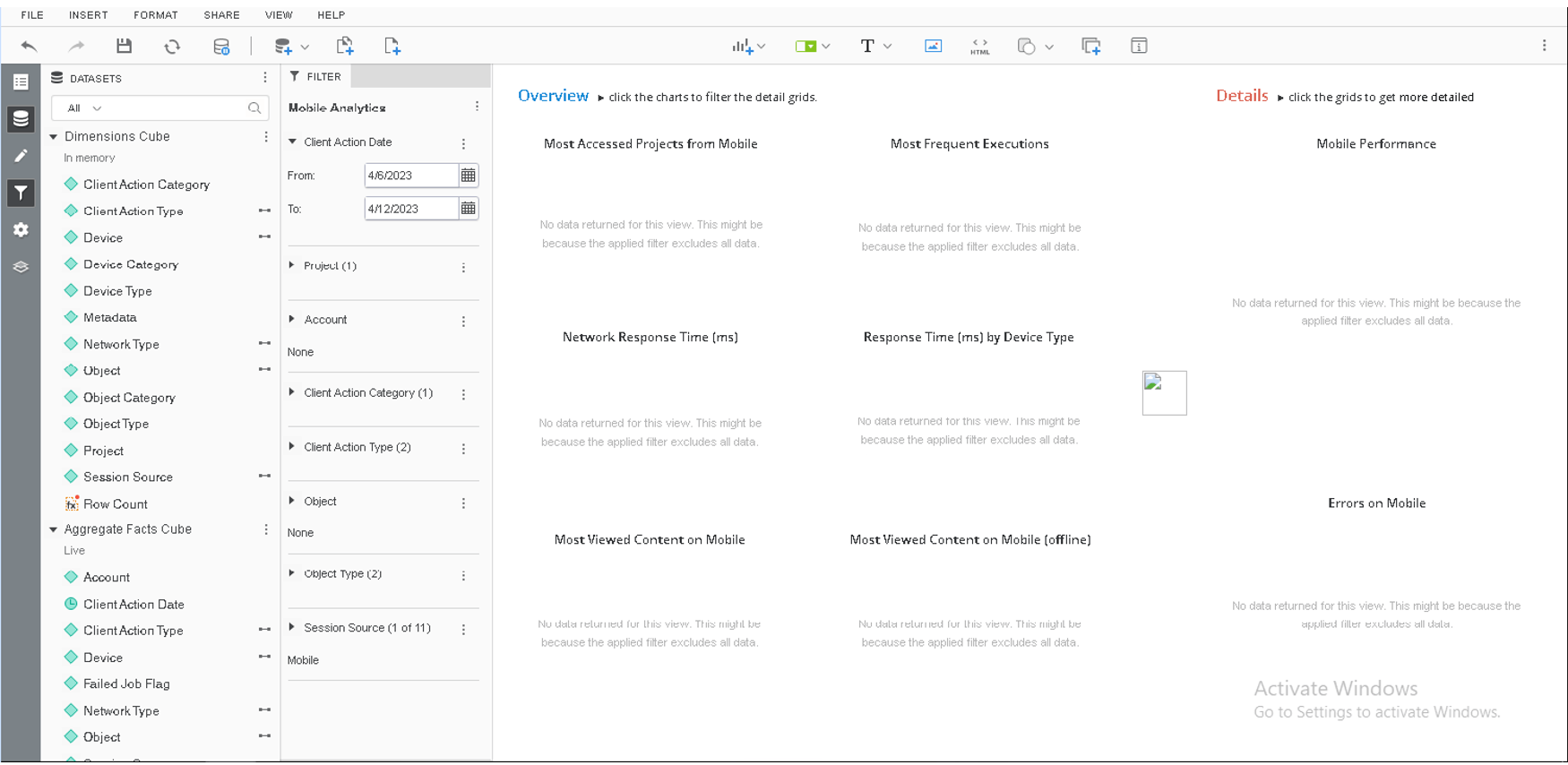
Users will know that they are using the mobile app to run reports, but why is data not present in the Dossier even after republishing the “Dimensions Cube”?
One of the main causes for this is that Mobile Telemetry has not been enabled for the Projects specified that are having reports run on them via a Strategy Mobile App.
Action
To check if your project has this enabled, the
LIST ALL PROPERTIES FOR PASTATISCScommand can be used through Command Manager. An example of the syntax is shown below. For more information, see Enable Telemetry Logging for Intelligence Servers When Using Single Node Telemetry:
LIST ALL PROPERTIES FOR PASTATISTICS IN PROJECT "Strategy Tutorial";
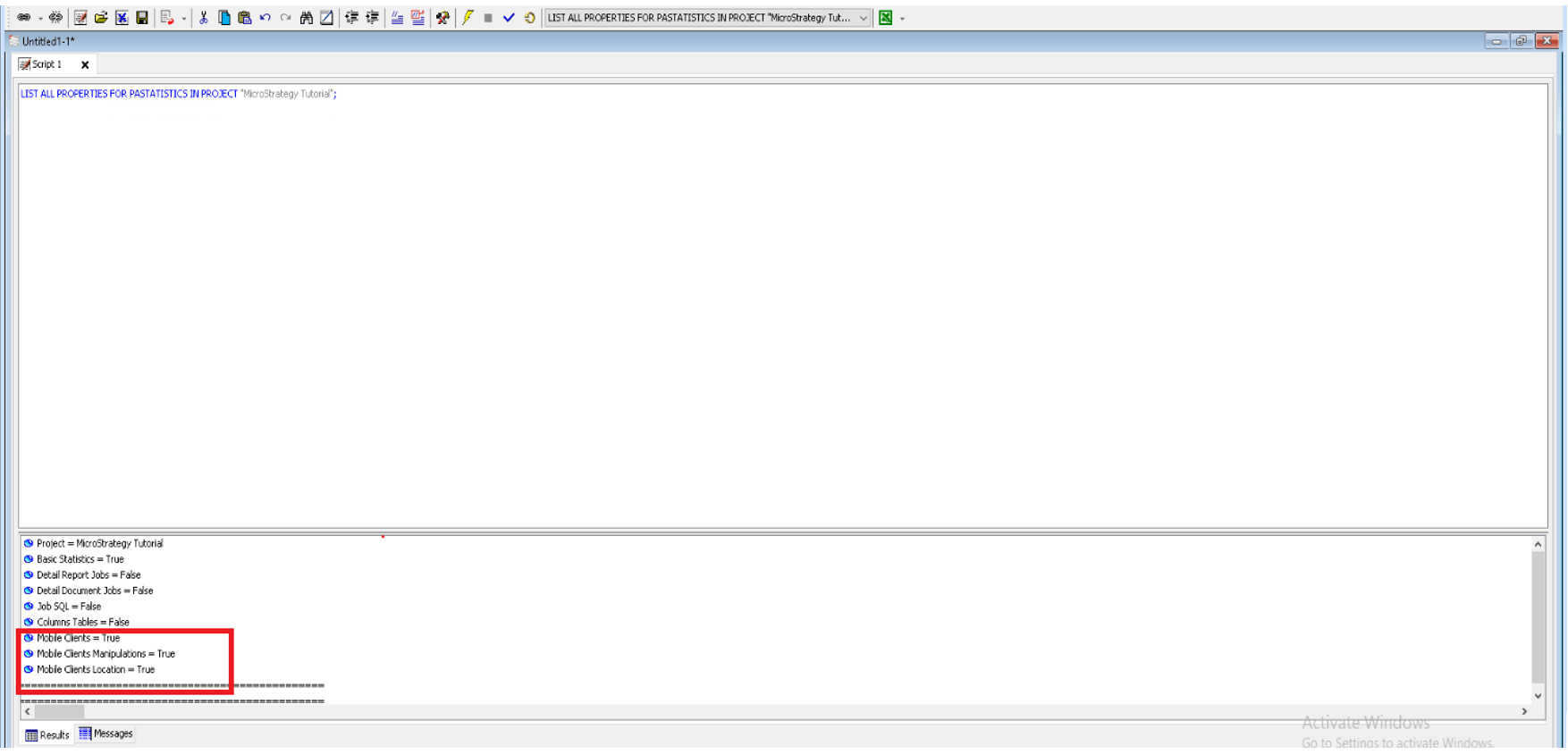
Mobile Telemetry is enabled at the Project Level. This can be accomplished through Command Manager for the project you specify by utilizing the
ALTER PASTATISTICScommand with sample syntax shown below. For more information about enabling statistics, see Alter Platform Analytics Statistics Statement:
ALTER PASTATISTICS BASICSTATS ENABLED MOBILECLIENTS TRUE MOBILEMANIPULATION TRUE MOBILECLIENTLOCATION TRUE IN PROJECT "Strategy Tutorial";
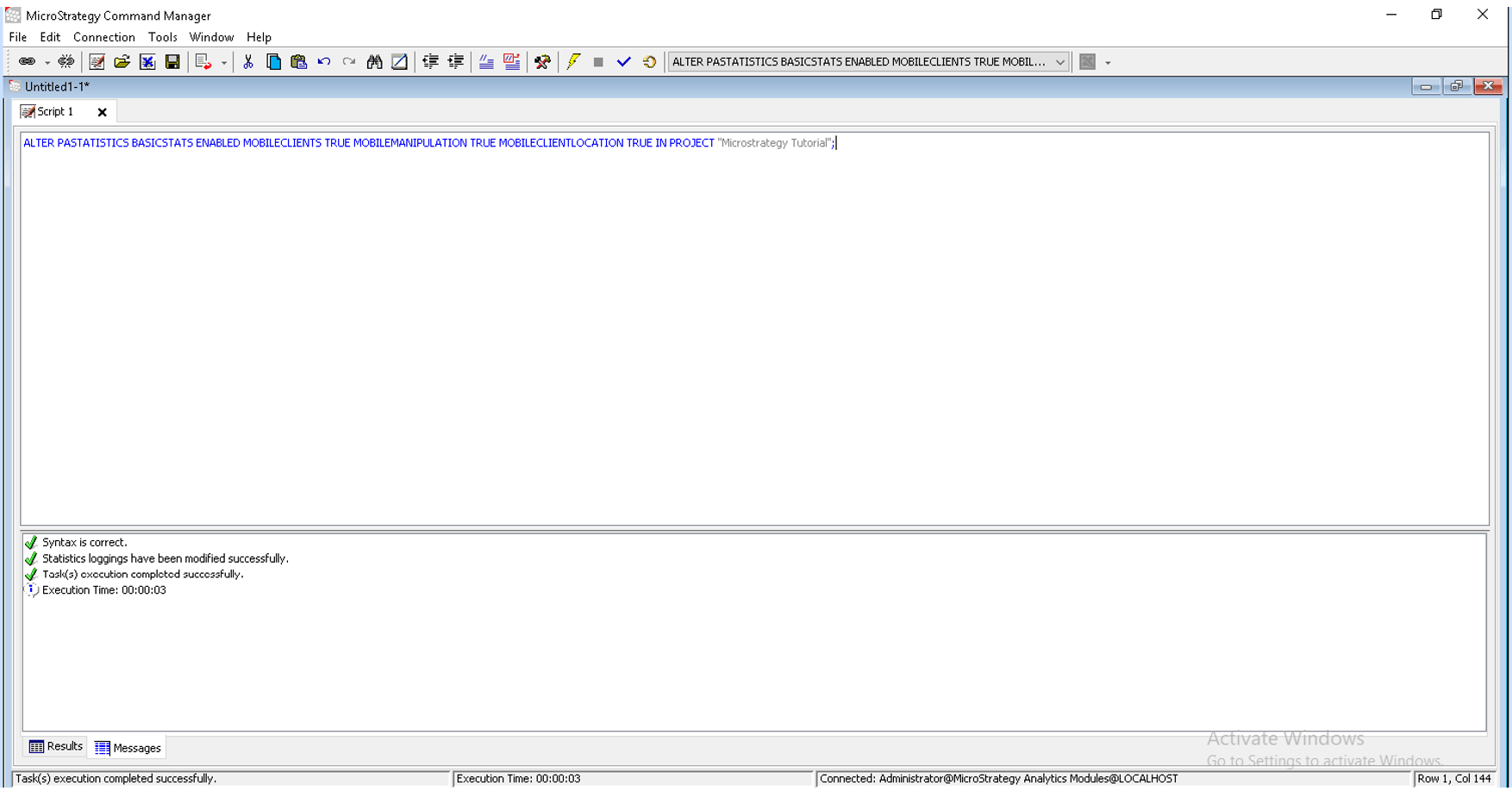
NOTE: “Strategy Tutorial” will be replaced with the project specified to have the PASTATISTCS altered for.
After enabling Mobile Telemetry for the project, users can run a report on the Mobile App. When opening the “Mobile Analytics” Dossier and republishing the “Dimensions Cube”, users will see that data is now populated in the Dossier.
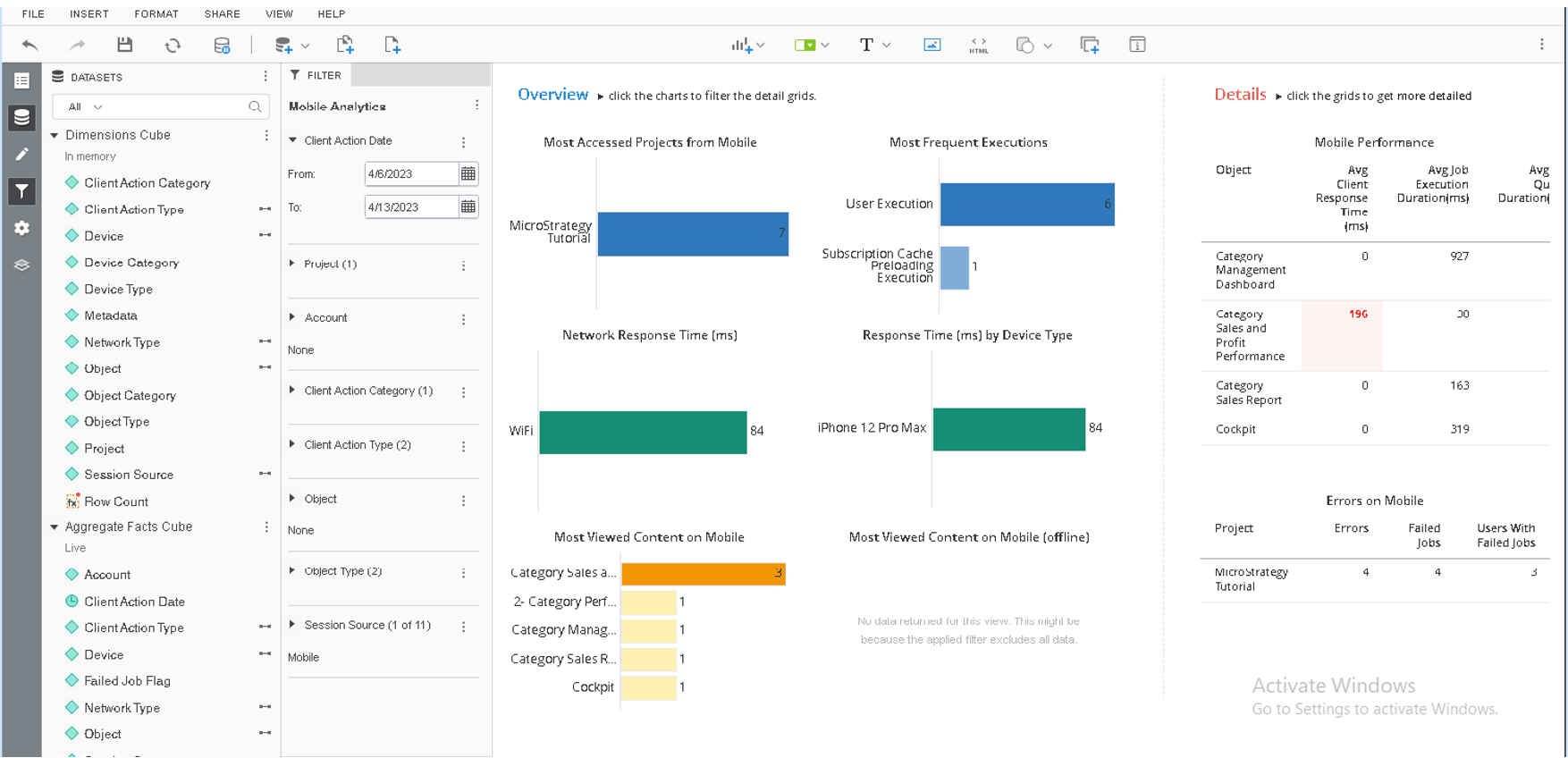
NOTE: The screenshot still contains a section where “No data returned for this view” is still present. This is due to the fact that no mobile content was viewed offline at the time of the screenshot.
