In the browser of the Web Admin page, the favicon icon is displayed. Users may not want this image or want to use their own image in the browser. Developers can follow the following steps to modify the favicon image using the Web Customization Editor.
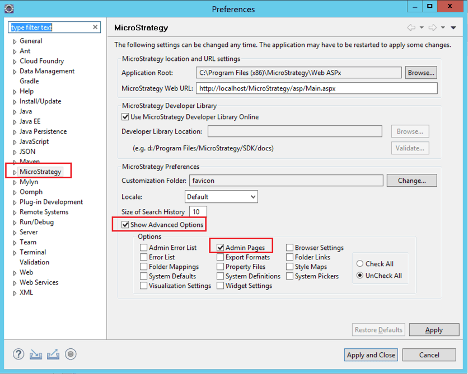
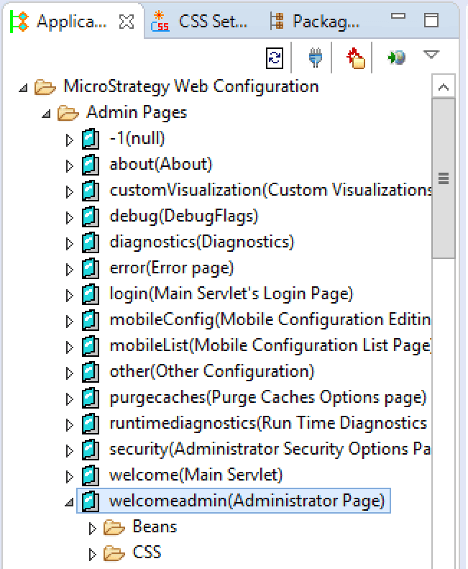
favicon.ico.For example:
<!--  favicon -->
<!--<link rel="shortcut icon" href="../style/mstr/images/favicon.ico" type="image/x-icon" />-->
<!--  end favicon -->
<!-- favicon -->
<link rel="shortcut icon" href="../plugins/customplugin/style/mstr/images/customfavicon.ico" type="image/x-icon" />
<!-- end favicon -->
KB440023: How to Change or Remove the MicroStrategy Favicon Displayed in the Browser When Running a Report Services Document in Presentation Mode using the MicroStrategy Web SDK 10.x
KB33986: How to Change or Remove the MicroStrategy Favicon displayed when viewing MicroStrategy Web 9.3.x in the browser
