EducationSoftwareStrategy.com
StrategyCommunity

Knowledge Base

Product

Community

Knowledge Base

TopicsBrowse ArticlesDeveloper Zone

Product

Download SoftwareProduct DocumentationSecurity Hub

Education

Tutorial VideosSolution GalleryEducation courses

Community

GuidelinesGrandmastersEvents
x_social-icon_white.svglinkedin_social-icon_white.svg
Strategy logoCommunity

© Strategy Inc. All Rights Reserved.

LegalTerms of UsePrivacy Policy
  1. Home
  2. Topics

KB485018: How to move PGDATA to a custom location and upgrade the installation on Windows


Muna Abdi Yussuf

Product Manager • Strategy


This article provides steps for moving PGDATA to a custom location and configuring the MicroStrategy Repository service.

Note: This process is only viable on a Windows machine. Strategy encourages customers to leverage a Remote Repository if they wish to move the PostgreSQL data files on a Linux machine. 
 

  • Validate the
    data_directory
    path preconfigured with Strategy installation:
    • Log in to the Postgres repository:
      • Launch Windows Command prompt with administrator privileges and execute the following commands:
        
        cd C:\Program Files (x86)\Common Files\Strategy\Repository\pgsql\bin

        
        psql.exe -U mstr -d postgres

      • You will be prompted for the “Password for mstr user:“
      • Use the
        Default_Accounts.txt
        file located under
        C:\Program Files (x86)\Common Files\Strategy
        for the Strategy user password. Refer to the [Strategy Repository] section for the same. Enter the password and press the Enter key. You are logged into the repository
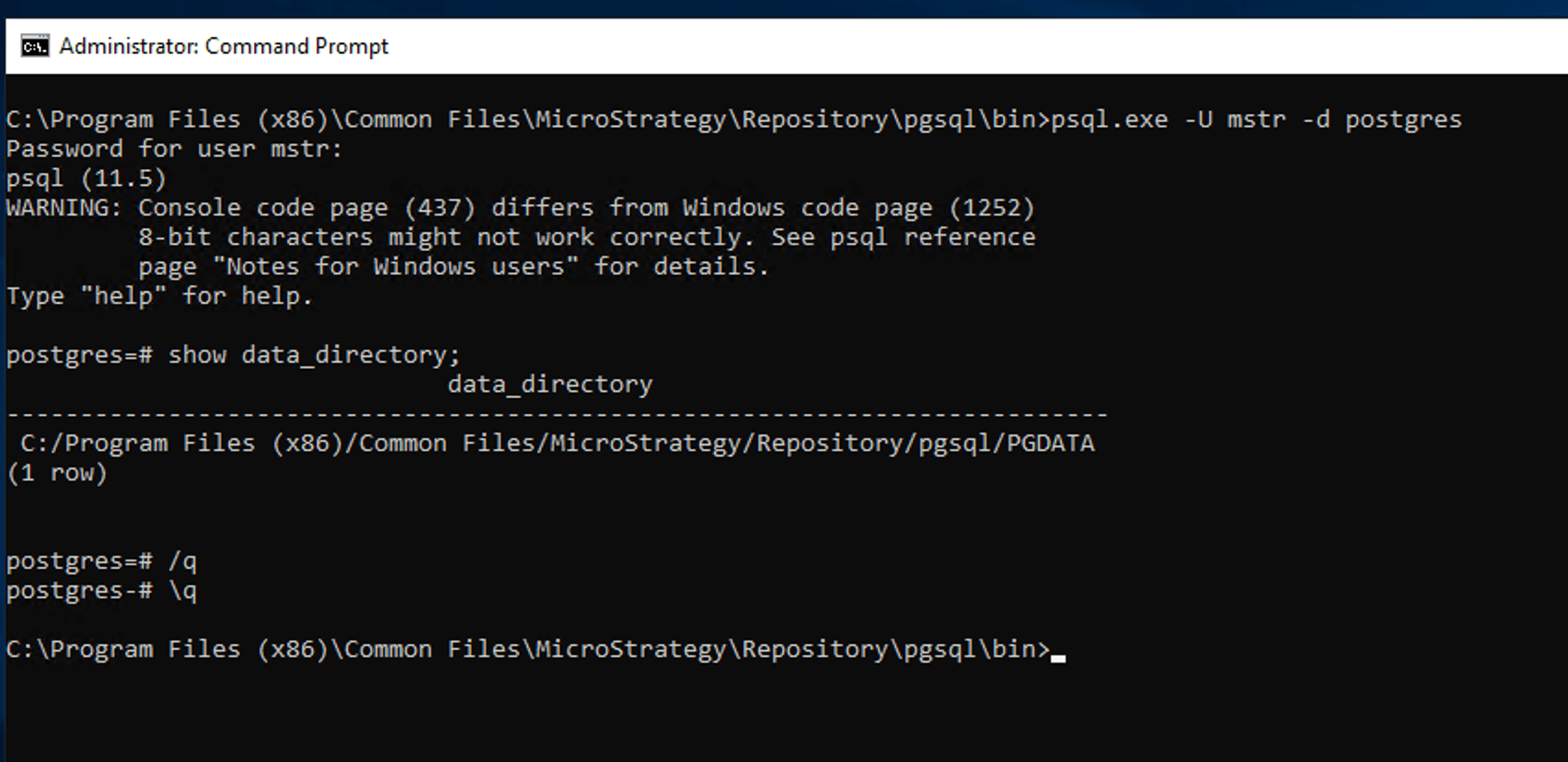
      • Execute the following command to get the 
        data_directory
        variable value.
        
        show data_directory;
        

      • Note the validated
        data_directory
        environment value. By default, the value will be set to
        C:/Program Files (x86)/Common Files/MicroStrategy/Repository/pgsql/PGDATA
ka04W000001Eu70QAC_0EM4W0000027nVS.jpeg
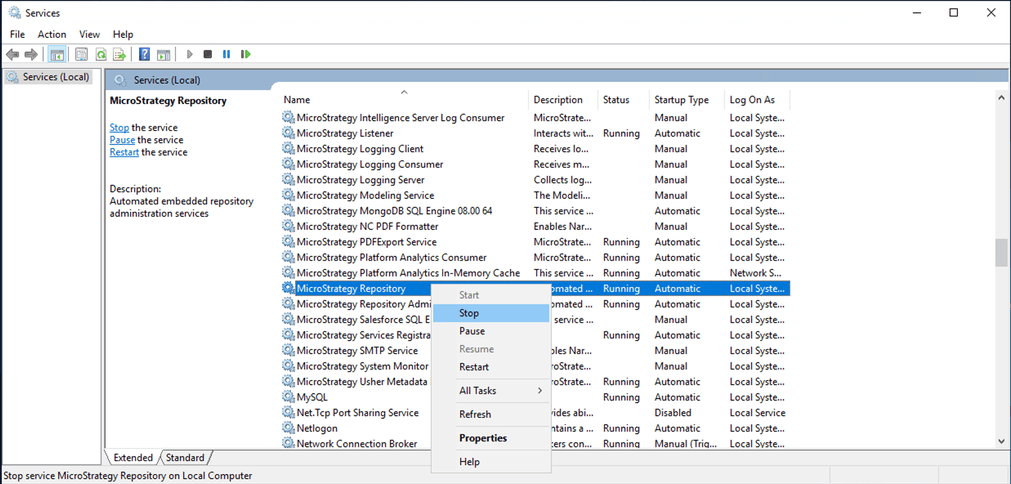
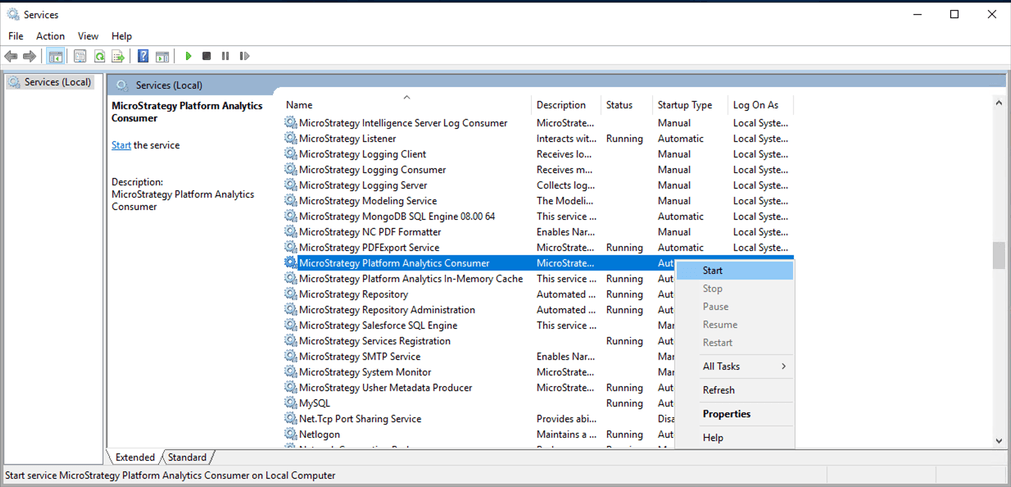
  • Stop the Strategy Repository service using the Strategy Service portal.
ka04W000001Eu70QAC_0EM4W0000027nWz.jpeg
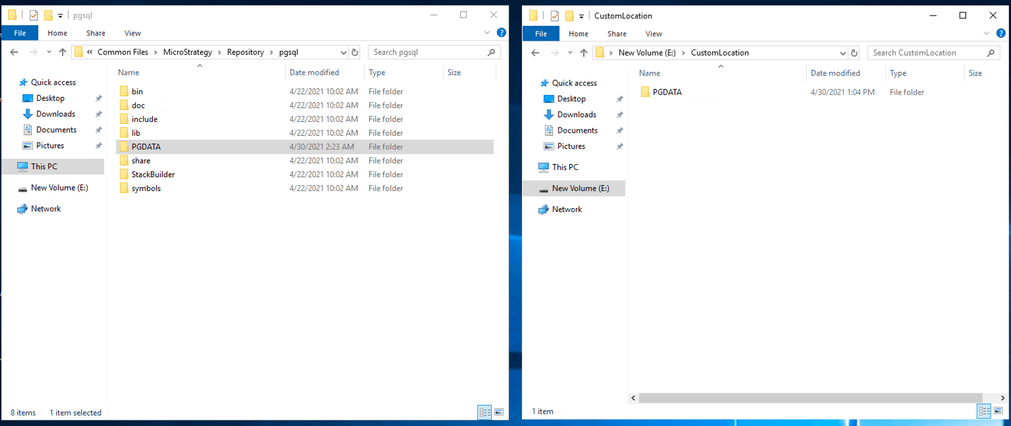
  • Move PGDATA to the custom location:
    Copy the existing PGDATA to the new custom location.
ka04W000001Eu70QAC_0EM4W0000027nX4.jpeg
  • Open the registry key to update the
    data_directory
    path for the Strategy Repository service:
    • Navigate to the registry key in the path
      Computer\HKEY_LOCAL_MACHINE\SYSTEM\CurrentControlSet\Services\pgsql.
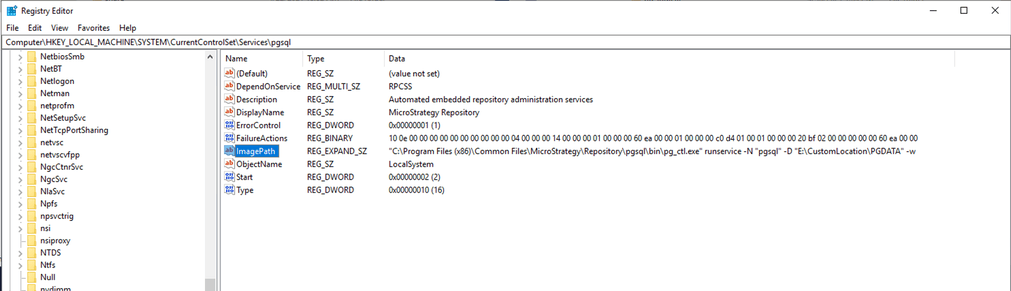
    • Change the value name ImagePath to the custom location:
      • Default value:
        "C:\Program Files (x86)\Common Files\Strategy\Repository\pgsql\bin\pg_ctl.exe" runservice -N "pgsql" -D "C:\Program Files (x86)\Common Files\Strategy\Repository\pgsql\PGDATA" -w
      • After change:
        "C:\Program Files (x86)\Common Files\Strategy\Repository\pgsql\bin\pg_ctl.exe" runservice -N "pgsql" -D "\PGDATA" -w
ka04W000001Eu70QAC_0EM4W0000027nYb.jpeg
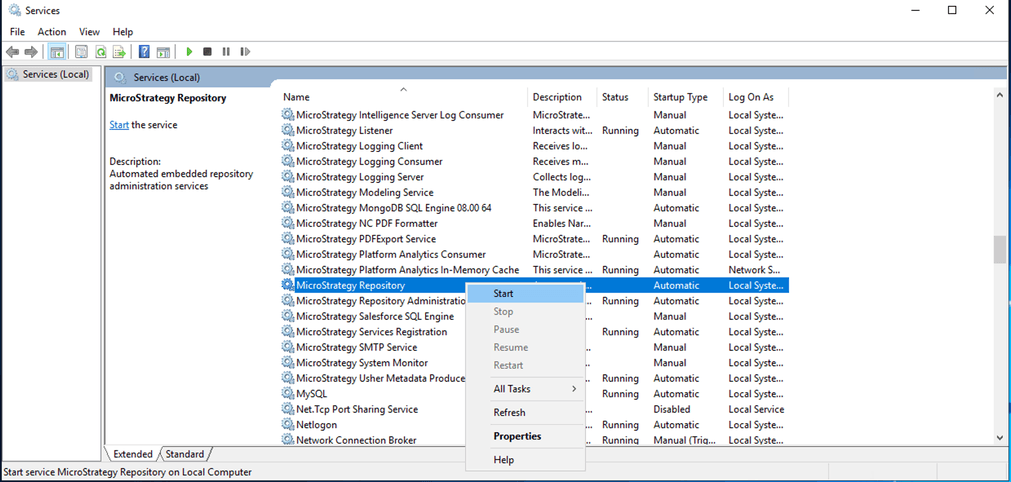
  • Restart the Strategy Repository service using the Strategy Service panel.
ka04W000001Eu70QAC_0EM4W0000027nZP.jpeg
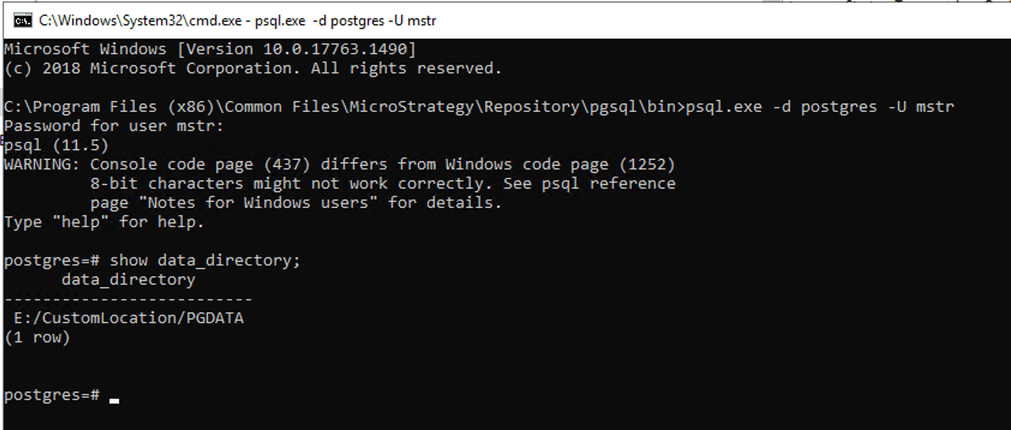
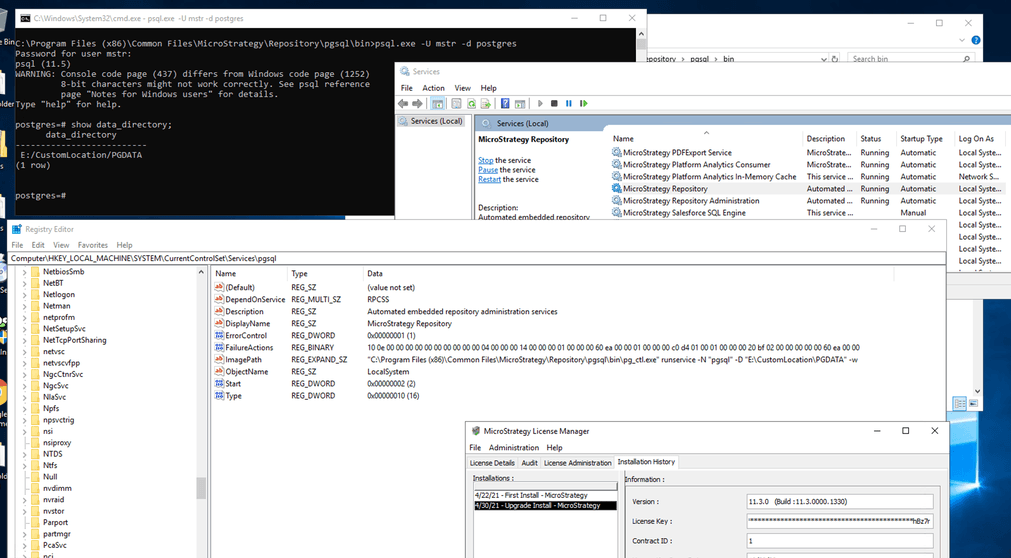
  • Validate that the new configuration is correctly reflected following step #1 to log into the repository and verify the value of the
    data_directory
    value.
ka04W000001Eu70QAC_0EM4W0000027nZU.jpeg
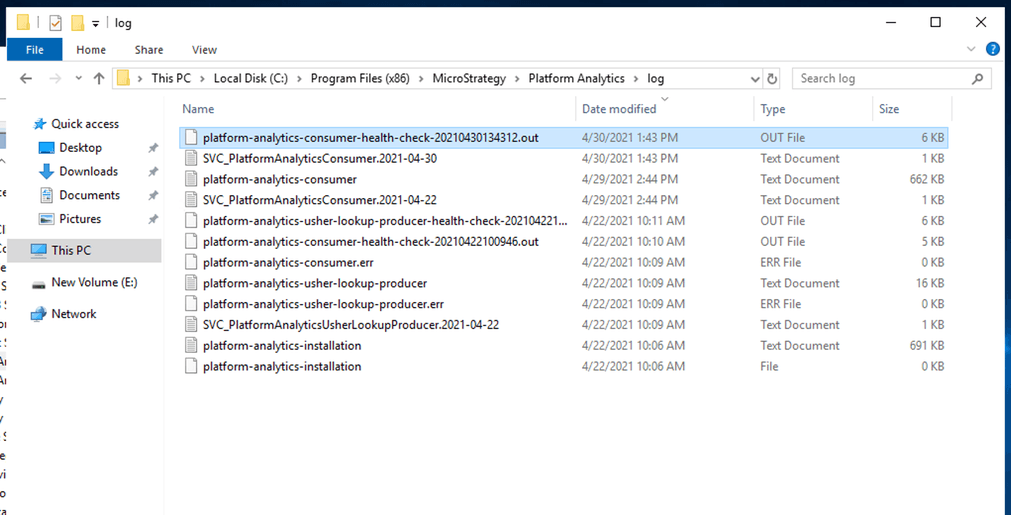
  • Validate the Platform Analytics functionality using the Platform Analytics Consumer service. Start the service using the Strategy Service panel and navigate to the Platform Analytics Install folder log directory.
ka04W000001Eu70QAC_0EM4W0000027ng6.jpeg
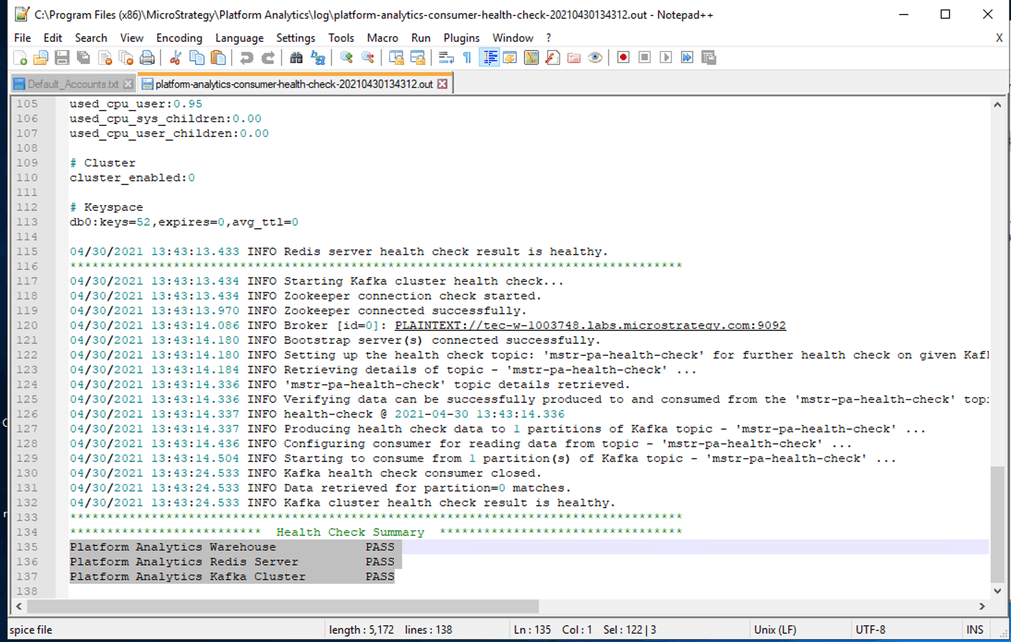
  • Verify
    platform-analytics-consumer-health-check-.out
    from the Platform Analytics Install directory.
    • The Health Check Summary section should have the following:
      • Platform Analytics Warehouse            PASS
      • Platform Analytics Redis Service         PASS
      • Platform Analytics Kafka Cluster         PASS
ka04W000001Eu70QAC_0EM4W0000027ngQ.jpeg
ka04W000001Eu70QAC_0EM4W0000027ngV.jpeg
  • Perform the upgrade install to Strategy 2021 and follow step #1 and #7 to verify the configuration after the upgrade install.
    After the upgrade install, customization to the Repository service is preserved.
ka04W000001Eu70QAC_0EM4W0000027ngf.jpeg

Comment

0 comments

Details

Knowledge Article

Published:

May 3, 2021

Last Updated:

May 3, 2021