When trying to export a PDF, timeout error gets rendered on PDF pages after 30 minutes of wait time.

If the Export Engine has a remote X11 server display set, chrome will try to render remotely and will fail to connect. This issue is related to the environment variables.
The error rendered on PDF: Page rendering exceeded the maximum limit of 300 seconds and was terminated. Please contact the administrator to increase the timeout value of the renderer process of the configuration file and then restart the Export Engine Services to try again can also have other causes.
To check if display is set on the NEE, first you need to get the PID number for the Export Engine and then run the following command to get environment variables.
¨strings /proc/<PID number of NEE java program>/environ¨
DISPLAY = IP ADRESS, it means x11 server is set for the export engine and should be unset.
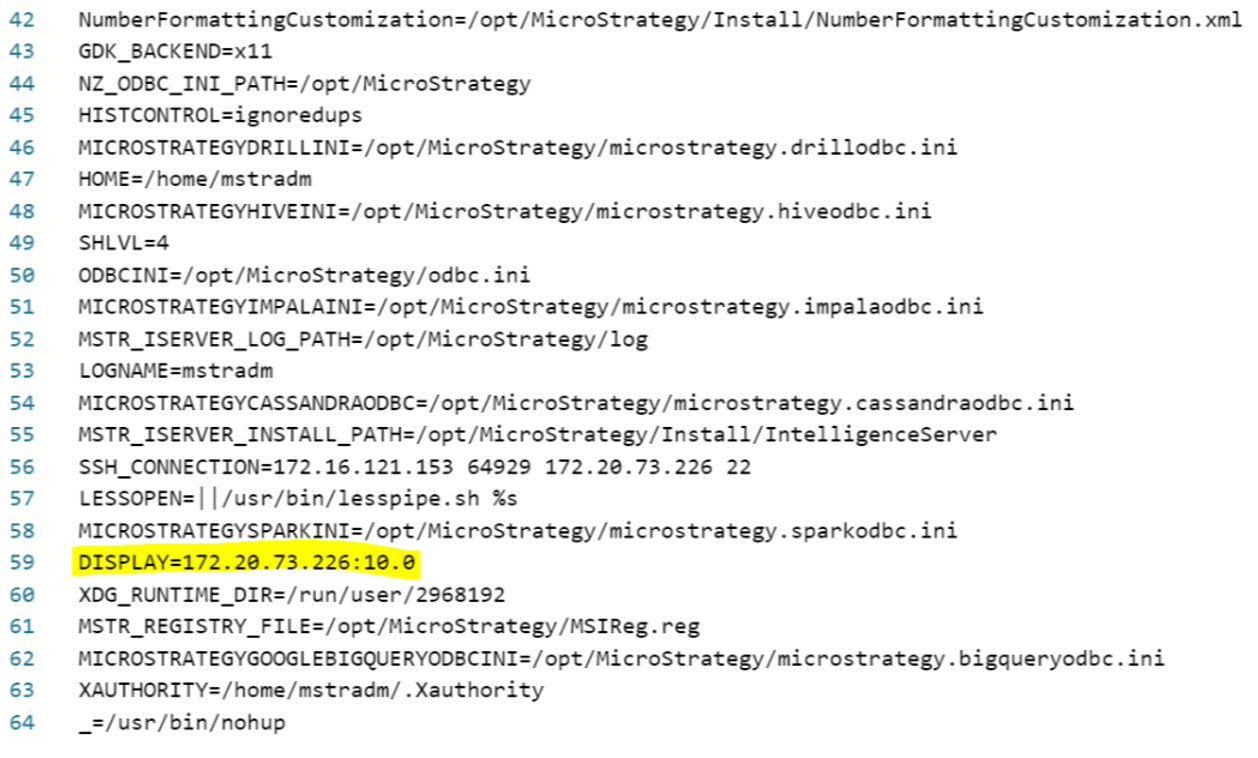
To unset display you need to edit the Export Engine Bash Script. If you are running a clustered environment, this should be done for each node.
Go to the Export Engine Main folder - /opt/mstr/MicroStrategy/install/Export
And edit the pdfexporter.sh file adding
unset DISPLAYline.
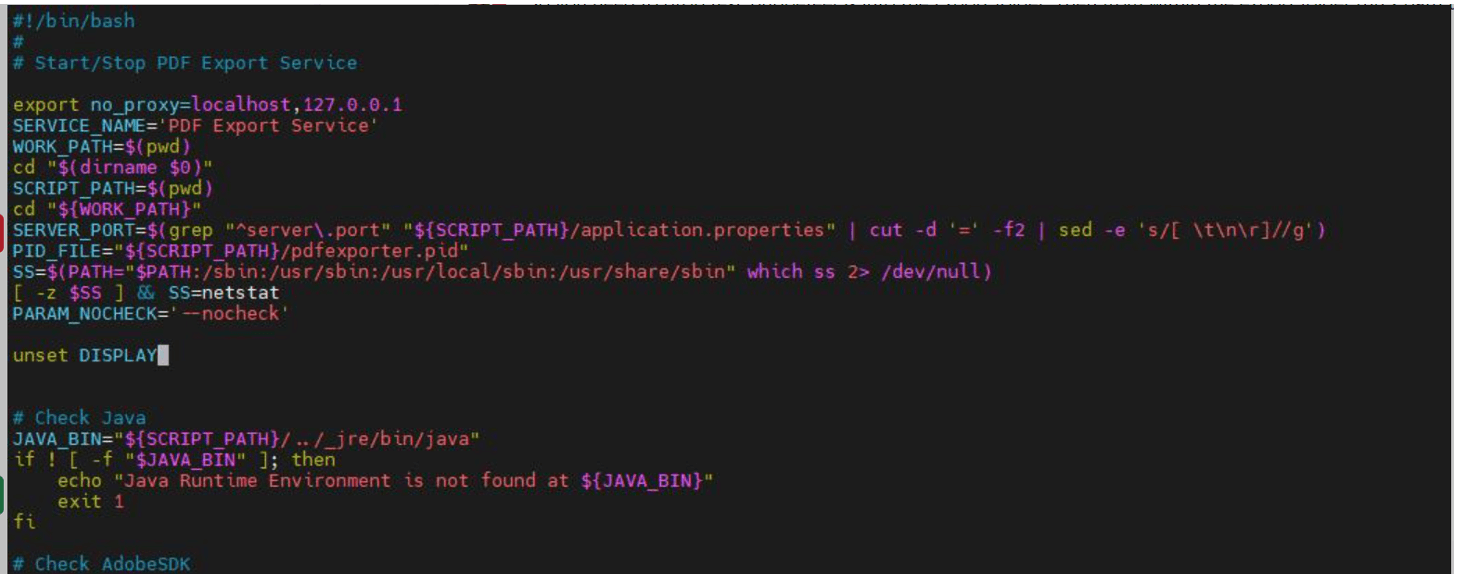
Save the file and restart the Export Engine.
