DISCUSSION
Starting in Strategy 2019 it is possible for administrators to list the existing scheduled administration tasks from Strategy Command Manager. Prior to this, the only way to view the existing scheduled administration tasks was from the scheduled maintenance monitor in Strategy Developer. This monitor is located in Strategy Developer under Administration->System Administration->Scheduled Maintenance.
HOW TO LIST SCHEDULED ADMIN TASKS IN COMMAND MANAGER
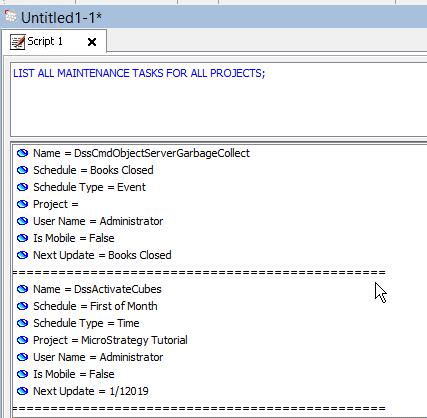
The following Command Manager outline will list the existing scheduled administration tasks
LIST [ALL] MAINTENANCE TASKS [LOADOBJECTTELEMETRY] [SCHEDULE "<schedule_name>"] [FOR ALL PROJECTS | FOR PROJECT "<project_name>"];
LIST ALL MAINTENANCE TASKS FOR ALL PROJECTS;