After installing the Strategy Enterprise Platform, Strategy Web displays the following message:
Strategy's server products require activation within xxx calendar days of installation. At least one server product has not yet been activated after installation and/or upgrade. These product(s) will remain functional for another xxx days after which they will not restart. Please activate these products using License Manager or visit the activation web site at https://licensing.microstrategy.com.
After going through the steps to activate the license and placing the activation code in License Manager, the Next button is grayed out and prohibits the user from moving forward.
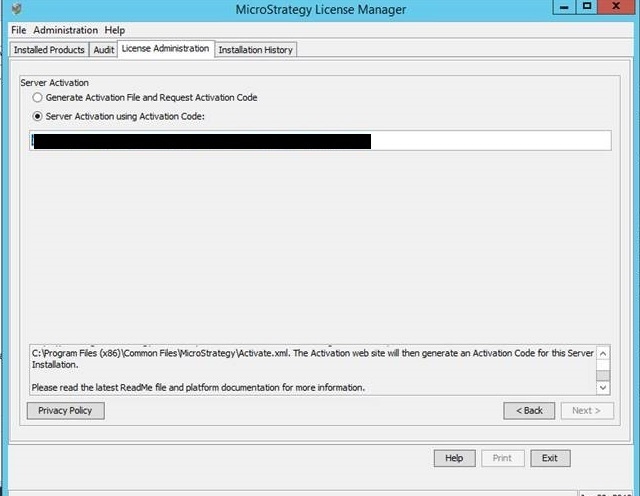
First, rename the older Activate.xml file in C:\Program Files (x86)\Common Files\MicroStrategy\Activate.xml to ActivateOld.xml.
Next, open License Manager and generate a new Activate.xml file. After regenerating the new Activate.xml file, request a new Activation Code. Ensure the new Activation Code is different from the previous code received.
Place the new Activation Code in License Manager. The Next button is no longer grayed out.
KB483109
