After installing Update 6 in Strategy 2021, the Configuration Wizard shows an ODBC error for Oracle 19C.
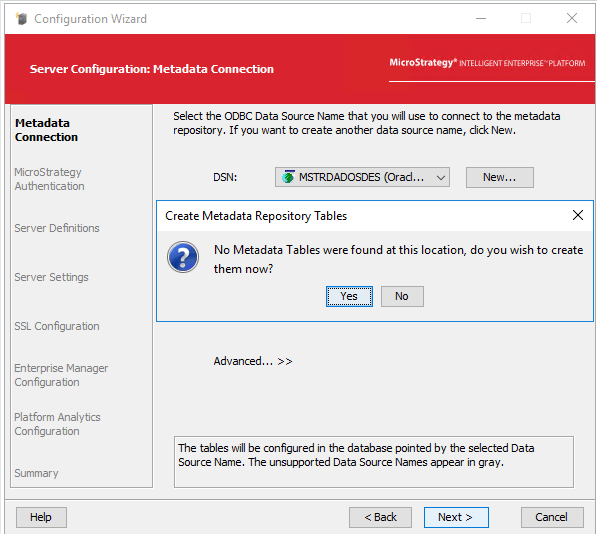
In DSSErrors.log we can find the following errors:
2022-09-15 11:48:19.624-03:00 [HOST:SAC2712][SERVER:][PID:2300][THR:3708][Database Classes][Error][UID:0][SID:0] [OID:0][ConnectionKeeper.cpp:77] Connect failed. Login failed.
Error type: Odbc error. Odbc operation attempted: SQLDriverConnect. [28000:1017: on SQLHANDLE] [Strategy][ODBC Oracle Wire Protocol driver][Oracle]ORA-01017: invalid username/password; logon denied Connection String: DSN=yyyy;UID=xxxx;.
2022-09-15 12:02:56.332-03:00 [HOST:SAC2712][SERVER:][PID:2688][THR:4552][Database Classes][Error][UID:0][SID:0] [OID:0][ConnectionKeeper.cpp:77] Unknown failed. Unable to connect.
Error type: System call error. Error communicating with connection process. Find target process dead while waiting for reply. SQL Statement: SELECT VALUE FROM V$NLS_PARAMETERS WHERE PARAMETER = 'NLS_CHARACTERSET'.
This is an identified defect in Strategy Update 6 where the lower version of Oracle driver (08.02.2482) was replaced by the higher version by Update 6 (08.02.2564).
Install the Update 7 or higher to fix this issue.
Replace the myora64.dll file which by default is in C:\Program Files (x86)\Common Files\MicroStrategy\ODBC with the previous version (Update 5). Restart the Intelligence Server service. The driver version must be 08.02.2482.
