Starting with the release of Strategy ONE (March 2024), dossiers are also known as dashboards.
SYMPTOM
Some objects that are part of an object prompt, are still shown in a visualization even though they are not part of the dataset.
STEPS TO REPRODUCE
These are the steps to reproduce the issue.
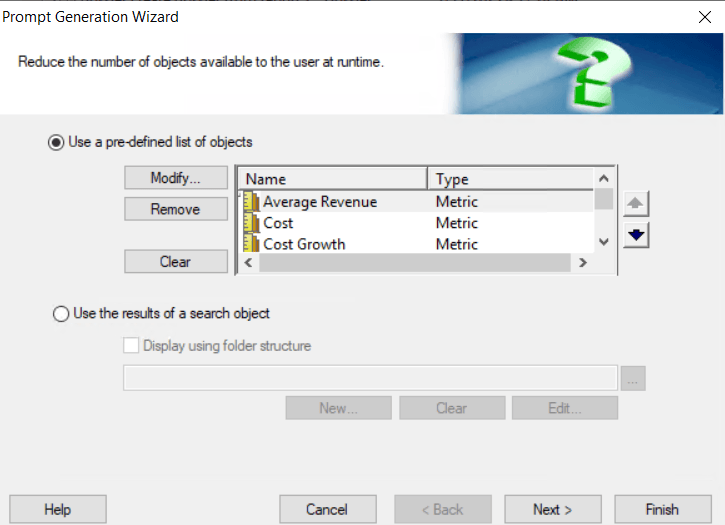
1. Create an object prompt with several metrics:
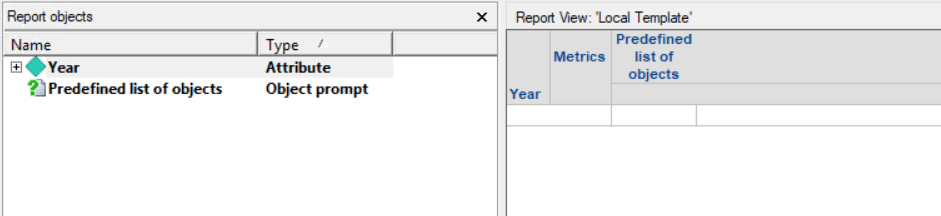
2. Create a report and add the prompt to the columns:
3. Create a dossier and use the previous report as a dataset.
4. Run the dossier: select a few metrics in the prompt.
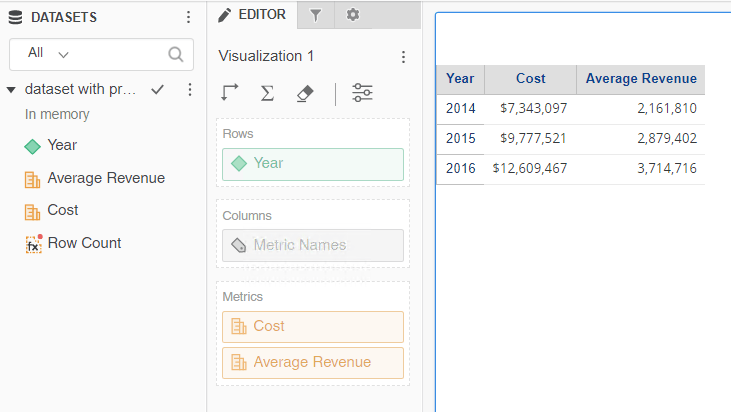
5. Create a new visualization and add some of the metrics selected in step 4:
6. Save the dossier. In the Advanced section, select any of the options to display the prompt.
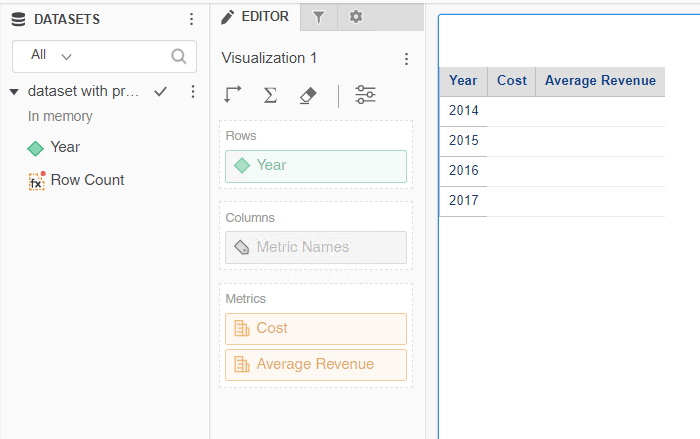
7. Run the dossier again. This time, do not select any metric in the prompt. The metrics selected in the first execution, still appear in the visualization, although they do not have any values. The metrics are no longer part of the dataset, as expected:
CAUSE
Removing or keeping objects that are no longer available in the source dataset is controlled by the "Remove Missing Units in Documents" VLDB Setting, that exists at the project level:
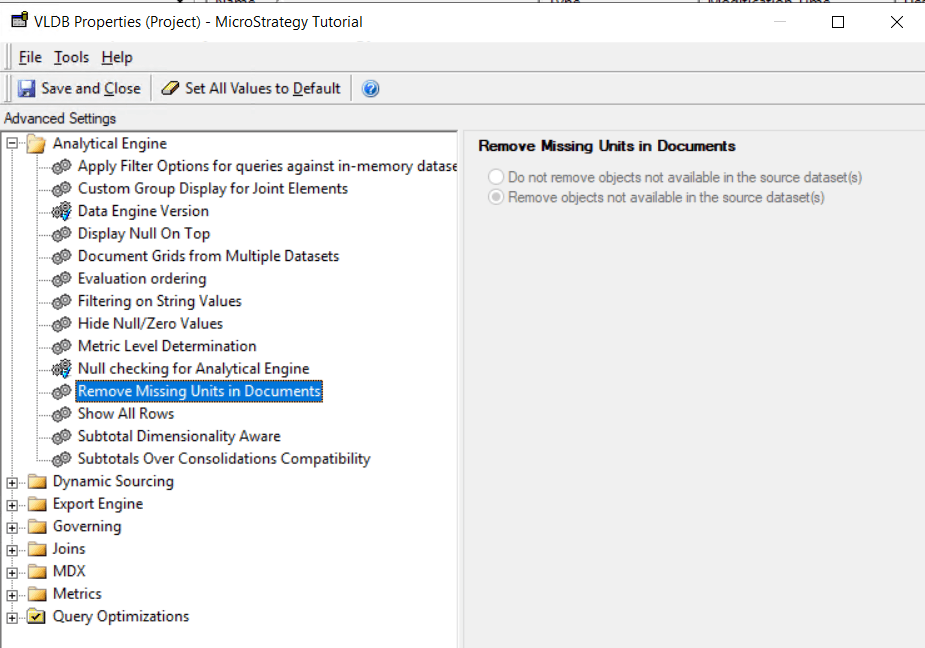
When choosing "Do not remove objects not available in the source dataset(s)", the objects will remain in the visualization even though they have not been selected as a prompt answer and disappear from the dataset.
Please, refer to our Product documentation for further information about this property.
ACTION
Change the "Remove missing Units in Documents" VLDB Setting to "Remove objects not available in the source dataset(s)".
