EducationSoftwareStrategy.com
StrategyCommunity

Knowledge Base

Product

Community

Knowledge Base

TopicsBrowse ArticlesDeveloper Zone

Product

Download SoftwareProduct DocumentationSecurity Hub

Education

Tutorial VideosSolution GalleryEducation courses

Community

GuidelinesGrandmastersEvents
x_social-icon_white.svglinkedin_social-icon_white.svg
Strategy logoCommunity

© Strategy Inc. All Rights Reserved.

LegalTerms of UsePrivacy Policy
  1. Home
  2. Topics

Office Homepage


Stefan Zepeda

Salesforce Solutions Architect • Strategy


The MicroStrategy Office client makes it easy to analyze, explore, and present business data by allowing users to leverage MicroStrategy functionality from within Microsoft Office applications. Users can connect to and browse through MicroStrategy projects in Office and add reports to workbooks, presentations, or documents.

The Strategy Office client makes it easy to analyze, explore, and present business data by allowing users to leverage Strategy functionality from within Microsoft Office applications. Users can connect to and browse through Strategy projects in Office and add reports to workbooks, presentations, or documents.
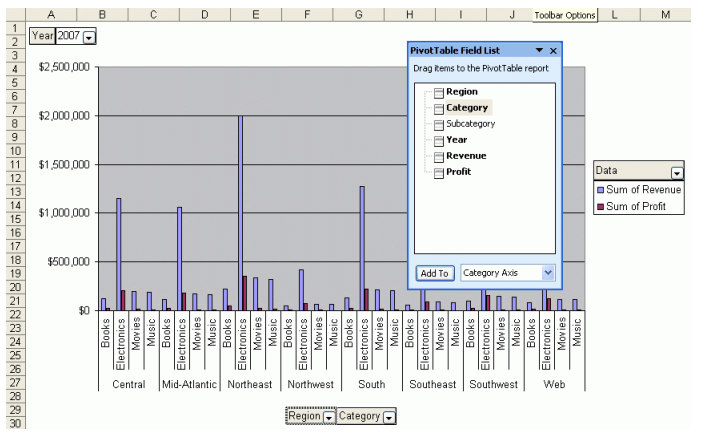
After the Strategy Office client is installed, a new menu and toolbar appear in Microsoft Excel, PowerPoint, and Word, letting the user configure, access, and interact with their Strategy documents directly in the Office client.

ka02R000000kX4sQAE_0EM440000002Iz3.png

Reports or documents added to Office files are linked to the data sources and can be refreshed to reflect the latest information. Any security, from object access to data access permissions, is applied to Office queries.
ka02R000000kX4sQAE_0EM440000002Iz8.png


Comment

0 comments

Details

Knowledge Article

Published:

April 10, 2017

Last Updated:

April 10, 2017