Starting with the release of Strategy ONE (March 2024), dossiers are also known as dashboards.
When a Microsoft product (like Excel) contains a link to a Strategy report (grid, document, or dossier) and SSO is used as an authentication mode for Strategy, clicking the link and logging in may result in the following error:
Error in login Please contact your Administrator.
Prerequisite: SSO has to be enabled as an authentication mode for Strategy Web and for theend user's computer.
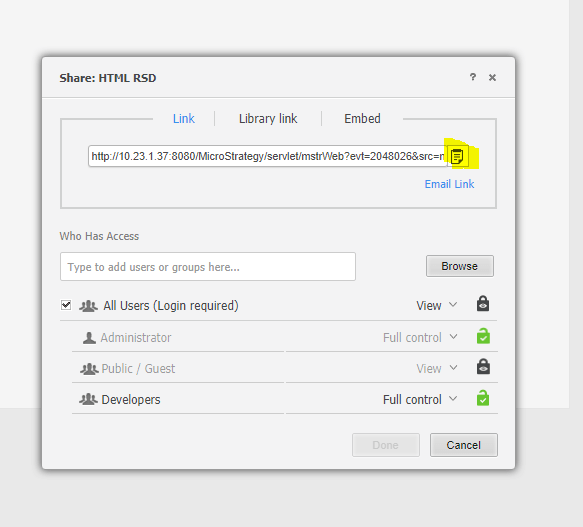
1. In a document, click Share and copy the link.
2. Paste the link in an Excel file.
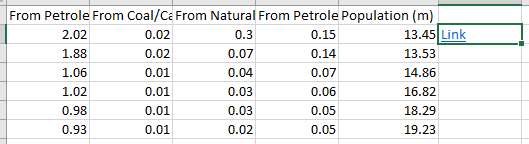
3. Click the link. With an SSO system, you are meant to be seamlessly logged in to Strategy Web; instead, you are prompted to enter your credentials. When you enter your credentials, log in fails and the error appears.

This is a known limitation due from Microsoft when the following conditions are met:
1. You are using a proxy server or a firewall that does not allow HTTP requests to be placed on your local network.
2. Internet Explorer is not your default browser.
3. The ForceShellExecuteregistry key is not present in the following location or is not set to 1: (For 32 bit Office Versions installed on 64 bit OperatingSystems)
HKEY_LOCAL_MACHINE\SOFTWARE\Wow6432Node\Microsoft\Office\9.0\Common\InternetFor 32 Bit Office Versions installed on 32 bit Operating Systems or 64 Bit Office Versionsinstalled on 64 bit Operating SystemsHKEY_LOCAL_MACHINE \Software\Microsoft\Office\9.0\Common\Internet
Microsoft has released a workaround for this issue. To view the workaround, click here.
