EducationSoftwareStrategy.com
StrategyCommunity

Knowledge Base

Product

Community

Knowledge Base

TopicsBrowse ArticlesDeveloper Zone

Product

Download SoftwareProduct DocumentationSecurity Hub

Education

Tutorial VideosSolution GalleryEducation courses

Community

GuidelinesGrandmastersEvents
x_social-icon_white.svglinkedin_social-icon_white.svg
Strategy logoCommunity

© Strategy Inc. All Rights Reserved.

LegalTerms of UsePrivacy Policy
  1. Home
  2. Topics

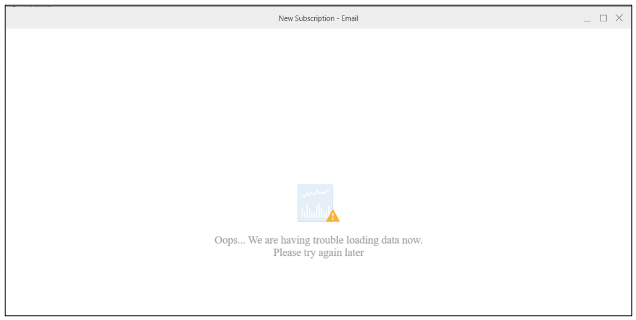
KB485865: ‘Oops…We are having trouble loading data now. Please try again later’ error message is shown when trying to subscribe a RS Document that uses object prompts in its dataset in MicroStrategy Workstation.


Stefano Antonellis

Principal Product Specialist • Strategy


This article outlines an ‘Oops…We are having trouble loading data now. Please try again later’ error message.

Symptom


When trying to subscribe a RS Document, that includes in its dataset object prompts, the error message ‘Oops…We are having trouble loading data now. Please try again later’ is shown in Strategy Workstation 2021 Update 7 and later.
 

Steps to reproduce

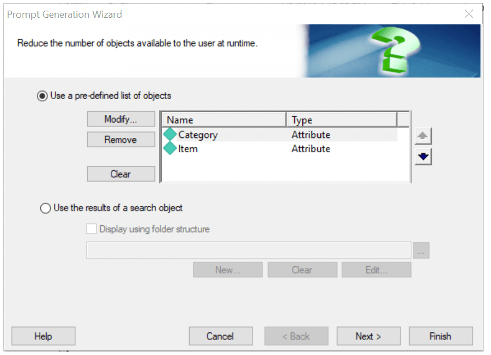
  1. In Strategy Developer, create an object prompt, for example, as shown below:
ka04W000000OcQpQAK_0EM4W000006Hsn5.jpeg
  1. Create a report and add to grid the object prompt from Step1.
  2. Open Workstation, navigate to Subscription blade and click the ‘+’ button.
  3. Select the project and choose any type of subscription, for example ‘Email’.
  4. Click the ‘+’ symbol in the Content pane and select the report from Step2; the error message below is shown:
ka04W000000OcQpQAK_0EM4W000006HsnA.jpeg


Action


The issue is still being reviewed for feasibility by our Technology team for an upcoming scheduled Strategy release.
​​​​​​​


Comment

0 comments

Details

Knowledge Article

Published:

December 16, 2022

Last Updated:

December 16, 2022