Starting with the release of Strategy ONE (March 2024), dossiers are also known as dashboards.
The improvement works for CONCAT function used in both Derived Attribute and Derived Metric. It merges the constant Strings in the CONCAT expression to improve performance.
Steps to Reproduce
This procedure is using Strategy Tutorial WH that is shipped with Strategy products.
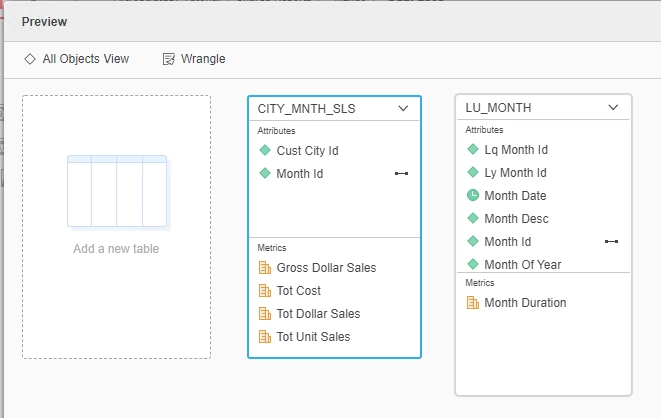
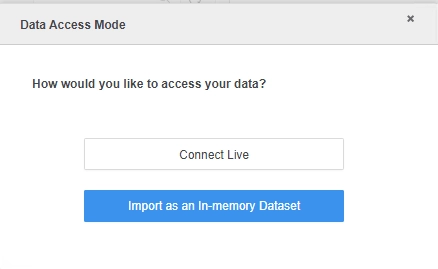
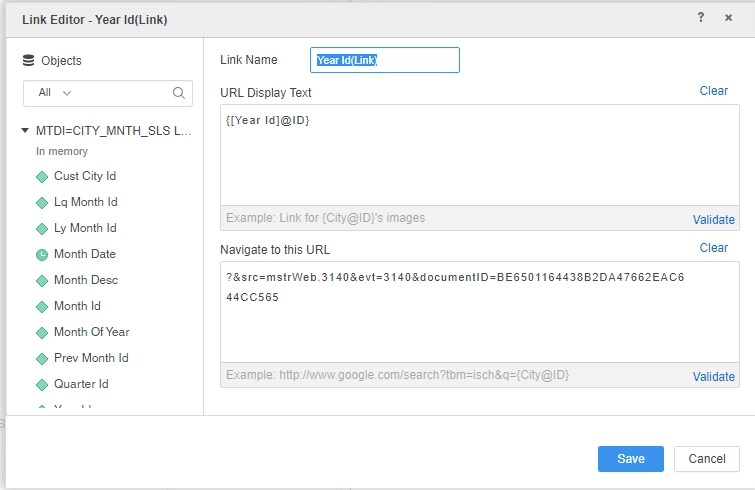
select [Year Id]@[YEAR_ID],
[Year Id]@[YEAR_ID] as [Year Id(Link)]@[ID],
Concat('<a data='', [Year Id]@[YEAR_ID], '' href='', ?&src=mstrWeb.3140&evt=3140&documentID=BE6501164438B2DA47662EAC644CC565, '' target='_blank' rel='noopener noreferrer'>', [Year Id]@[YEAR_ID], </a>) as [Year Id(Link)]@[FORM_1]
from Ex0_tempcube0
to RELATION0-<Year Id(Link), Year Id>
Cause:
This is a known issue in Strategy.
Solution:
This issue has been addressed in Strategy 2021.
To pick up the fix, upgrade to Strategy 2021 or above and enable project level setting "Data Engine Version" to 2021 or above. For more details on enabling the setting, refer to Data Engine Version.
After the fix, it optimizes the CONCAT function to merge constant string ‘'' href='' ‘ and ‘?&src=mstrWeb.3140&evt=3140&documentID=BE6501164438B2DA47662EAC644CC565’ to be one parameter, so that we can improve the performance.
select [Year Id]@[YEAR_ID],
[Year Id]@[YEAR_ID] as [Year Id(Link)]@[ID],
Concat('<a data='', [Year Id]@[YEAR_ID], '' href='?&src=mstrWeb.3140&evt=3140&documentID=BE6501164438B2DA47662EAC644CC565' target='_blank' rel='noopener noreferrer'>', [Year Id]@[YEAR_ID], </a>) as [Year Id(Link)]@[FORM_1]
from Ex0_tempcube0
to RELATION0-<Year Id(Link), Year Id>
Strategy internal reference number for this technical note is DE172805.
