EducationSoftwareStrategy.com
StrategyCommunity

Knowledge Base

Product

Community

Knowledge Base

TopicsBrowse ArticlesDeveloper Zone

Product

Download SoftwareProduct DocumentationSecurity Hub

Education

Tutorial VideosSolution GalleryEducation courses

Community

GuidelinesGrandmastersEvents
x_social-icon_white.svglinkedin_social-icon_white.svg
Strategy logoCommunity

© Strategy Inc. All Rights Reserved.

LegalTerms of UsePrivacy Policy
  1. Home
  2. Topics

KB439349: “Out of stack space” error appears when searching for objects on date in Developer 10.8


Fatima Fadag

Senior Support Engineer • Strategy


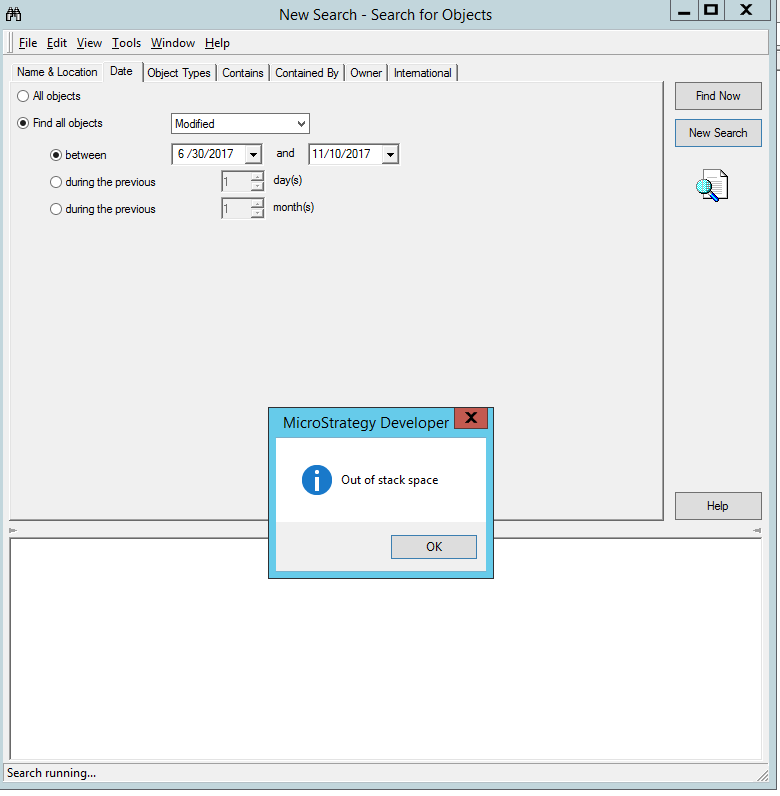
“Out of stack space” error appears when searching for objects on date in Developer 10.8. After clicking “OK” to the error message, Developer freezes and displays the error message “MicroStrategy 10 Desktop files has stopped working.”

SYMPTOM

ka02R000000kUzjQAE_0EM44000000QCzy.png

SUMMARY
“Out of stack space” error appears when searching for objects on date in Developer 10.8. After clicking “OK” to the error message, Developer freezes and displays the error message “Strategy 10 Desktop files has stopped working.”
 
STEPS TO REPRODUCE
1. Open Developer
2. Connect to Strategy Tutorial
3. Right-click project and select Search.
4. Select Date option to Search by.
5. Enter any date (e.g. From Date of 06/30/2017 and leave To Date defaulted to today (e.g. 11/8/2017)). (Issue only occurs when choosing a date starting on or before 06/30/2017.)
6. Click Find Now.
7. Click OK on the question of whether to display hundreds of objects.
8. Out of stack space - error will appear with only option being OK.
9. Clicking OK on the error causes Developer to freeze and Task Manager must be used to close the program.
CAUSE
This is a known issue with Strategy Web 10.x
ACTION
This issue has been addressed in 10.9. Upgrade to 10.9 to take advantage of the fix.
  KB439349


Comment

0 comments

Details

Knowledge Article

Published:

December 27, 2017

Last Updated:

December 31, 2018