EducationSoftwareStrategy.com
StrategyCommunity

Knowledge Base

Product

Community

Knowledge Base

TopicsBrowse ArticlesDeveloper Zone

Product

Download SoftwareProduct DocumentationSecurity Hub

Education

Tutorial VideosSolution GalleryEducation courses

Community

GuidelinesGrandmastersEvents
x_social-icon_white.svglinkedin_social-icon_white.svg
Strategy logoCommunity

© Strategy Inc. All Rights Reserved.

LegalTerms of UsePrivacy Policy
  1. Home
  2. Topics

KB441866: Permission denied when generating a package to Excel or Text format in Object Manager 10.x and above


Fernando Iwamoto

Senior Cloud Support Engineer III • MicroStrategy


This document shows an issue when creating a package on Object Manager 10.x and above in Excel or Text format

SYMPTOM:
When creating a package on Object Manager a Denied Permission error is displayed on screen after clicking to Export to text or Export to Excel.
 

ka04W000001IvDMQA0_0EM44000000Qsxv.png

 
STEPS TO REPRODUCE:
1. In the Object Manager log in a Project Source
2. Open a Project
3. In the Tools menu click on Create a Package
4. Add a Report or Document
5. Click to Export to Text or Export to Excel

ka04W000001IvDMQA0_0EM44000000Qswn.png

CAUSE:
This is an expected behavior since the user does not have privileges to save to package file in the Destination folder.
ACTION:
There are two solutions:
1 - Right mouse click the Object Manager icon and Run as Administrator

ka04W000001IvDMQA0_0EM44000000Qsx2.png

2 - Change the destination file directory to a permitted path. This should be configured in menu Tools -> Object Manager Preference -> Object Manager -> Browsing -> Default output folder for Object Manager:
  
 
After applying any of the workarounds mentioned the package file will be created successfully:
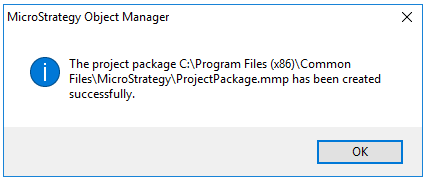
ka04W000001IvDMQA0_0EM44000000QsxM.png

KB441866


Comment

0 comments

Details

Knowledge Article

Published:

September 21, 2018

Last Updated:

May 29, 2019