EducationSoftwareStrategy.com
StrategyCommunity

Knowledge Base

Product

Community

Knowledge Base

TopicsBrowse ArticlesDeveloper Zone

Product

Download SoftwareProduct DocumentationSecurity Hub

Education

Tutorial VideosSolution GalleryEducation courses

Community

GuidelinesGrandmastersEvents
x_social-icon_white.svglinkedin_social-icon_white.svg
Strategy logoCommunity

© Strategy Inc. All Rights Reserved.

LegalTerms of UsePrivacy Policy
  1. Home
  2. Topics

Learn more about the Pie Chart


Community Admin

• Strategy


Use pie charts to conduct visual analysis. Use this article as a reference to know some quick facts about pie charts. You can even download the dossier to view it in MicroStrategy Desktop.

Starting with the release of Strategy ONE (March 2024), dossiers are also known as dashboards.

Description

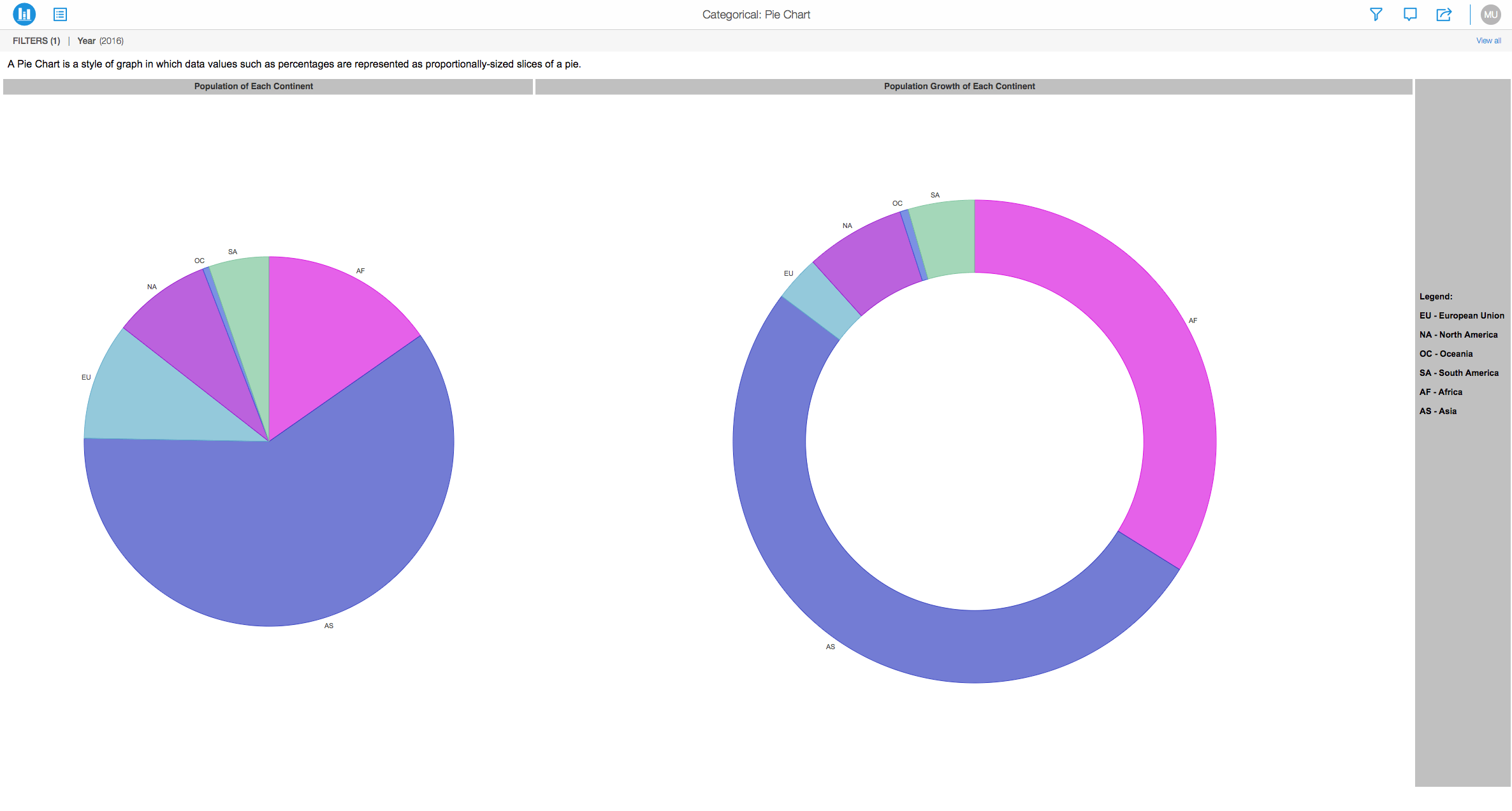
A pie chart is another important chart type used in conducting visual analysis. It is divided into sectors, illustrating a quantitative proportion. Though one of the most basic visualizations, it enables key stakeholders to analyze data quickly and efficiently. The following are components needed to form a pie chart with Strategy:
  • Angle
  • Color By
  • Slice
  • Vertical
  • Horizontal
  • Break By
  • Size By
  • Tooltip (Optional)
     
ka0PW0000001JYPYA2_0EM44000000Q9Y6.png

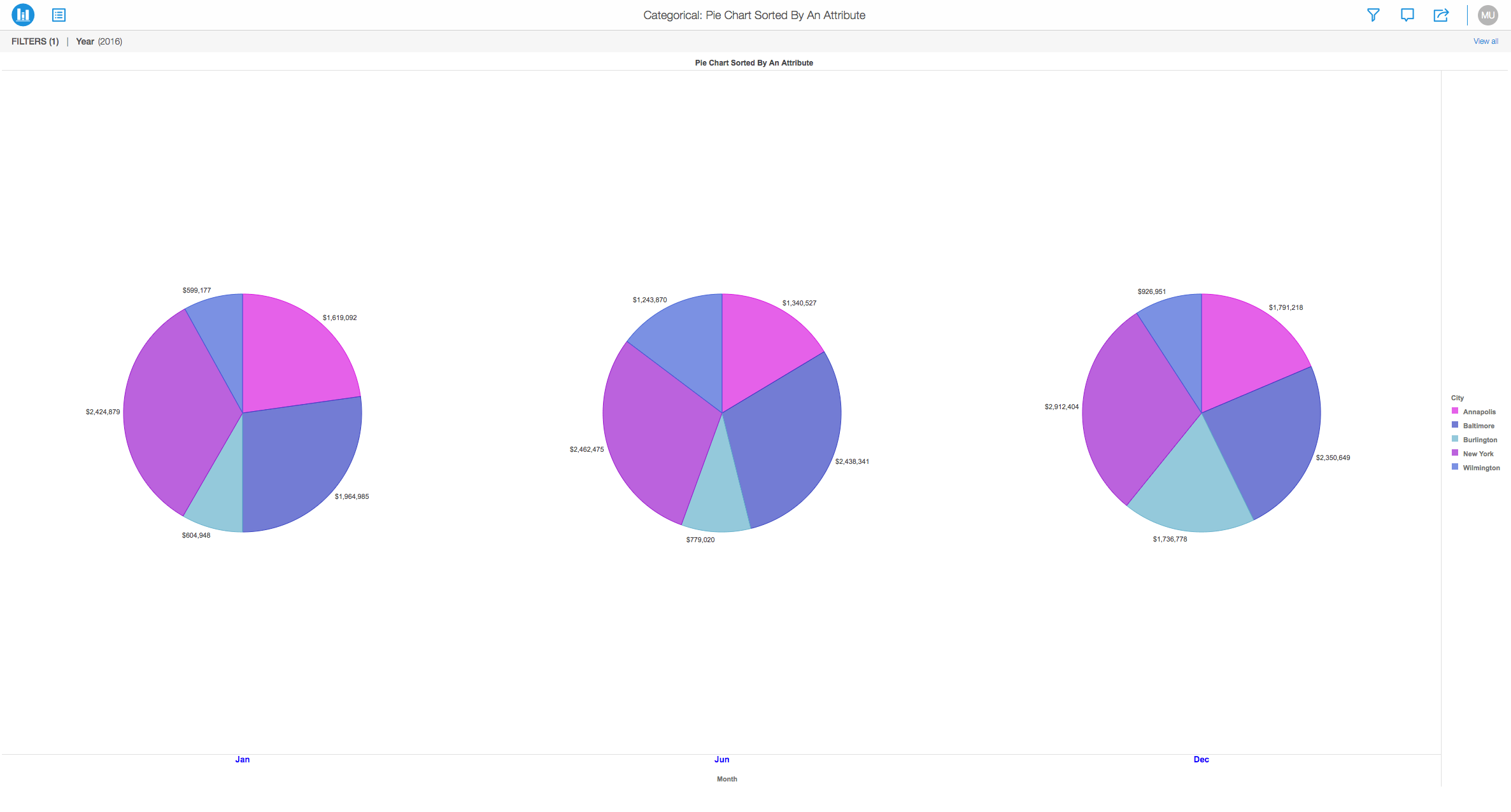
With the image below, you can view three different pie charts sorted by calendar months:
ka0PW0000001JYPYA2_0EM44000000Q9YV.png

In a pie chart, the central angle and area is proportional to the quantity it represents. Strategy provides a multitude of different variations in the way it can be represented.
For example, the pie chart may be formatted in the "ring" format.
 

Note: If you have fewer attributes to analyze, we recommend you use a pie chart.Pie charts can be a bit confusing for large amounts of data.


Requirements


  • Attributes: 1 or more
  • Metrics: 1 or more

Minimum Strategy version: 10.9
Publisher: Strategy 
 

Installation Instructions

To view this dossier with the Pie Chart visualization:
 

  1. Download the .mstr file below and deploy it in Strategy Desktop or Strategy Web.
  2. You can open a working demo by uploading the .mstr file below and doing the following:
    • To open the demo visualization in Strategy Desktop, double click the .mstr file.
    • To open the demo visualization in Strategy Web, choose:
      Create > Upload Strategy File > View Dossier.

Analyze using pie chart by downloading MicroStrategy Desktop!
 

References 

1. A project in beta by ferdio, (2017, December 4th). Retrieved from http://datavizproject.com/
2. Pie Chart, Wikipedia, Retrieved from https://en.wikipedia.org/wiki/Pie_chart 
 

Learning Resources 

Interested in learning more about Dossier authoring? Visit the Learning Center on Community!
Feel free to visit our Documentation page for more examples and use cases.


Comment

0 comments

Details

Knowledge Article

Published:

December 4, 2017

Last Updated:

March 21, 2024