EducationSoftwareStrategy.com
StrategyCommunity

Knowledge Base

Product

Community

Knowledge Base

TopicsBrowse ArticlesDeveloper Zone

Product

Download SoftwareProduct DocumentationSecurity Hub

Education

Tutorial VideosSolution GalleryEducation courses

Community

GuidelinesGrandmastersEvents
x_social-icon_white.svglinkedin_social-icon_white.svg
Strategy logoCommunity

© Strategy Inc. All Rights Reserved.

LegalTerms of UsePrivacy Policy
  1. Home
  2. Topics

KB486074: “Please see the error log for more details” error when using Custom Shape with ESRI map using KML file in MicroStrategy Web 2021


Stefanie Polleri

Senior Cloud Support Engineer III • MicroStrategy


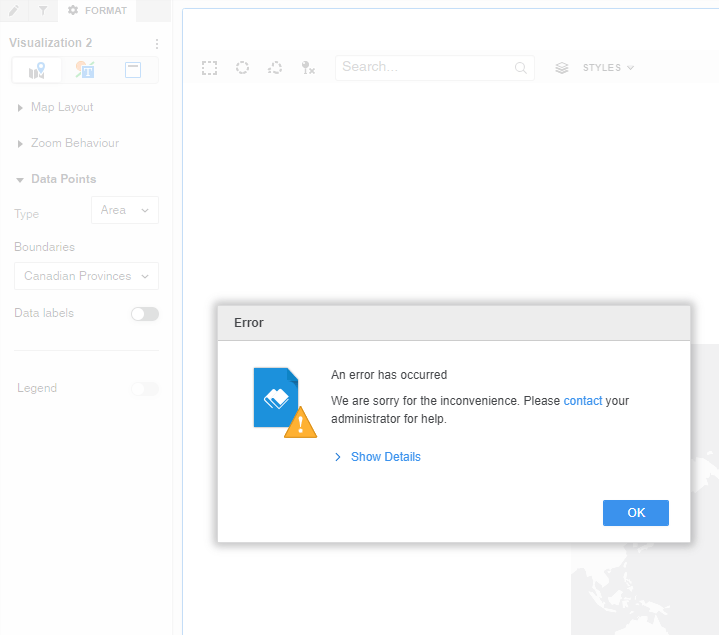
This article describes a behavior whereby an error is encountered as soon as a custom shape is used within ESRI map visualization and the specific boundary is selected.

The following error will be shown in the interface – “Please see the error log for more details”: 
 

ka04W000000rZKaQAM_0EM4W0000088H1D.png


In the Strategy Web log we will see the following entry: 


... <class>GetESRIKMLConfigurationTask</class> 

  <method>processRequest</method> 

  <message>java.lang.NullPointerException
	at com.Strategy.web.app.tasks.GetESRIKMLConfigurationTask.processRequest(Unknown Source)
	at... 


CAUSE: 


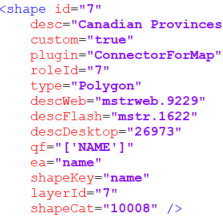
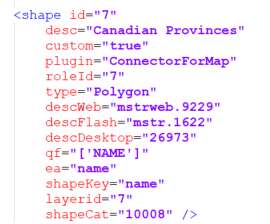
A typo in the mstrGeoShapesConfig.xml was found—"layerid" should be "layerId": 
 

ka04W000000rZKaQAM_0EM4W0000088H1E.png

>>              

ka04W000000rZKaQAM_0EM4W0000088H1F.png


ACTION: 

  
Adjust the typo and check that everything is correctly configured within the mstrGeoShapesConfig.xml, so that the custom shape can be rendered successfully. 


Comment

0 comments

Details

Knowledge Article

Published:

June 14, 2023

Last Updated:

November 16, 2023