DESCRIPTION
Prompt order changes between document and its export to PDF in Strategy Web 10.4~10.11 and above when using autoprompts {&Promptx&} and an object prompt is used within a metric.
Steps to reproduce in Tutorial in 10.4~10.11:
1. Create two element prompts with Month attribute
2. Create filters out of these prompts, Month1 and Month2
3. Create an object prompt - select a list of objects - choose two filters: Top 5 products and Empty filter and name it "Top5 Object Prompt"
4. Create metric > definition: Sum(Profit) {~} <?[Top5 Object Prompt]; @2; ->
5. Create report with for example attributes : Category, Region and metric from step 4
6. Add the two filters from step 2 to report
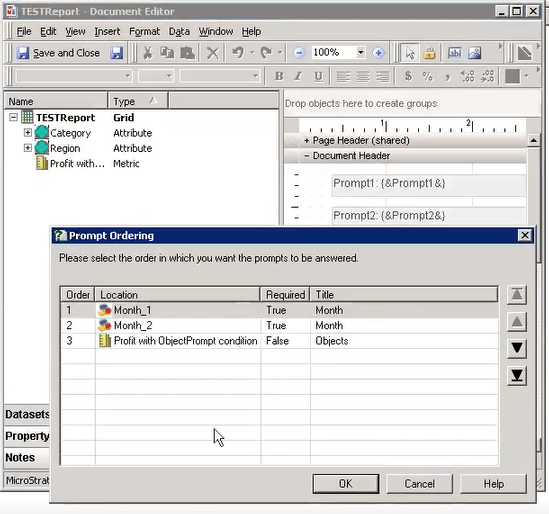
7. Make sure prompt order is as desired - Month1, Month2, Top5 Object Prompt:

8. Save report.
9. Create document from this report and add text boxes with Prompt1: {&Prompt1&}, Prompt2: {&Prompt2&}, Prompt3: {&Prompt3&}.
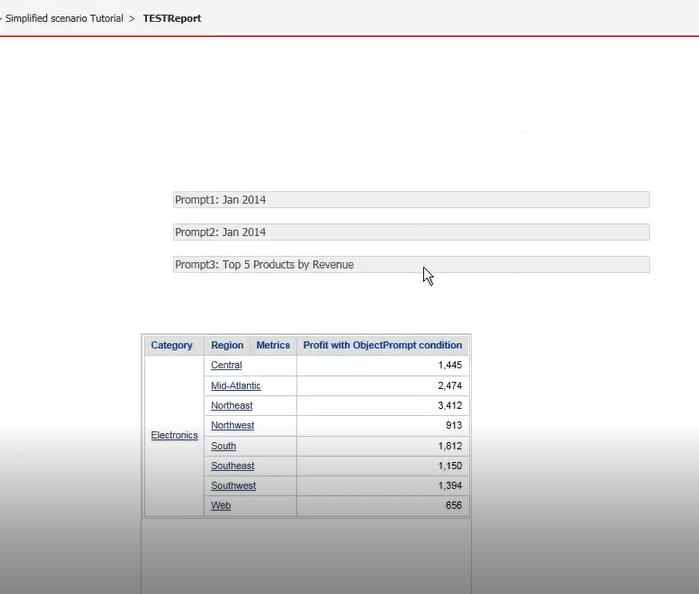
10. Run document and see the correct/expected prompt order.

11. Export to PDF > prompt order is changed!
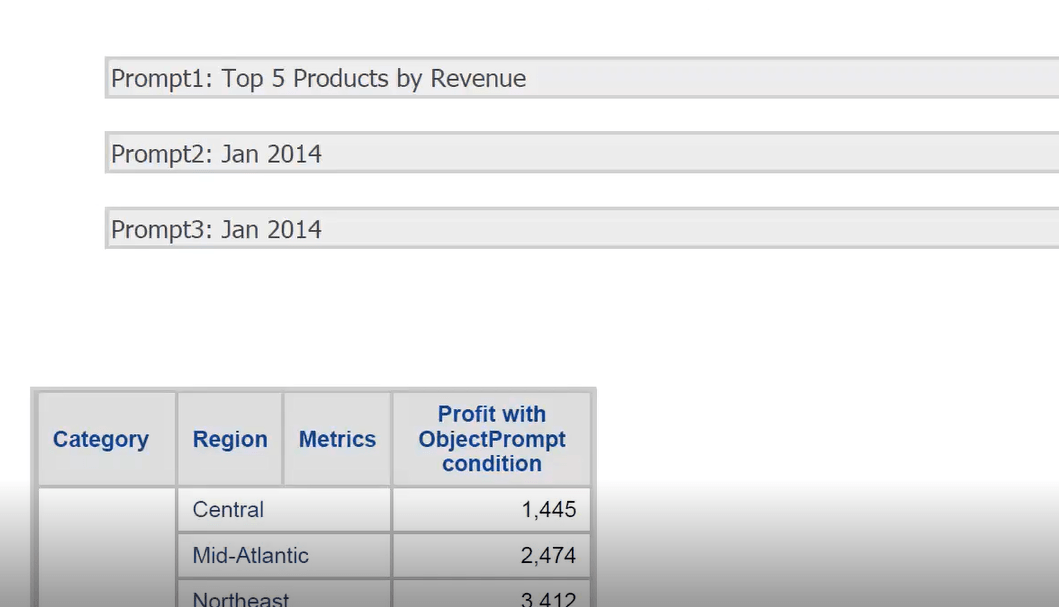
NOTE: Same steps in 10.3 show correct order in PDF export.
CAUSE
This is an identified defect in Strategy 10.4~10.11.
ACTION
This issue has been addressed in Strategy 11.0.
KB441295
