Starting with the release of Strategy ONE (March 2024), dossiers are also known as dashboards.
R Integration Pack included out-of-the-box starting Strategy 10.11
In Strategy 10.11, R was bundled and installed with the main platform installation for an easier getting-started experience. With Strategy 10.11, the R Integration Pack is enabled out-of-the-box in Desktop and Workstation. This enables analysts to get up-and-running with R without having to install the R Integration Pack separately, removing a major obstacle for leveraging R in Strategy. Now, analysts can quickly and easily incorporate predictive insights from R, such as k-nearest neighbors, random forests, neural networks, and regression models in their dossiers and documents.
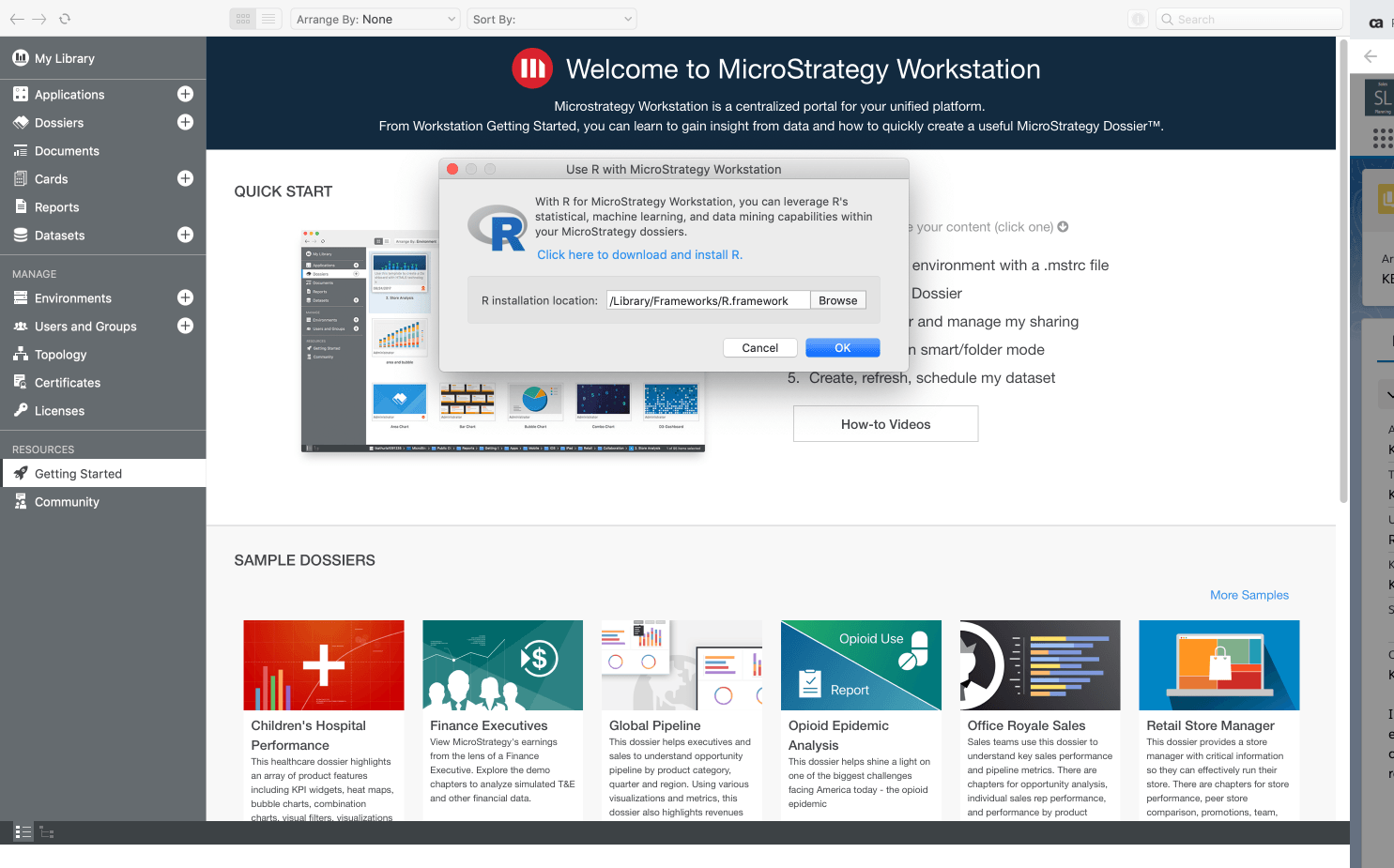
Get started with these next few steps
1. Open Strategy Desktop or Workstation (version 10.11 or higher)
2. From the top toolbar, select "Tools"
3. Click "Use R with Strategy Workstation"
4. Download and install R if you haven't already
5. Then browse to your R installation location
6. Click "OK"
7. Restart Workstation for the change to take effect
Learn more about the world of Data Science with this blog from one of our Strategy experts. Review different Python and R packages, such as Keras and R6, that will help you with your next data science project. Start driving innovation at your company with these tips and tricks.
