Starting with the release of Strategy ONE (March 2024), dossiers are also known as dashboards.
While actively working in either Library Web or Library App connected to an Intelligence Server cluster, randomly and suddenly a “Server Error. Resource not found” appears:
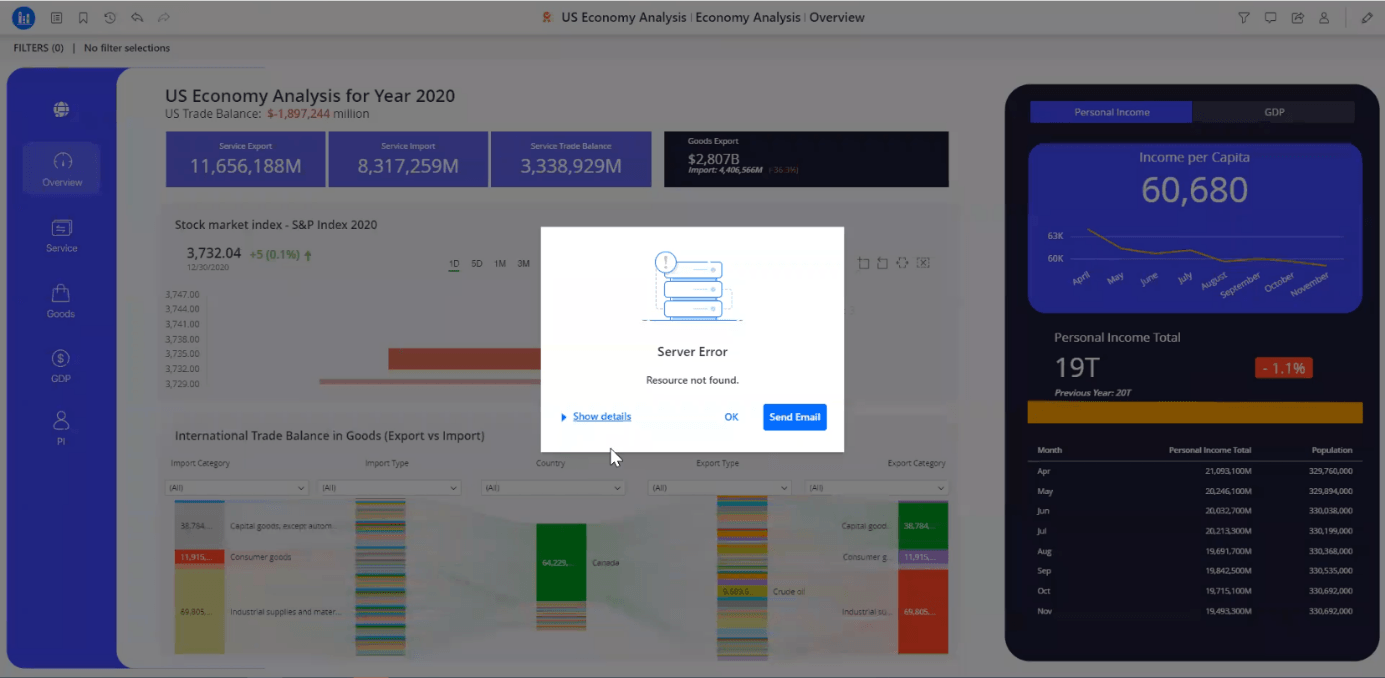
After clicking on “Show details”, the full error message can be seen:
“The result is no longer available. Possible reasons are (1) the working set has reached the maximum number of objects; (2) the associated session has timed out; (3) the Administrator has deleted the associated session; (4) the project has been unloaded or is idle; or (5) the provided instance ID through the REST API has been mistyped.”
After clicking on “OK”, the behavior may be different:
Regarding Library App, the issue is not Android or iOS specific.
Sometimes user sessions for the same user may be created in more than one Intelligence Server when logging in to Library Web and/or to Library App, or when executing different dossiers. This can be observed in the “User Connections” section under the “Monitors” menu in Workstation:
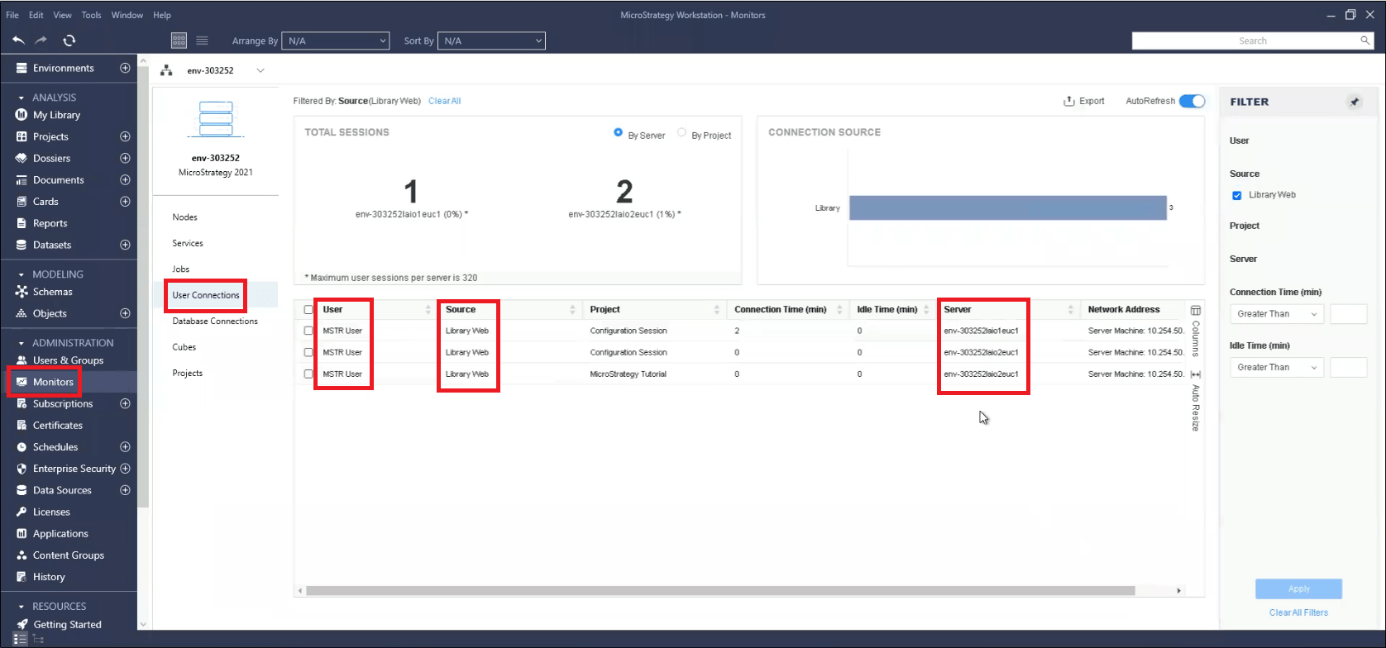
The 3 rows show user sessions for the “MSTR User” in “Library Web”. The first row shows the user session in the Intelligence Server “env-303252laio1euc1”, while the second and third rows show the user session in the Intelligence Server “env-303252laio2euc1”.
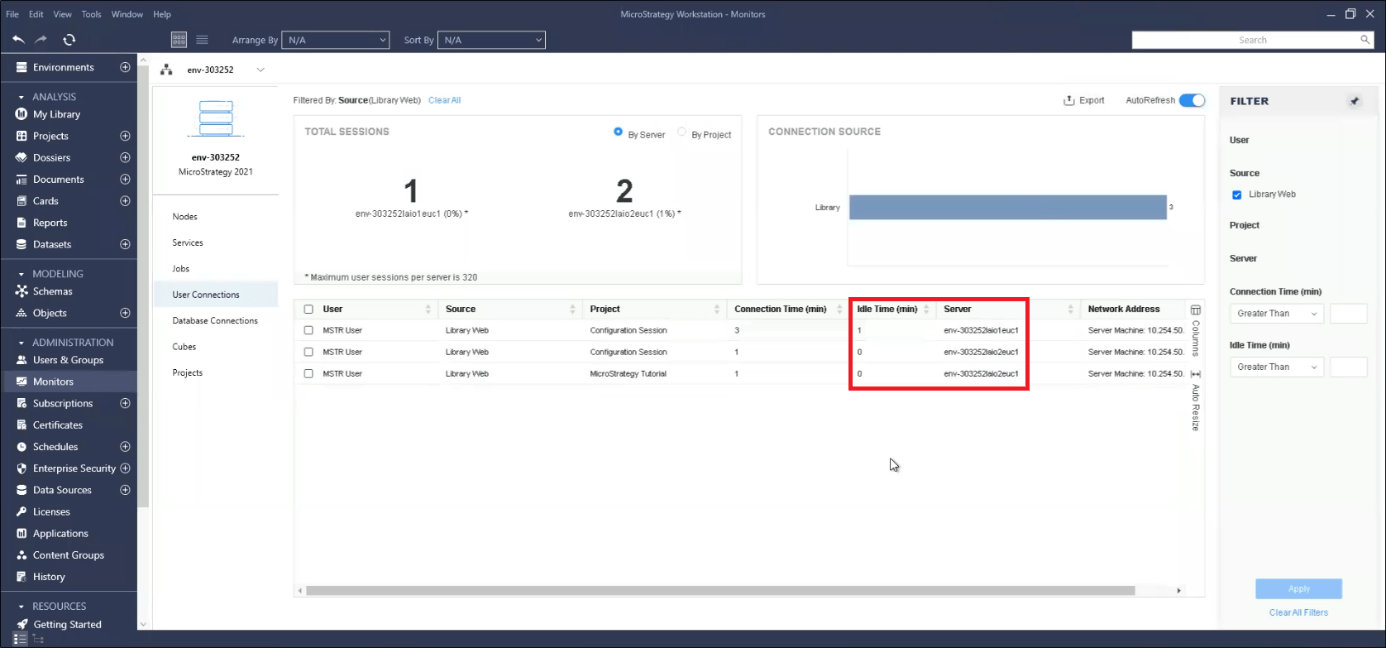
In this scenario, user sessions in one node do not go idle, but they go idle in the other node despite the user is actively working in Library Web/App. In the example, this is observed when the “Idle Time (min)” column changes its value for the user sessions in node “env-303252laio1euc1”, but not in node “env-303252laio2euc1”:
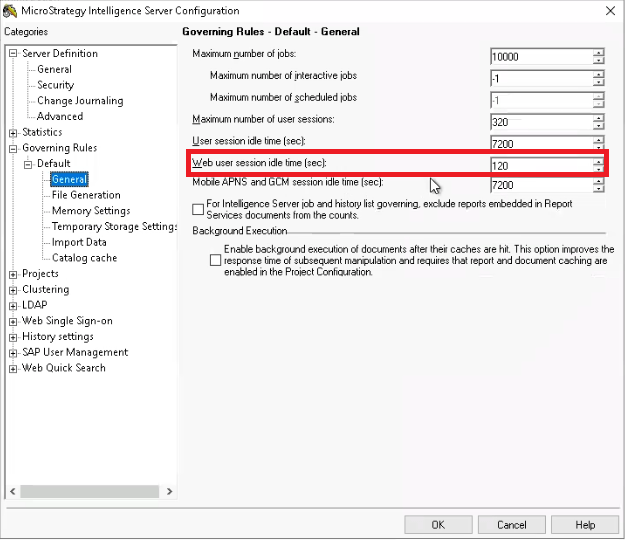
Then, the idle sessions hit the “Web user session idle time (sec)”, which is a setting at the Intelligence Server level that can be found in Developer - Intelligence Server configuration - Governing Rules - Default - General.
When the timeout is hit, in the example it can be observed that some user sessions disappeared:
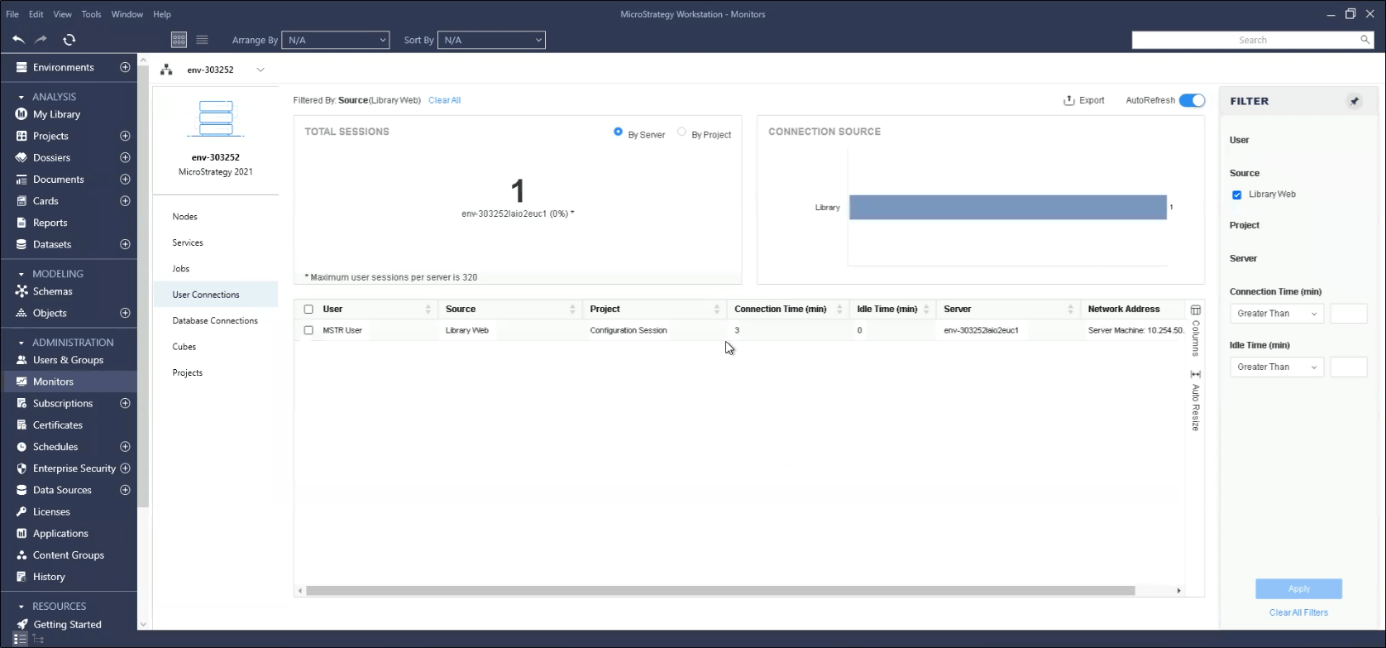
After that, any action performed in the dossier in either Library Web or Library App will result in the “Server Error. Resource not found".
When clicking on “Show details”:
“The result is no longer available. Possible reasons are (1) the working set has reached the maximum number of objects; (2) the associated session has timed out; (3) the Administrator has deleted the associated session; (4) the project has been unloaded or is idle; or (5) the provided instance ID through the REST API has been mistyped.”
In this case, the error message happened because of reason 2: Executions performed during a user session are stored in the Working Set (when enabled). The Working Set is strictly attached to a user session, and it is deleted when the user session finishes. Find more information about the Working Set here:
https://community.strategy.com/article/KB10138-How-are-the-concepts-of-Working-Set-Working-Set-Result
As the issue being described causes user sessions to time out, the results of the Working Set are not available anymore, hence the “the result is no longer available” error message.
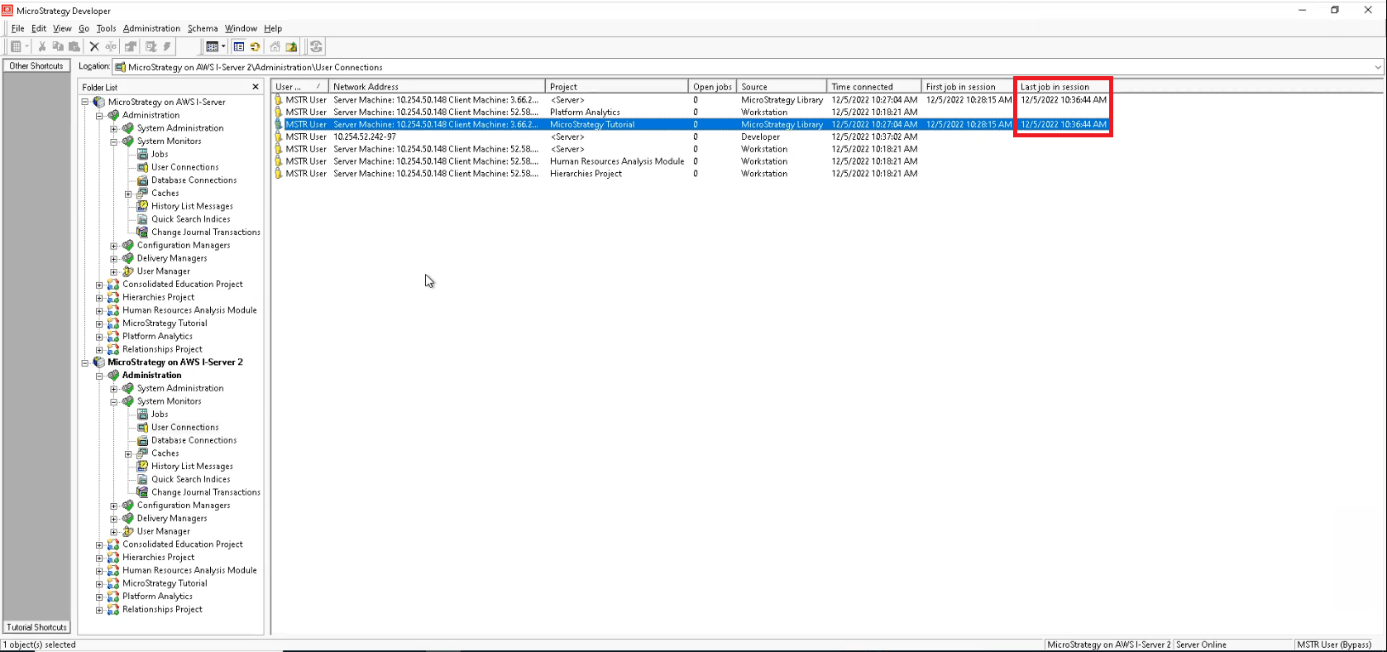
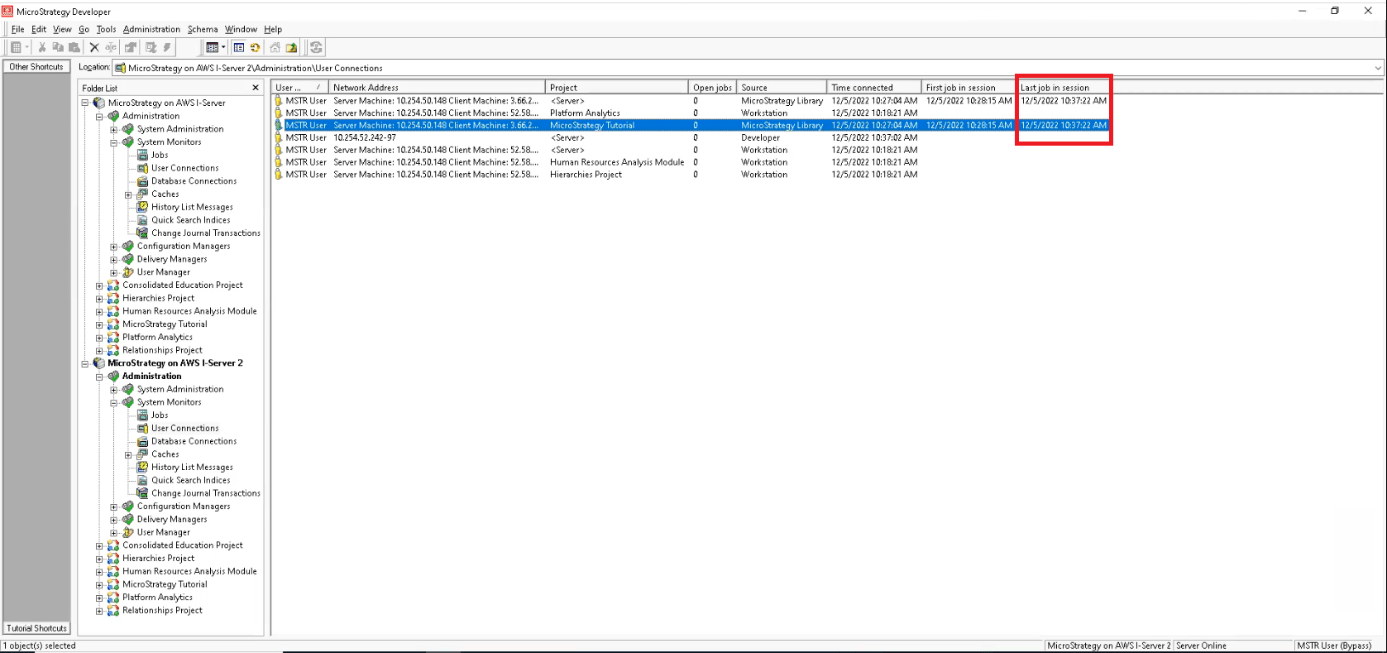
When user sessions for the same user in either Library Web or Library App are created in only one Intelligence Server node, the error message does not appear if the user actively works, that is, performs actions, such as executing a dossier, navigating chapters/pages, changing filter values, modifying selector values, etc., because it will never go idle and time out. In Developer - Connect to a Project Source - Administration - System Monitors - User Connections, the column “Last job in session“ gets updated after performing any of the mentioned actions.
Before an action in Library Web:
After an action in Library Web:
In Developer, the affected user sessions (the ones that are going idle, in the other Intelligence Server node) do not show any values in the “First job in session” and “Last job in session” columns.
This behavior has been identified as a defect. The Rest API used by Library Web and Library App does not extend the Time-To-Live (TTL) of the project session across all Intelligence Server nodes of the cluster. At the time of writing, has implemented the defect fix into the Strategy 2021 Update 9 code. Strategy 2021 Update 9 is expected to be released in March 2023 (as of today, the precise date cannot be committed).
When available, please install 2021 Update 9 and deploy Library 2021 Update 9 to take advantage of the fix. In case the issue persists, please contact Strategy Technical Support.
The steps of the workaround are as follows:
This workaround will not eliminate the error message, it will decrease its frequency.
