EducationSoftwareStrategy.com
StrategyCommunity

Knowledge Base

Product

Community

Knowledge Base

TopicsBrowse ArticlesDeveloper Zone

Product

Download SoftwareProduct DocumentationSecurity Hub

Education

Tutorial VideosSolution GalleryEducation courses

Community

GuidelinesGrandmastersEvents
x_social-icon_white.svglinkedin_social-icon_white.svg
Strategy logoCommunity

© Strategy Inc. All Rights Reserved.

LegalTerms of UsePrivacy Policy
  1. Home
  2. Topics

Readme 10.11 - Installing and Upgrading


Marcin Sedlak-Jakubowski

Technical Writer • Strategy


This section covers the introduction to installing and upgrading MicroStrategy products.

 
QUESTION
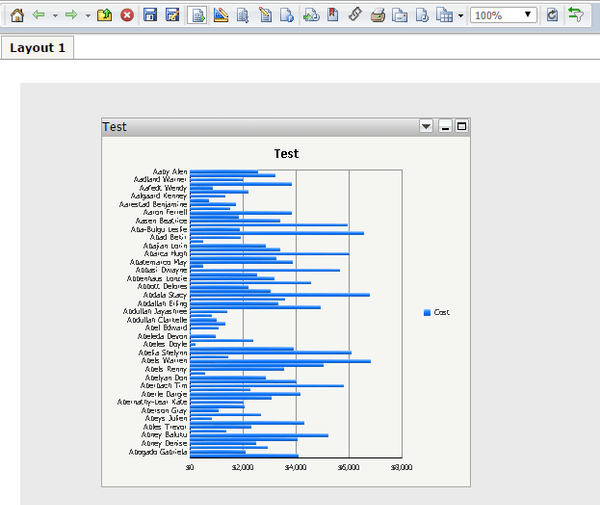
Is it possible to add a vertical scrollbar within a graph in Strategy 9.x in Express Mode?
The graph seems too crowded when there is too much data in it.
ka04W000000OfxEQAS_0EM4400000025wo.jpeg

 
ANSWER
It is not possible to add a vertical scrollbar directly to a graph in Strategy, the graph display size will adjust automatically to show all the information defined in the graph format maximum values. 
If the graph contains too much data and the values are set to show all, the graph display might not be ideal.
An enhancement request has been logged.
 
WORKAROUND
If the graph becomes too crowded, limiting the data retrieved with a filter or a selector might be the best choice.
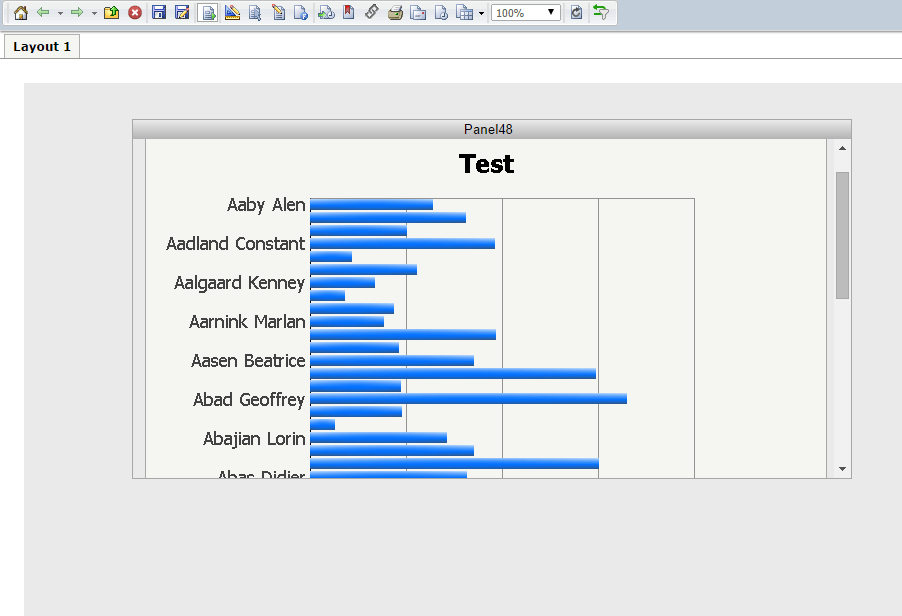
  • Alternatively resizing the graph to make it larger so the graph looks less crowded and placing it inside a smaller panel will show a scrollbar in the panel. (This option only works in Express Mode and Flash Mode)
ka04W000000OfxEQAS_0EM4400000025wm.jpeg


Strategy Internal Reference Number: 904805


Comment

0 comments

Details

Knowledge Article

Published:

March 30, 2018

Last Updated:

March 30, 2018