SYMPTOM:
When a report package is created (with its dependents) with Strategy Object Manager to move the report from test to production environments, once the package is imported in production the report's SQL still show the test environment table prefix.
CAUSE:
This issue is caused because the Schema is not updated after importing the package.
When copying any schema objects (in this case the table which is set to "replace" in the package) users must update the destination project’s schema.
ACTION:
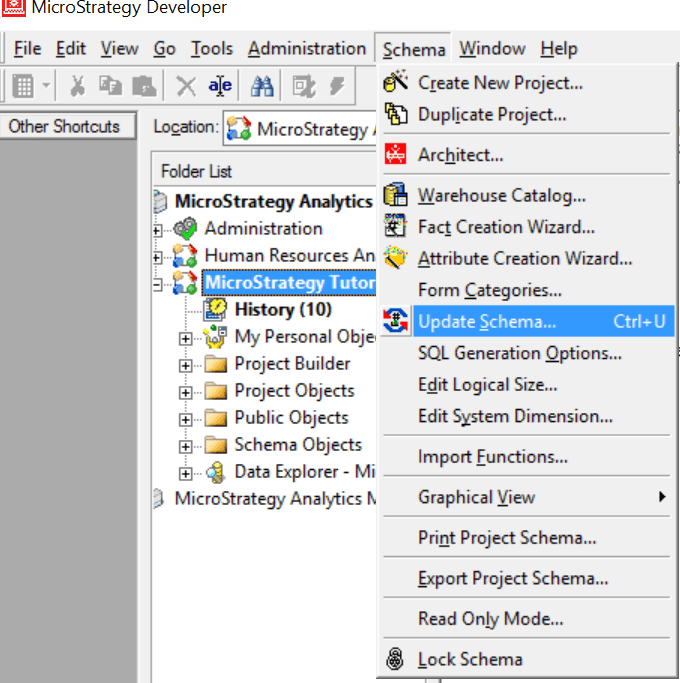
Please select update schema from the destination project in Strategy Developer:
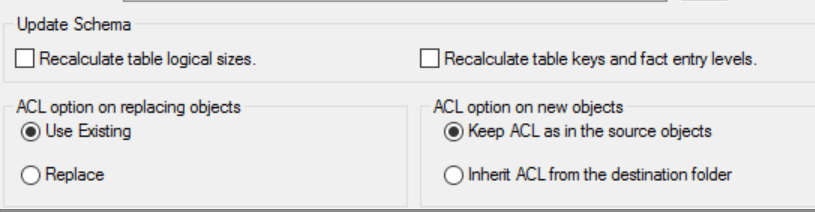
or select the options under "Update Schema" when creating the Package in Object Manager:
KB439305
