Starting with the release of Strategy ONE (March 2024), dossiers are also known as dashboards.
For a report executing from developer returns 34 rows of data, while SQLCSI Pass returned Rows shows zero in Platform Analytics Performance Troubleshooting Dossier as shown below:


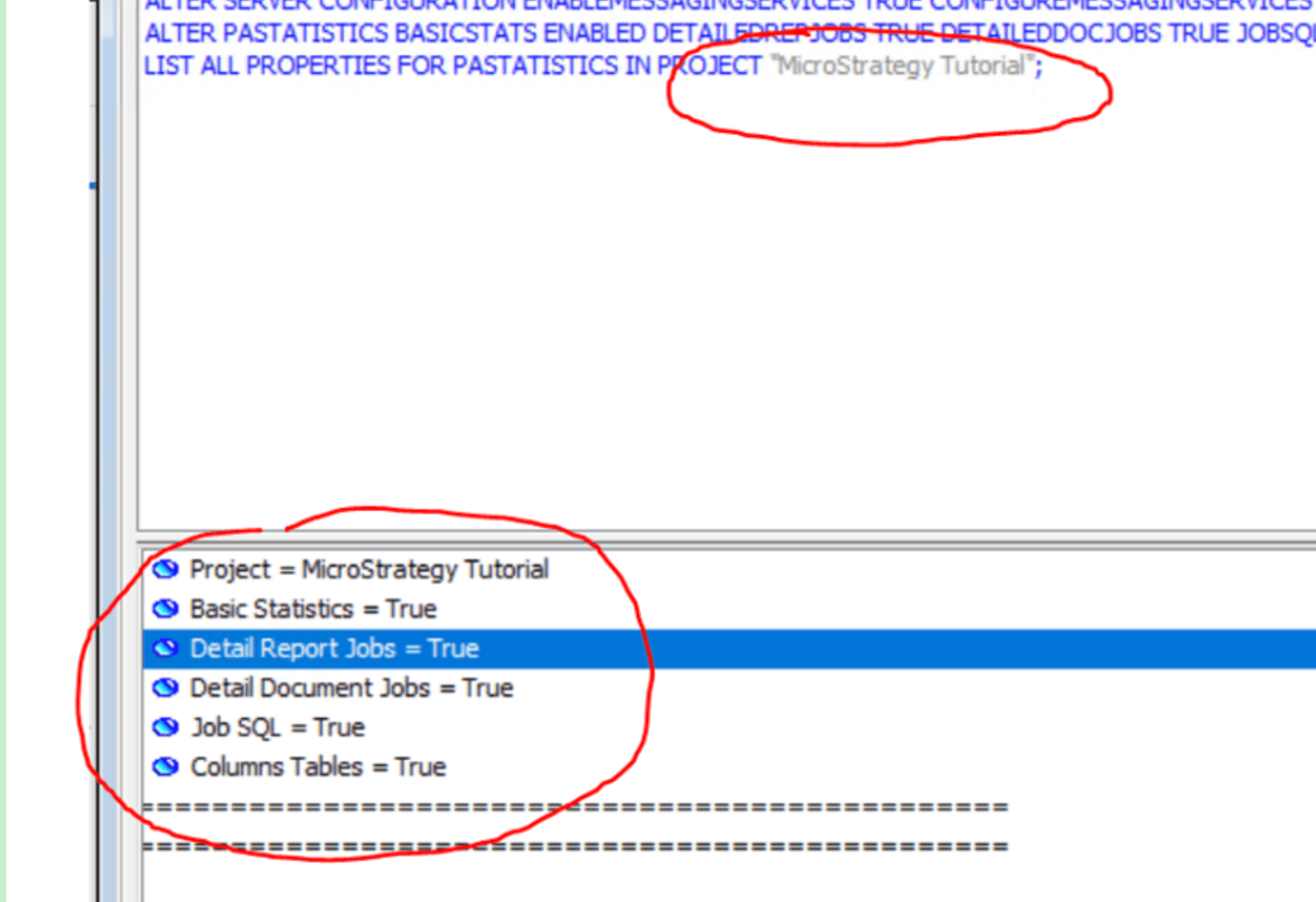
It is confirmed the advanced statistics Detail Report Jobs has been enabled for the whole project via command manger outline.
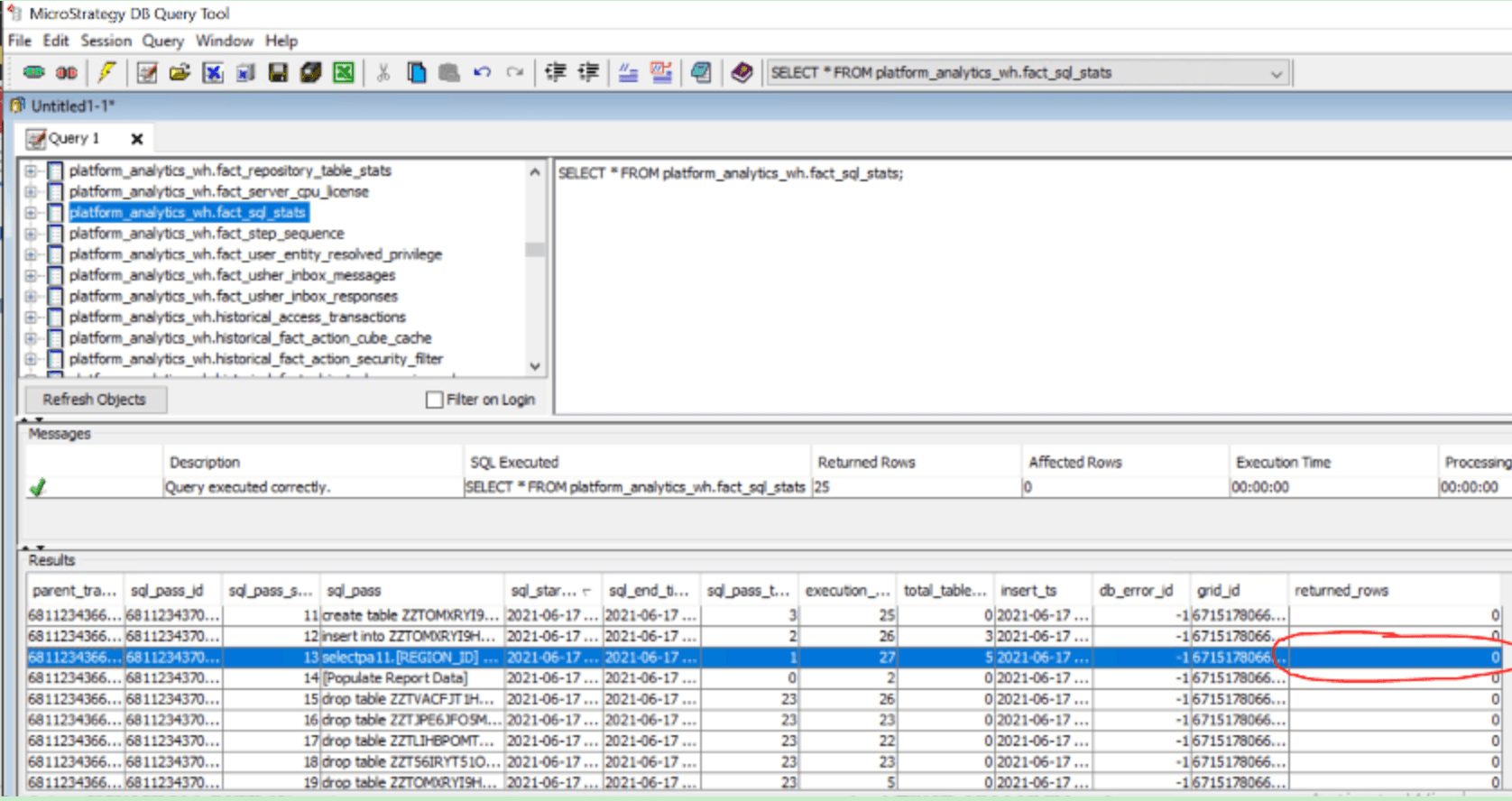
Query Platform Analytics warehouse table fact_sql_stats, it is noticed all the reports have returned rows show 0.
In Mstr.PlatformAnalytics.IsReportSQLStats topic file, it is found no ROWSRETURNED being captured. It seems currently returned rows is not sent for report execution or cube publication.
{"DAY_ID":"2021-06-17T07:28:11.000-0400","DBCONNECTIONID":"37BE16A411D3E48C1000E787EC6DE8A4","DBERRORMESSAGE":"","DBINSTANCEID":"37BE16AB11D3E48C1000E787EC6DE8A4","DBLOGINID":"37BE16A011D3E48C1000E787EC6DE8A4","EXECTIME":119,"FINISHTIME":"2021-06-17T07:28:11.000-0400","HOUR_ID":7,"JOBID":726,"MINUTE_ID":728,"OBJECTGUID":"13CFD83A458A68655A13CBA8D7C62CD5","PROJECTID":"B19DEDCC11D4E0EFC000EB9495D0F44F","REPOSITORYID":"BFC2EDCB49B1C0011EB4DCA0AE6899B8","REPOSITORY_CONNECTION_STRING":"DRIVER=Microsoft Access Driver (*.mdb);DBQ=C:\\Program Files (x86)\\MicroStrategy\\Analytics Modules\\Analytics_Metadata.mdb;DESCRIPTION=Metadata for Strategy Analytics Modules;FIL=MS Access;DRIVERID=25;SAFETRANSACTIONS=0;","SERVERID":"C126983446A882CC7AA758917C317067","SERVERMACHINE":"XXXXXXX:34952","SESSIONID":"E44DACF0AE7D84AD99C68D9D043FA193","SQLPASSSEQUENCE":1,"SQLPASSTYPE":1,"SQLSTATEMENT":"select\ta13.[REGION_ID] AS REGION_ID,\n\tmax(a14.[REGION_NAME]) AS REGION_NAME0,\n\ta11.[EMP_ID] AS EMP_ID,\n\tmax(a12.[EMP_LAST_NAME]) AS EMP_LAST_NAME,\n\tmax(a12.[EMP_FIRST_NAME]) AS EMP_FIRST_NAME,\n\tsum(a11.[TOT_DOLLAR_SALES]) AS Revenue,\n\tsum(a11.[TOT_COST]) AS WJXBFS1,\n\tsum((a11.[TOT_DOLLAR_SALES] - a11.[TOT_COST])) AS WJXBFS2\nfrom\t[ITEM_EMP_SLS]\ta11, \n\t[LU_EMPLOYEE]\ta12, \n\t[LU_CALL_CTR]\ta13, \n\t[LU_REGION]\ta14\nwhere\ta11.[EMP_ID] = a12.[EMP_ID] and \n\ta12.[CALL_CTR_ID] = a13.[CALL_CTR_ID] and \n\ta13.[REGION_ID] = a14.[REGION_ID]\ngroup by\ta13.[REGION_ID],\n\ta11.[EMP_ID]","STARTTIME":"2021-06-17T07:28:11.000-0400","TOTALTABLEACCESSED":4}
This is a known issue.
This issue has been fixed in Strategy 2021 Update 4. Upgrade to this version to take advantage of the fix.
