EducationSoftwareStrategy.com
StrategyCommunity

Knowledge Base

Product

Community

Knowledge Base

TopicsBrowse ArticlesDeveloper Zone

Product

Download SoftwareProduct DocumentationSecurity Hub

Education

Tutorial VideosSolution GalleryEducation courses

Community

GuidelinesGrandmastersEvents
x_social-icon_white.svglinkedin_social-icon_white.svg
Strategy logoCommunity

© Strategy Inc. All Rights Reserved.

LegalTerms of UsePrivacy Policy
  1. Home
  2. Topics

KB483829: Setting Zoom to Fit Width causes a scroll bar to appear in a document on MicroStrategy 2019 Update 2


Mengran (Molly) Wang

Senior Cloud Support Engineer III • MicroStrategy


This article provides a solution to when setting Zoom to Fit Width causes a scroll bar to appear in a document on MicroStrategy 2019 Update 2.

Description


After upgrading from Strategy 10.4 to Strategy 2019 Update 2, setting a document's Zoom level to Fit Width causes a horizontal scroll bar to appear. Selecting any other zoom size removes the scroll bar and appears fine, but you cannot save the change so the scroll bar continues to appear.
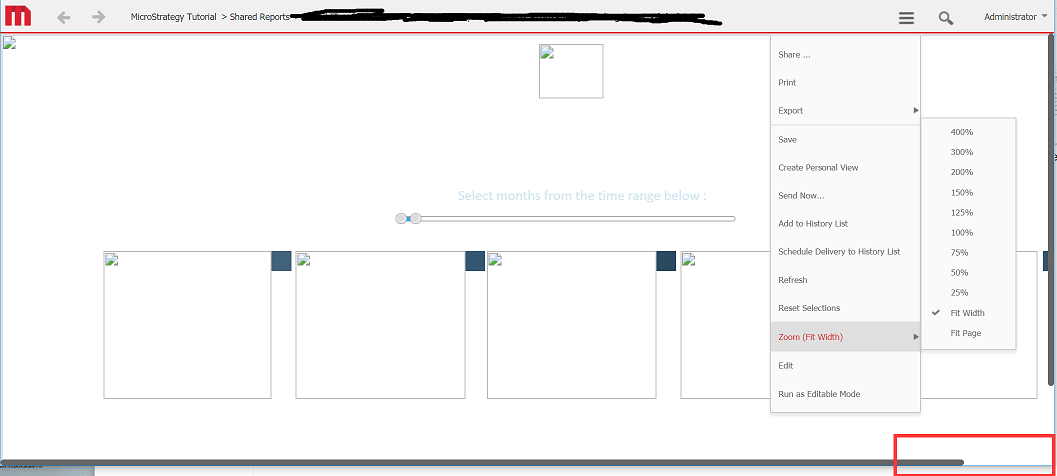
ka02R000000g4wIQAQ_0EM2R000000mwY2.jpeg


Why is this happening?


The reason a scroll bar is appearing when Zoom is set to Fit Width is because the width of the panel stack is wider than the document body section.

ka02R000000g4wIQAQ_0EM2R000000mwY7.jpeg

Solution


Adjust the width of the panel stack to be smaller than the body section. This will remove the scroll bar when Zoom is set to Fit Width.
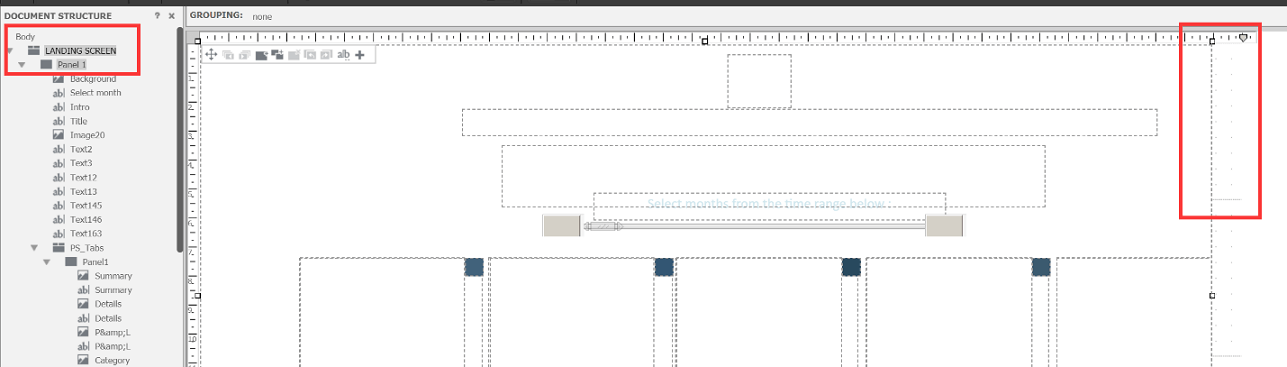
ka02R000000g4wIQAQ_0EM2R000000mwYC.jpeg

Comment

0 comments

Details

Knowledge Article

Published:

November 27, 2019

Last Updated:

December 2, 2019