After upgrading to Strategy 2021 Update 3 or Strategy 2020 Update 6 navigating through Strategy Web/Library/Mobile JSP (Tomcat) may be slow, taking up to 1 minute to load pages.
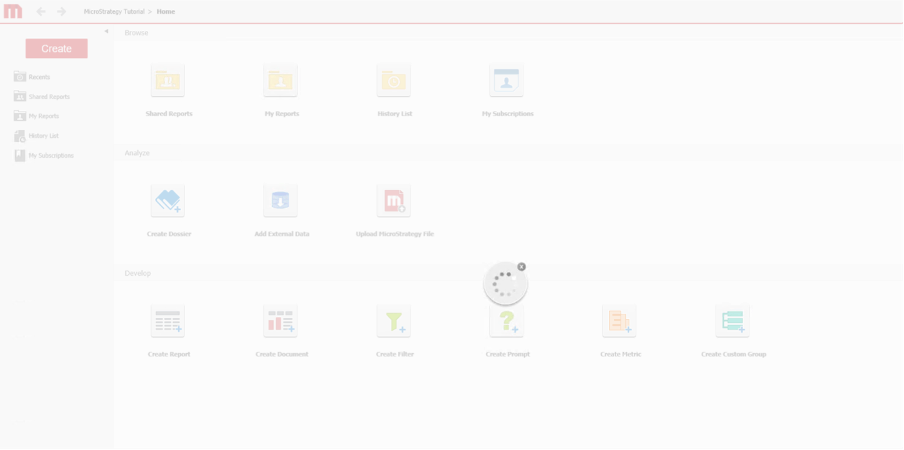
The slowness is only observed when using Tomcat 9.0.48 - 9.0.50 with HTTPS connection.
Analyzing HTTP request traces shows that a few JavaScript and CSS files take exactly 60 seconds to load. The delay occurs between the response header and the response body.
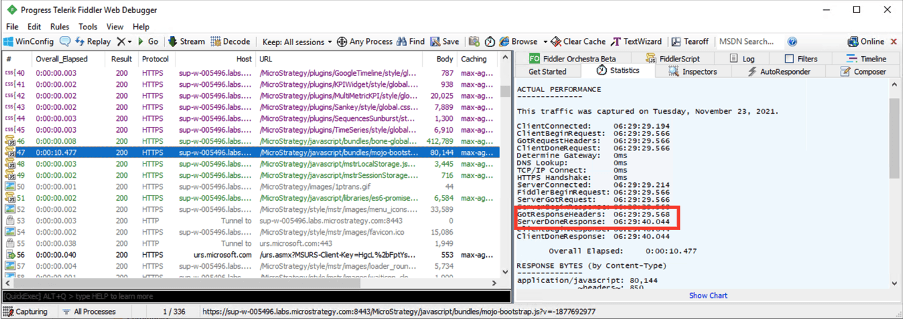
If the HTTPS connector in Tomcat server.xml file has the attribute keepAliveTimeout defined, then the time to load the affected static files will correspond to the time in milliseconds set for keepAliveTimeout.
Strategy 2021 Update 3 and Strategy 2020 Update 6 upgrade Apache Tomcat from 9.0.45 to 9.0.50 and 9.0.48 respectively. This issue is caused by an Apache Tomcat defect affecting version 9.0.50, documented here: https://bz.apache.org/bugzilla/show_bug.cgi?id=65448
This defect has been addressed with Apache Tomcat 9.0.51 and above.
Strategy 2021 Update 4 ships with Apache Tomcat 9.0.54 which has the issue addressed. Upgrade to take advantage of the fix.
(Please note that since the issue is caused by Apache Tomcat, upgrading Strategy alone with Tomcat not upgraded won't fix the slow performance issue. Make sure Apache Tomcat has been upgraded to version 9.0.51 or above.)
1. Temporarily decrease keepAliveTimeout until Apache Tomcat is upgraded or Strategy 2021 Update 4 has been applied.
a. Open server.xml from C:\Program Files (x86)\Common Files\MicroStrategy\Tomcat\apache-tomcat-9.0.50\conf
b. Add
keepAliveTimeout="20000"to the TLS connector:
<Connector protocol="org.apache.coyote.http11.Http11NioProtocol" port="8443" maxThreads="200" scheme="https" secure="true" SSLEnabled="true" keystoreFile="C:\ssl\TSkeystore.pfx" keystorePass= "xxx" clientAuth="false" sslProtocol="TLS" keepAliveTimeout="20000" />
