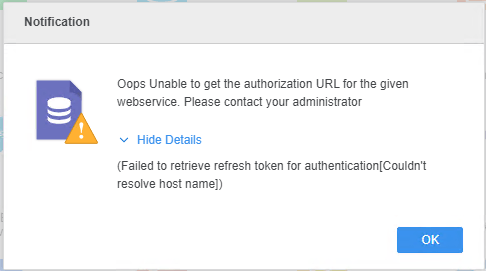
When importing data from Survey Monkey via Community Connectors, the following message is displayed:
Oops Unable to get the authorization URL for the given webservice. Please contact your administrator
(Failed to retrieve refresh token for authentication[Couldn’t resolve host name])
In DSSErrors.log, the following entry can be seen when the Survey Monkey data import is attempted:
2023-06-13 17:08:23.576-04:00 [HOST:i-server-host][SERVER:CastorServer][PID:4901][THR:139619067913984][RESTWrapper][Error][UID:54F3D26011D2896560009A8E67019608][SID:62E71BC1A18EB0BB546ADE867DA78E05][OID:0][RESTWrapperImpl.cpp:661] EasyPerform() failed. Error message: Could not resolve host: connector.host.org.
The example above shows that the Intelligence Server is unable to resolve the host connector.host.org where the CommunityConnectors application is deployed.
Make sure the Intelligence Server machine can connect to the CommunityConnectors application host. In case the connection only works for IP addresses, work with your administrator to change the hosts file on the Intelligence Server machine and add a line to it for the Community Connector host and its IP address as seen in the example below:
10.11.12.13 connector.host.org
For Windows systems, the default path to the hosts file is c:\Windows\System32\Drivers\etc\hosts. For Linux, it’s /etc/hosts.
