EducationSoftwareStrategy.com
StrategyCommunity

Knowledge Base

Product

Community

Knowledge Base

TopicsBrowse ArticlesDeveloper Zone

Product

Download SoftwareProduct DocumentationSecurity Hub

Education

Tutorial VideosSolution GalleryEducation courses

Community

GuidelinesGrandmastersEvents
x_social-icon_white.svglinkedin_social-icon_white.svg
Strategy logoCommunity

© Strategy Inc. All Rights Reserved.

LegalTerms of UsePrivacy Policy
  1. Home
  2. Topics

System Manager Homepage


Stefan Zepeda

Salesforce Solutions Architect • Strategy


MicroStrategy System Manager lets you define multiple configurations for your MicroStrategy environment that can be executed in a single workflow.

Configuring Strategy environments using System Manager workflows

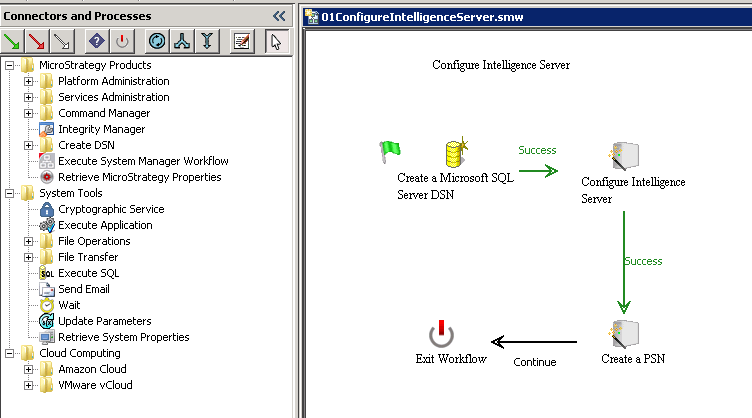
Strategy System Manager lets you combine multiple, sequential processes for your Strategy environment into a single workflow that can be deployed at a scheduled time or on demand. You can create workflows for different tasks, such as installing, maintaining, and upgrading Strategy environments; backing up projects; and launching or shutting down Cloud instances. These workflows can be deployed using a standard interface, an interactive command line process, or a completely silent configuration process.
ka02R000000kcdhQAA_0EM440000002Ikm.png

Comment

0 comments

Details

Knowledge Article

Published:

April 7, 2017

Last Updated:

April 7, 2017