EducationSoftwareStrategy.com
StrategyCommunity

Knowledge Base

Product

Community

Knowledge Base

TopicsBrowse ArticlesDeveloper Zone

Product

Download SoftwareProduct DocumentationSecurity Hub

Education

Tutorial VideosSolution GalleryEducation courses

Community

GuidelinesGrandmastersEvents
x_social-icon_white.svglinkedin_social-icon_white.svg
Strategy logoCommunity

© Strategy Inc. All Rights Reserved.

LegalTerms of UsePrivacy Policy
  1. Home
  2. Topics

KB440906: The “Default Content Alignment (Presentation Mode Only)” web preference does not change in MicroStrategy Web after applying the script to do so in MicroStrategy Command Manager 10.10 and above.


Monica Gallegos Salazar

Principal Product Specialist • MicroStrategy


This issue has been classified as a defect by MicroStrategy. The impact is limited to MicroStrategy Web 10.10 and above. A workaround is available in the current document.

SYMPTOM:
When using the Command Manager script to change the “Default Content Alignment (Presentation Mode Only)” web preference, the preference in Strategy Web is not changed accordingly.
STEPS TO REPRODUCE:
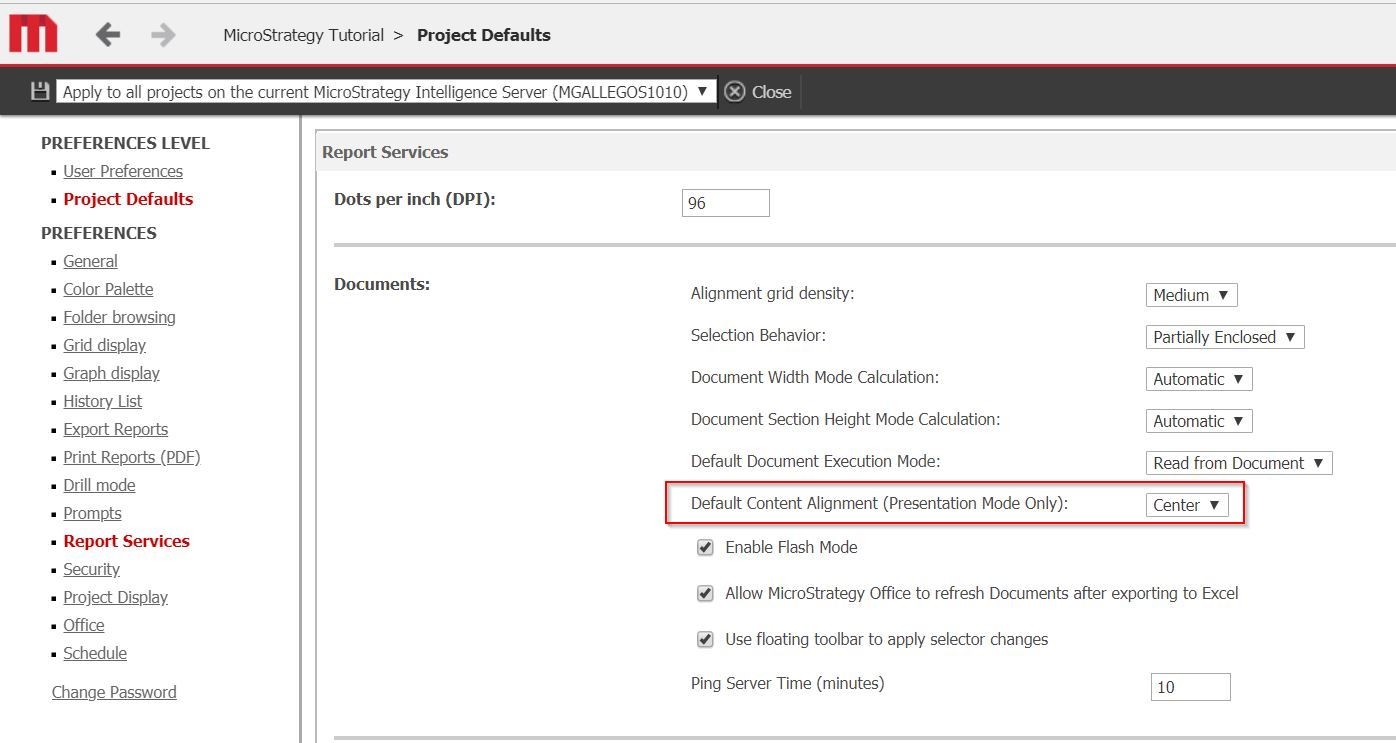
  1. Note the value of the “Default Content Alignment (Presentation Mode Only)” web preference in Strategy Web, in this case it’s set to Center:


ka02R000000kavPQAQ_0EM44000000WPfH.jpeg


  1. Open Strategy Command Manager and use the script to change that preference, noted below:


APPLY WEBPREFERENCES NAME "Default Content Alignment (Presentation Mode Only):” VALUE "1” TO PROJECT "Strategy Tutorial";
Note: The value 1 is for the “Left” option.
 

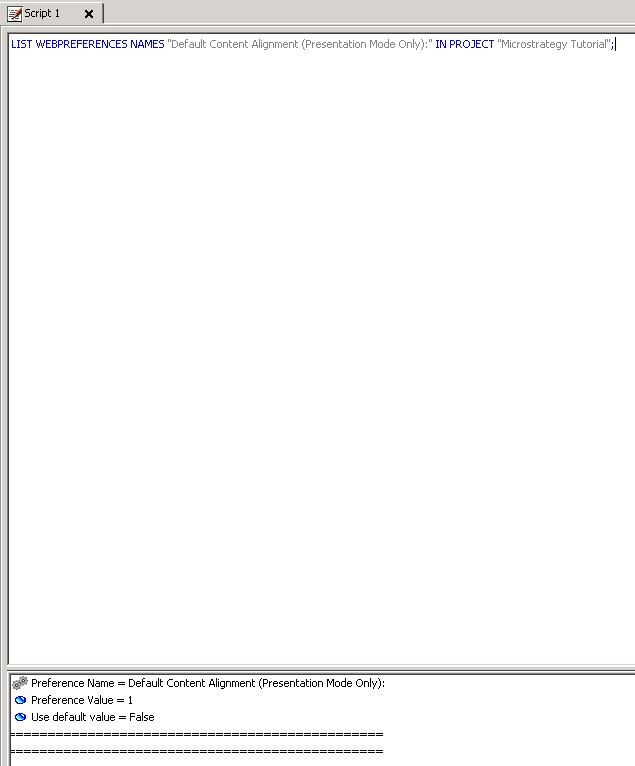
  1. Run a Command Manager script to list the value of the preference, you will notice the value has been changed to 1:


ka02R000000kavPQAQ_0EM44000000WPfM.jpeg


  1. Go back to Strategy Web, logout and login again; you will notice the value is still set to “Center”.


CAUSE:
This is a known issue in Strategy Web 10.10 and above.
 
ACTION:
Currently this issue is being reviewed by our Technology team. Strategy will continue to investigate and post updates as soon as they are available.
 
WORKAROUND:
Change the preference using the dropdown in Strategy Web.
  KB440906


Comment

0 comments

Details

Knowledge Article

Published:

May 29, 2018

Last Updated:

December 28, 2018