EducationSoftwareStrategy.com
StrategyCommunity

Knowledge Base

Product

Community

Knowledge Base

TopicsBrowse ArticlesDeveloper Zone

Product

Download SoftwareProduct DocumentationSecurity Hub

Education

Tutorial VideosSolution GalleryEducation courses

Community

GuidelinesGrandmastersEvents
x_social-icon_white.svglinkedin_social-icon_white.svg
Strategy logoCommunity

© Strategy Inc. All Rights Reserved.

LegalTerms of UsePrivacy Policy
  1. Home
  2. Topics

KB484144: The Intelligence Server consumes too much memory when publishing the Platform Analytics Cube


Gerson Osorio

Quality Engineer, Senior • MicroStrategy


This article explains why the Intelligence Server may be consuming more memory than expected when publishing the Platform Analytics Cube. This article also provides a solution to reduce the memory consumption.

Starting with the release of Strategy ONE (March 2024), dossiers are also known as dashboards.

Description


Platform Analytics is a telemetry tool that leverages data from across the Strategy platform including system usage, project usage, and user activity. The out-of-the-box Platform Analytics dossiers are built from the Platform Analytics Cube.
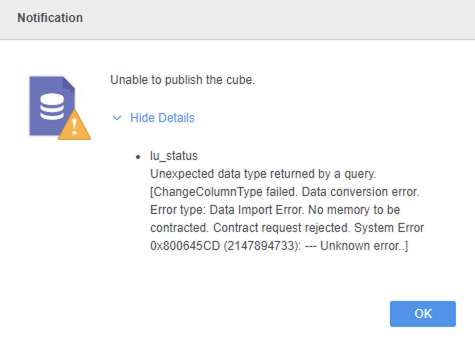
The Platform Analytics Cube may have the wrong data type for the description columns in the lu_status and lu_status_category tables. That is, the data types in the Platform Analytics Cube may not match the data types in the Platform Analytics warehouse and schema objects. Publishing the Platform Analytics Cube may cause the Intelligence Server to use a lot of memory, particularly when there is a lot of data in lu_status and lu_status_category. In some cases the Platform Analytics Cube may fail to publish and result in the following error:
Unable to publish the cube. 
lu_status
Unexpected data type returned by a query. 
[ChangeColumnType failed. Data conversion error.
Error Type: Data Import Error. No memory to be contracted. Contract request rejected. System Error 0x800645CD (2147894733): --- Unknown error..]
 

ka0PW0000001Je8YAE_0EM2R0000019LFY.jpeg

Solution

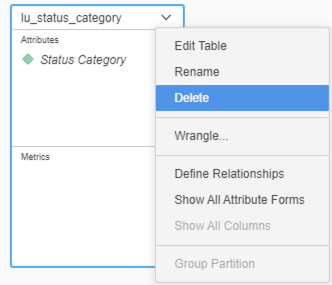
  • In Strategy Web, edit the Platform Analytics Cube and delete the lu_status and lu_status_category tables.
ka0PW0000001Je8YAE_0EM2R0000019LFd.jpeg
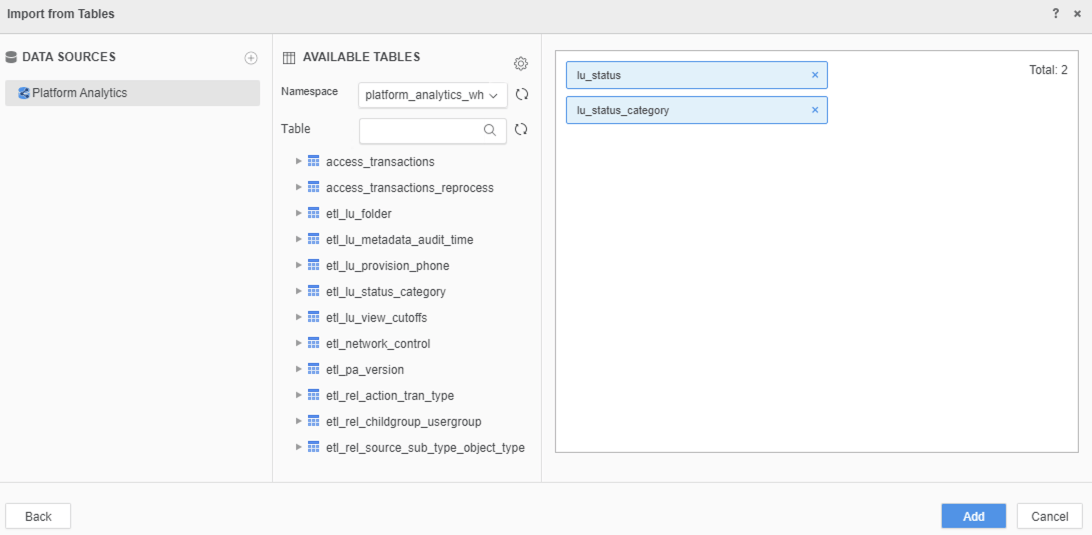
  • Click Add a new table and select lu_status_category from the Platform Analytics data source.
ka0PW0000001Je8YAE_0EM2R0000019LFi.jpeg
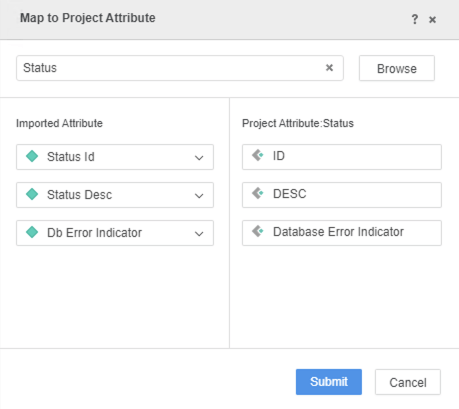
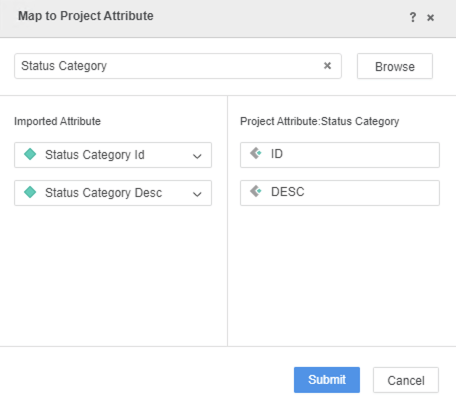
  • Map the attributes for lu_status and lu_status_category to the Status category project attributes.
ka0PW0000001Je8YAE_0EM2R0000019LFn.jpeg
ka0PW0000001Je8YAE_0EM2R0000019LFs.jpeg
  • Update the dataset and import as an in-memory dataset.


Publishing the Platform Analytics Cube should cause the Intelligence Server to use less memory than it was previously using.


Comment

0 comments

Details

Knowledge Article

Published:

March 26, 2020

Last Updated:

March 21, 2024