EducationSoftwareStrategy.com
StrategyCommunity

Knowledge Base

Product

Community

Knowledge Base

TopicsBrowse ArticlesDeveloper Zone

Product

Download SoftwareProduct DocumentationSecurity Hub

Education

Tutorial VideosSolution GalleryEducation courses

Community

GuidelinesGrandmastersEvents
x_social-icon_white.svglinkedin_social-icon_white.svg
Strategy logoCommunity

© Strategy Inc. All Rights Reserved.

LegalTerms of UsePrivacy Policy
  1. Home
  2. Topics

“The Object does not exist in Metadata” error appears when saving a History List message based on a deleted dossier


Karol Marczuk

Consultant • Strategy


This article describes a known issue when saving History List messages of live connection dossiers against MDX data sources, after the dossiers are deleted.

Starting with the release of Strategy ONE (March 2024), dossiers are also known as dashboards.

Description 


After sending a dossier into the History List and deleting the dossier, you may encounter the following error when trying to use the History List message to save a copy of the dossier.
The Object does not exist in Metadata

ka0PW0000001JdzYAE_0EM4W000001Iyhk.jpeg

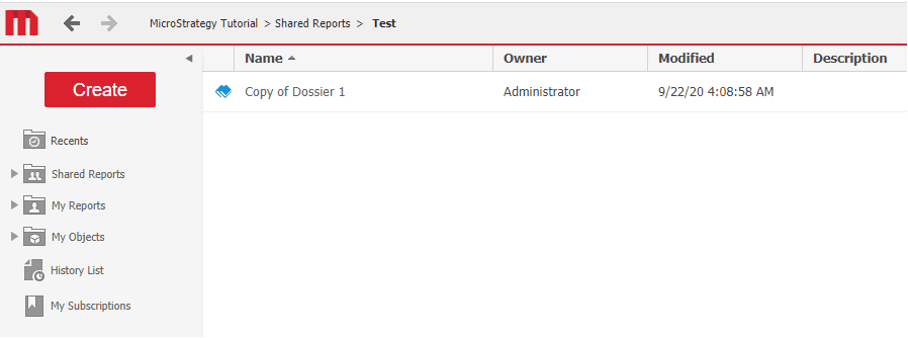
However, the dossier can still be saved. 
ka0PW0000001JdzYAE_0EM4W000001Iyhu.jpeg

Steps to reproduce

  1. Create a dossier.
  2. Add the dossier to the History List by going to File > Add to History List.
  3. Delete the dossier.
  4. Open the History List message of this dossier and save it as a new one.
    You receive the error and the dossier is still saved.

Why is this happening?


This is a known issue and is being investigated by the Technology team.


Comment

0 comments

Details

Knowledge Article

Published:

October 4, 2020

Last Updated:

March 21, 2024