Starting with the release of Strategy ONE (March 2024), dossiers are also known as dashboards.
Setting the report VLDB property Intermediate Results Rows to 0 (unlimited) does not override the values set in the All Intermediate Result Rows at the Project Level. When a report containing a total number of rows greater than the project Configuration level setting, the following error appears:
The number of intermediate rows 198779 exceeds the maximum number of intermediate rows 150000 retrieved per document or dossier view.

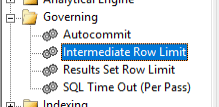
The report level setting does not override the project level setting because these two settings are separate from one another.
The project governing setting is to set a firm upper limit on all intermediate table row counts to avoid large table generation due to an y necessary analytical engine logic. This applies to reports, but also to data blending logic for documents and dossiers. For more information, see Project Configuration Default Settings.
The report level VLDB property is to control the table size limit for any intermediate task that returns data to Strategy for that single report. For more information, see Intermediate Row Limit.
There is no interaction between the two settings in terms of overriding or changing the other. The error produced is strictly related to the project level governing setting. There is no way to control this limit from an object level (report).
To resolve the error, you need to either reduce the number of rows or increase the project level limit.
Alternatively, instead of using the project governing limit setting, set the object templates for the environment to have the smaller intermediate row limit. Then, increase the setting on only the desired reports post-creation. This way, the same setting is used as both the general limit for regular ad-hoc users and for the increased limit for special reporting scenarios.
