EducationSoftwareStrategy.com
StrategyCommunity

Knowledge Base

Product

Community

Knowledge Base

TopicsBrowse ArticlesDeveloper Zone

Product

Download SoftwareProduct DocumentationSecurity Hub

Education

Tutorial VideosSolution GalleryEducation courses

Community

GuidelinesGrandmastersEvents
x_social-icon_white.svglinkedin_social-icon_white.svg
Strategy logoCommunity

© Strategy Inc. All Rights Reserved.

LegalTerms of UsePrivacy Policy
  1. Home
  2. Topics

KB485757: The "SQL engine got an exception from DFC" error appears in a dossier visualization after applying a view filter on a compound metric when using the Live data access mode


Danfeng Zhan

Principal Product Specialist • Strategy


This article narrates "SQL engine got an exception from DFC" error appears in a dossier visualization after applying a view filter on a compound metric when using the Live data access mode.

Starting with the release of Strategy ONE (March 2024), dossiers are also known as dashboards.
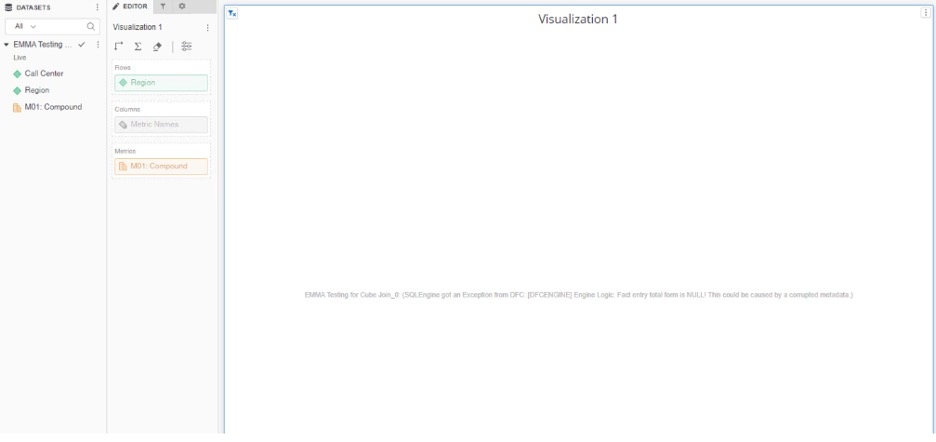
Starting with Strategy 2020, "SQL engine got an exception from DFC" error appears in a dossier visualization after applying a view filter on a compound metric when using the Live data access mode as shown below: 
ka0PW0000001JjXYAU_0EM4W000005o7Jl.jpeg

"SQL engine got an exception from DFC: [DFCENGINE] Engine Logic: Fact entry total form is NULL! This could be caused by a corrupted metadata"
Refer to Knowledge Base Article below for an understanding of Connect Live to data source.
KB236043: New feature in MicroStrategy Web 10: Connect Live to data source (Direct Data Access) in Data Import
 

Steps to reproduce

  1. Create a dossier.
  2. Click Add Data > Existing Objects and Select Data Access mode: Live
  3. Create a compound metric called CM with the definition of ((Profit - [Last Year's Profit]) / Profit);
  4. Add attribute ‘Region’ and above compound metric to a visualization
  5. Go to the visualization options and select edit filter
  6. Add a new metric qualification with the compound metric above and put condition like "does not equal" zero. Be sure to set the output level to Dataset level instead of visualization level.
  7. When applying the filter, the error message pop up on the dossier's grid.  


Cause


This is a known issue with Strategy 2020 and later.
 

Action


Strategy will continue to investigate and post updates as soon as they are available.


Comment

0 comments

Details

Knowledge Article

Published:

October 26, 2022

Last Updated:

March 21, 2024