EducationSoftwareStrategy.com
StrategyCommunity

Knowledge Base

Product

Community

Knowledge Base

TopicsBrowse ArticlesDeveloper Zone

Product

Download SoftwareProduct DocumentationSecurity Hub

Education

Tutorial VideosSolution GalleryEducation courses

Community

GuidelinesGrandmastersEvents
x_social-icon_white.svglinkedin_social-icon_white.svg
Strategy logoCommunity

© Strategy Inc. All Rights Reserved.

LegalTerms of UsePrivacy Policy
  1. Home
  2. Topics

KB440450: The Undo button is greyed out after adding a filter to a visualization in MicroStrategy Web and Desktop 10.9 and 10.10


Community Admin

• Strategy


This Knowledge Base article describes an identified limitation with using the undo button after applying a filter to a visualization in MicroStrategy Web and Desktop 10.9 and 10.10.

Starting with the release of Strategy ONE (March 2024), dossiers are also known as dashboards.
SYMPTOM:
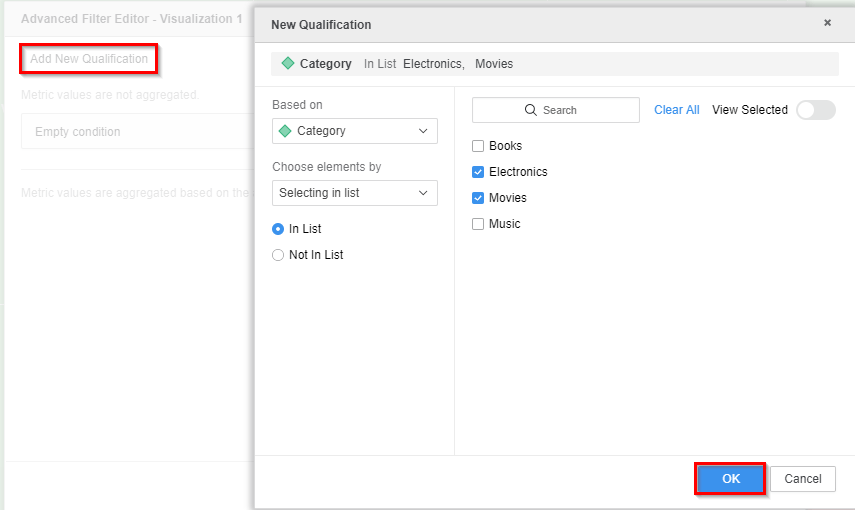
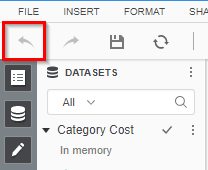
In Strategy Web or Desktop 10.9 and 10.10, after adding a filter to a visualization through the Advanced Filter Editor, users are not able to use the undo button to revert the changes.
 
STEPS TO REPRODUCE:
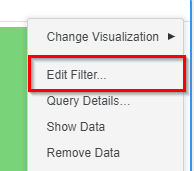
  • In a dossier, add a filter to a visualization through the Advanced Filter Editor
ka0PW0000001JTnYAM_0EM44000000A6dX.png


ka0PW0000001JTnYAM_0EM44000000A6dc.png


  • After applying the filter, notice the Undo button is greyed out and not available to revert the filter changes.
ka0PW0000001JTnYAM_0EM44000000A6dm.png


CAUSE:
This is currently a limitation of the undo button in Strategy Web and Desktop 10.9.
 
ACTION:
Currently this issue is still being reviewed for feasibility by our Technology team and is not scoped for any upcoming scheduled Strategy release.
  KB440450


Comment

0 comments

Details

Knowledge Article

Published:

March 29, 2018

Last Updated:

March 21, 2024