Starting with the release of Strategy ONE (March 2024), dossiers are also known as dashboards.
In a dossier, you may find that the chapter filter is not applied for some conditional metrics on a grid. However, the chapter filter is applied and works as expected for other metrics.
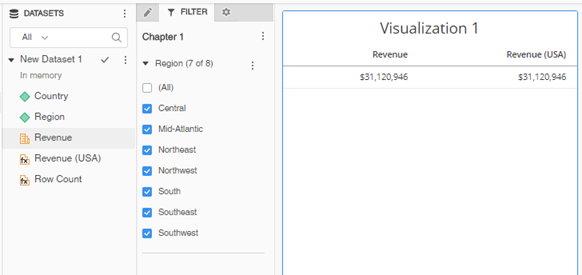
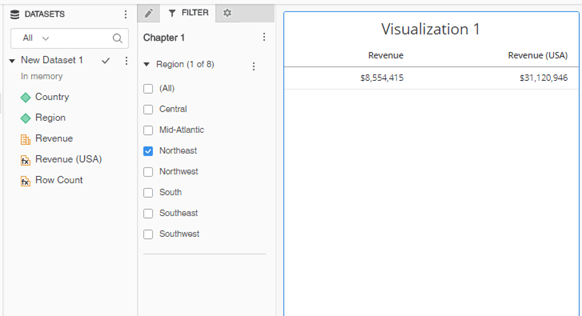
The chapter filter contains a qualification based on an attribute related to the attribute in the conditional metric filter qualification (Region and Country). Related attributes are any attributes having a parent-child relationship, although not necessarily a direct one.
For conditional metrics, there is a feature called Remove related report filter elements which is enabled by default. In Strategy Developer, this setting can be seen in the conditional metric definition.
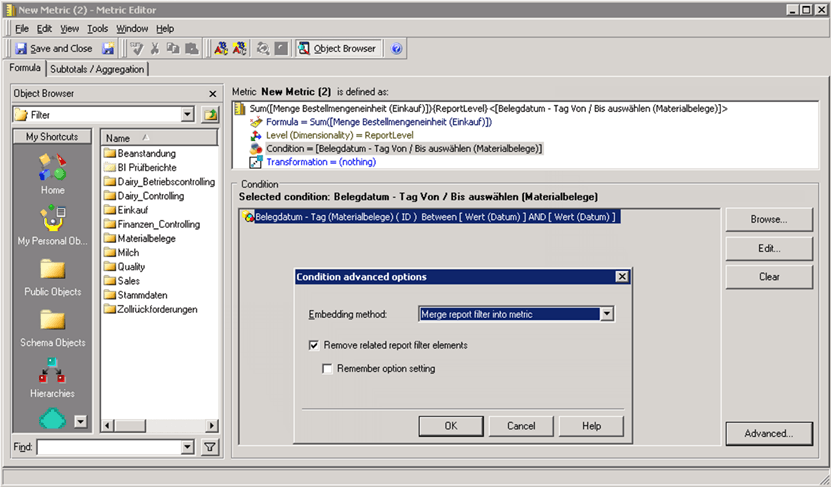
However, the setting is not apparent in the Dossier interface, and needs to be toggled directly on the metric definition. This is especially important for derived conditional metrics that cannot be viewed in Developer.
You should disable the default setting by changing the - sign at the end of the metric definition to a +. For example:
Sum(Revenue){~+}< ;@2;-> to "Remove related report filter elements" enabled
Sum(Revenue){~+}< ;@2;+> to "Remove related report filter elements" disabled
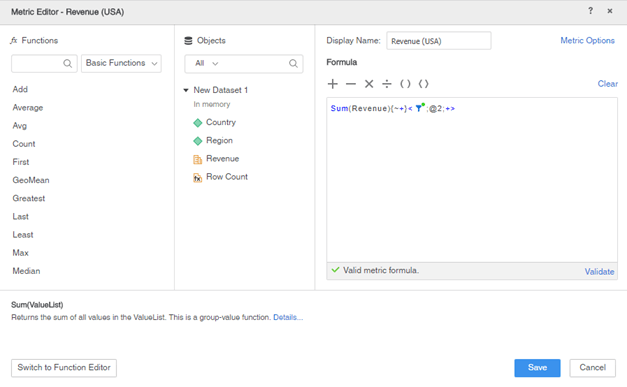
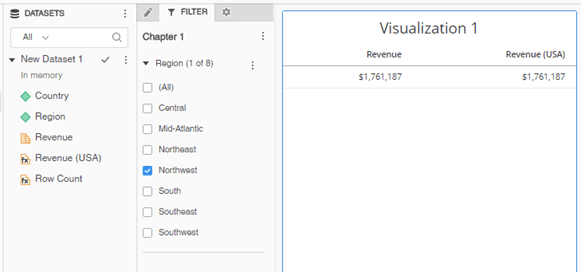
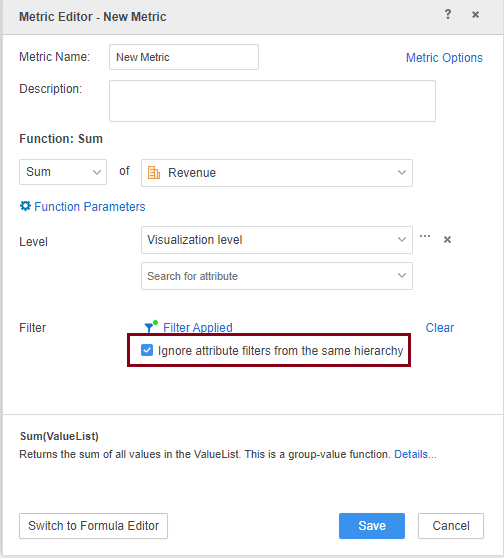
From v2021, Strategy provides a new option in the Dossier interface (Metric Editor): Ignore attribute filters from the same hierarchy. Users can either use the option or modify the metric expression directly to enable/disable the feature.