SYMPTOM
In Strategy Developer 10.x users are unable to list a MTDI cube, built via the Strategy Web Query Builder, when searching for All Components of the dashboard based on that cube.
STEPS TO REPRODUCE
The issue can be reproduced in the Strategy Tutorial Project.
1. Create a MTDI Cube in Strategy Web via: Add External Data > From Database > pick Microsoft Access from the drop-down list.

2. In the Select Import Options dialog-box, select Build a Query.

3. Under Data Sources, click on Tutorial Data to list all Tutorial Warehouse tables.
4. Select e.g. LU_Region, and add some columns.
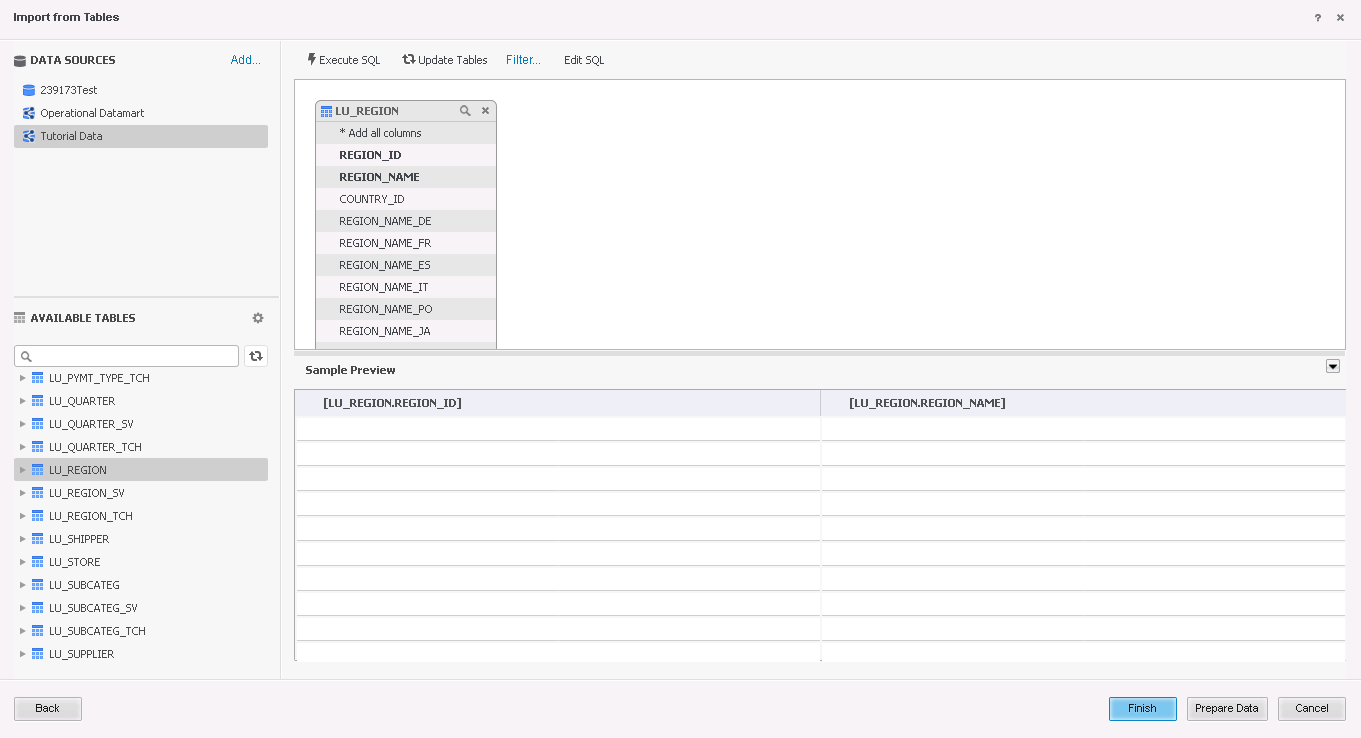
5. Then click Finish, and click Import as an In-Memory dataset.

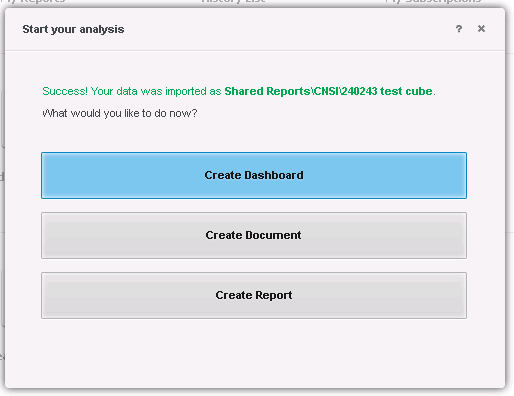
6. An in-memory cube is created. Now, click on Create Dashboard.
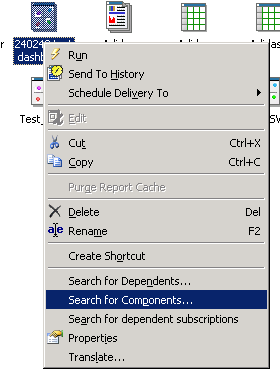
7. In Strategy Developer, search for the created dashboard. Right-mouse click this object, and click on Search for Components.
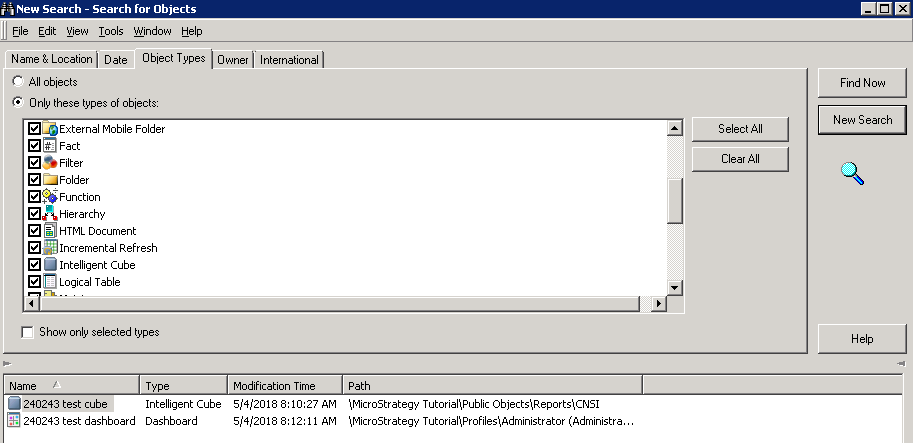
8. In the search, when All objects option is ticked, the cube does not appear.

Note that the behavior is the same when searching for the cube in Strategy Developer via Tools > Search for Objects:

CAUSE
This is an identified defect in the Strategy Developer 10.2 Hotfix 1 and above.
ACTION
This issue has been addressed in the Strategy 10.7 and above. Upgrade to the latest supported version to take advantage of this fix.
WORKAROUND
In Strategy Developer, search for the created dashboard. Right-mouse click this object, and click on Search for Components. Instead of searching for All objects, click on Select All, therefore the cube will appear.

When Searching for Objects via Tools in Strategy Developer, selecting all objects will result in the cube being listed in the found objects.