EducationSoftwareStrategy.com
StrategyCommunity

Knowledge Base

Product

Community

Knowledge Base

TopicsBrowse ArticlesDeveloper Zone

Product

Download SoftwareProduct DocumentationSecurity Hub

Education

Tutorial VideosSolution GalleryEducation courses

Community

GuidelinesGrandmastersEvents
x_social-icon_white.svglinkedin_social-icon_white.svg
Strategy logoCommunity

© Strategy Inc. All Rights Reserved.

LegalTerms of UsePrivacy Policy
  1. Home
  2. Topics

The cover page for the "Intelligence Center Dossier" in the Platform Analytics project is no longer valid


Jing (Sally) Cheng

Senior Principal Consultant • MicroStrategy


This article provides steps to fix the broken cover image of the Intelligence Center Dossier.

Starting with the release of Strategy ONE (March 2024), dossiers are also known as dashboards.
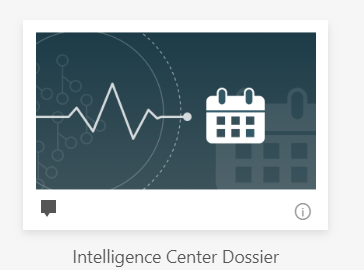
On September 9th, 2019 a popular image hosting repository, Tinypic halted operations.  This impacted one image used by the Strategy Platform, the Dossier cover page for the Intelligence Center Dossier in the Platform Analytics project in Strategy versions 2019 and later.
When accessing the dossier, no cover page image will display.  Instead, you may see an "Image Not Found" message or the image below:
Note: This dossier is located in Platform Analytics > Shared Reports > 1. Dossiers > Intelligence Center Dossier.

ka0PW0000001JZaYAM_0EM2R000000lwed.jpeg

Workaround


To update the cover image, perform the following steps:
  • In Strategy Web, open the Intelligence Center Dossier.
  • In the Contents panel, click Change Cover.
  • Under Paste an image URL, enter ./images/SubscriptionTelmetry.png. The cover page updates to the following image.
ka0PW0000001JZaYAM_0EM2R000000lwes.jpeg


Comment

0 comments

Details

Knowledge Article

Published:

September 11, 2019

Last Updated:

March 21, 2024