SYMPTOM
Users are unable to get Strategy Office remember the localhost name.
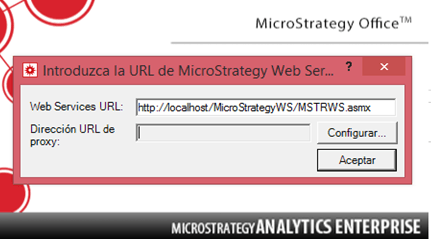
After applying the following knowledge base articles:
KB9651: When opening up a MicroStratey Office program, the Strategy Intelligence Server name still appears as “localhost” even after the configuration was changed
KB9652: How to change the web services URL in Strategy Office 9.x
yet the issue persists and even the following error messages pops up.
“Unable to access Strategy Web Services at http: //localhost/StrategyWS/MSTRWS.asmx. Web Services may have been moved, renamed, or temporarily unavailable. The error of the Web server is: It is not possible to connect to the remote server”
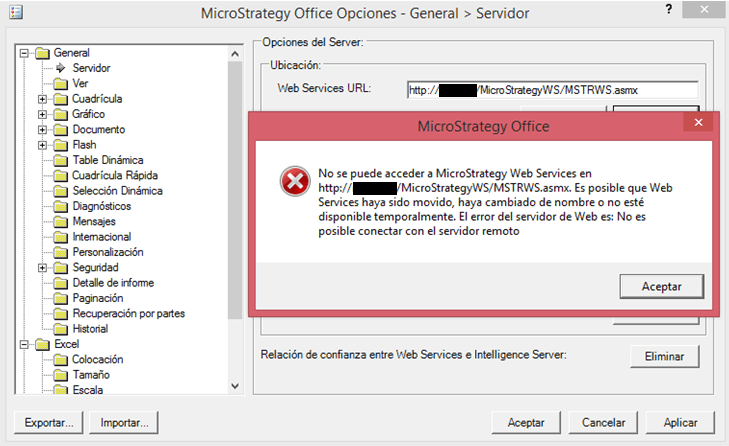
Therefore, no information can be retrieved from any of the projects previously configured.
STEPS TO REPRODUCE
1. Open a Microsoft Office program such as Microsoft Excel.
2. Click over the Strategy tab placed at the top menu. Select Options -> General -> Server
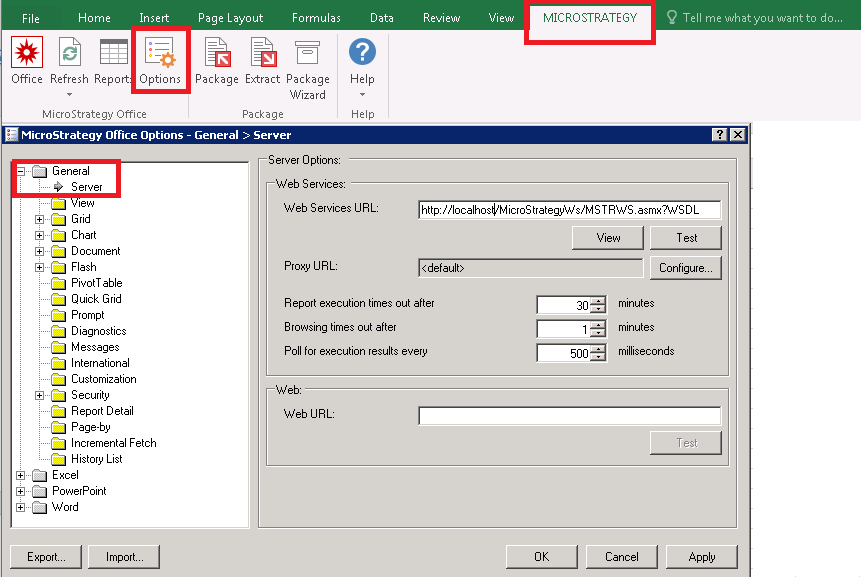
3. Change the localhost name to the desired web server.
4. Click Test -> “Web Services URL was successful”.
5. Close Microsoft Excel and open it again. The localhost server name is not remembered.
Apply the steps of KB9651 and change the “projectsources.xml” file.
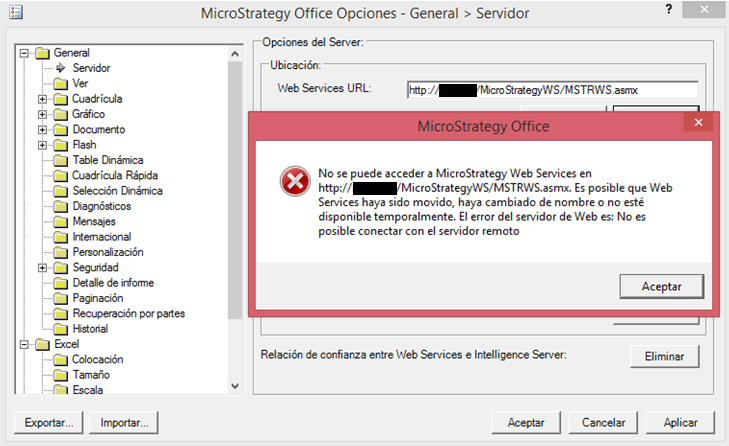
6. Repeat the steps 1 to 4. If the Web Services is indeed unavailable, the following error messages pops up:
ACTION
To successfully change the localhost server name and make Strategy Office remember it, one more setting must be configured.
Go to: C://Users/[specific_user]/AppData/Roaming/MicroStrategy/Office and edit the file “moimain.dll.config”. Change the localhost in the highlighted command per the desired one:
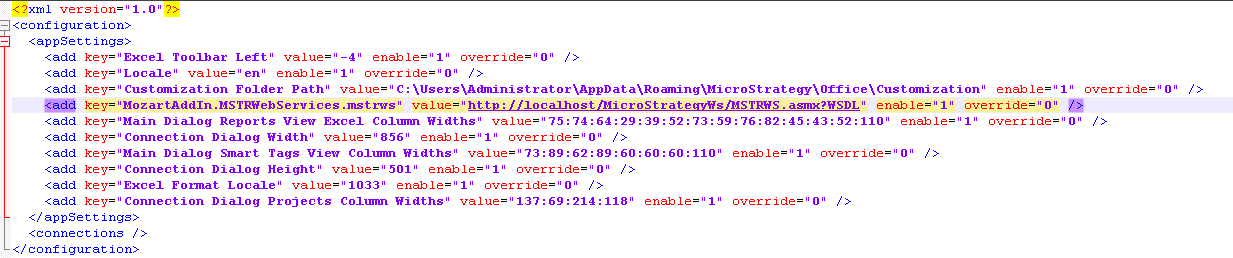
Close Microsoft Excel completely and the localhost server name will be successfully remembered.
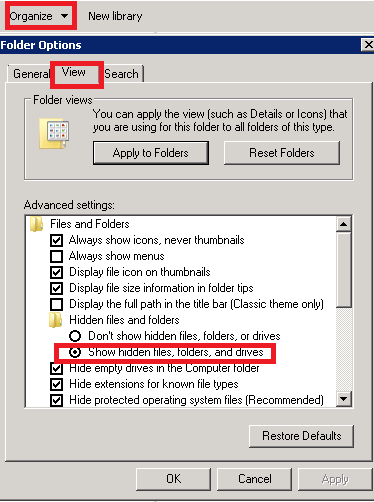
NOTE: If in the above path, the folder AppData is not visible, enable the view of hidden folders as shown below when looking for the path:
ADDITIONAL INFORMATION
In order to seamlessly configured Strategy Web Services for use with Strategy Office, please read the following knowledge base article:
KB31530: How to configure MicroStategy Web Services 9.x for use with Strategy Office.
KB439810
