Starting with the release of Strategy ONE (March 2024), dossiers are also known as dashboards.
SYMPTOM:
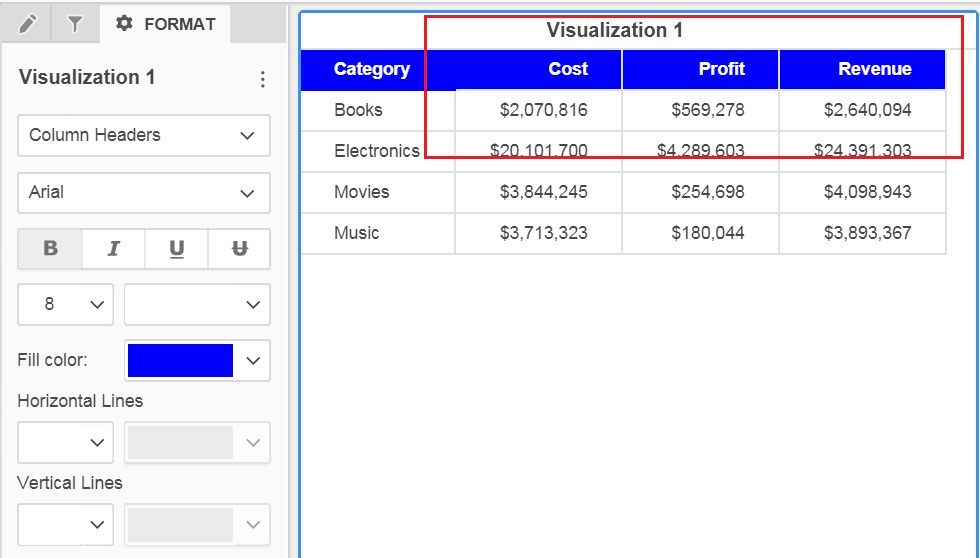
When removing the grid lines from the Grid Visualization in a Dossier 10.9 setting the grid lines as NONE in the Dossier formatting, the lines of the metric header remains in the grid.
STEPS TO REPRODUCE:
1. Create a grid visualization in dossier
2. Set a color in the header
3. If setting the Horizontal and vertical as none, a blank line will be displayed
CAUSE:
This is an identified defect in Strategy 10.9 where the property border-style is not applied to metric header.
ACTION:
Contact Strategy Technical Support for an update on the status of the issue. Currently this issue is still being reviewed for feasibility by our Technology team and it is not scoped for any upcoming scheduled Strategy release.
WORKAROUND:
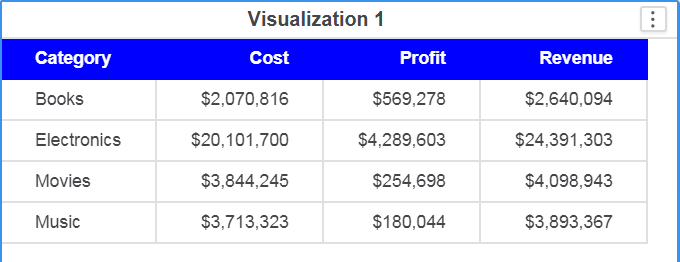
#1. Set the grid lines with the same color of the cell.
or
#2. Modify the font type in Format > Dossier Formatting... just switch between two fonts back and forward. This manipulation will cause that further format manipulations in the grid format to apply properly.
KB441126
