When executing a report in 3-tier in Strategy Developer or Strategy Web that needs to access the Warehouse database (neither a cache nor an Intelligent Cube is accessed, etc.), after some time the execution is cancelled, and the following error message appears:
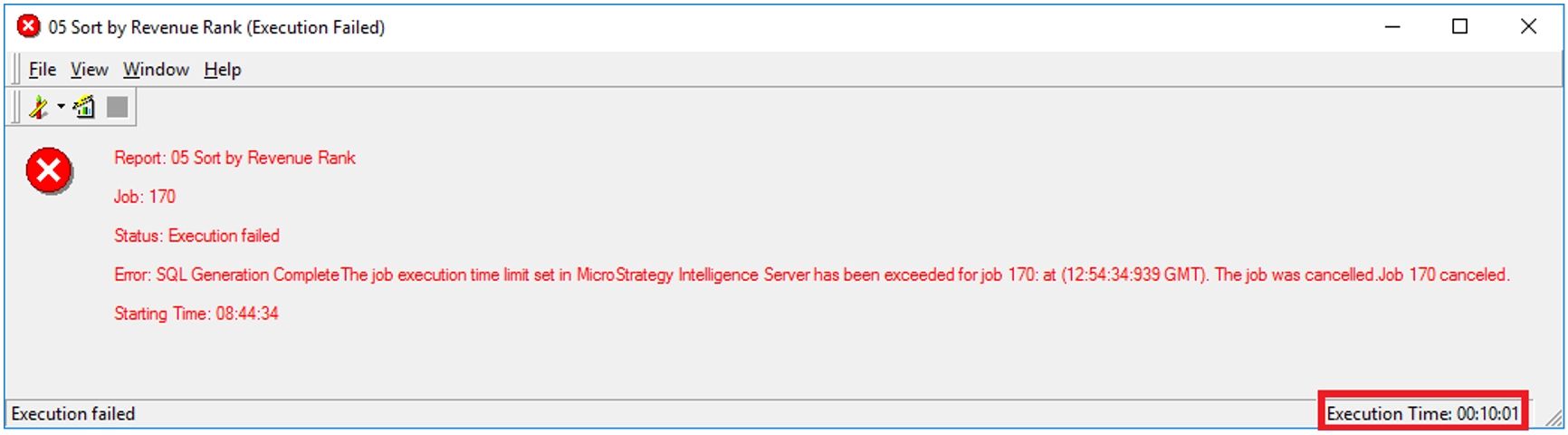
“Status: Execution failed
Error: SQL Generation CompleteThe job execution time limit set in Strategy Intelligence Server has been exceeded for job <Job ID>” … “The job was cancelled.Job <Job ID> canceled.”

“Error in report results
(The job execution time limit set in Strategy Intelligence Server has been exceeded for job <Job ID>” … “The job was cancelled.Job <Job ID> canceled)User request is cancelled.”
When clicking on the “Show report details” button, a more detailed error message appears, along with the report SQL.
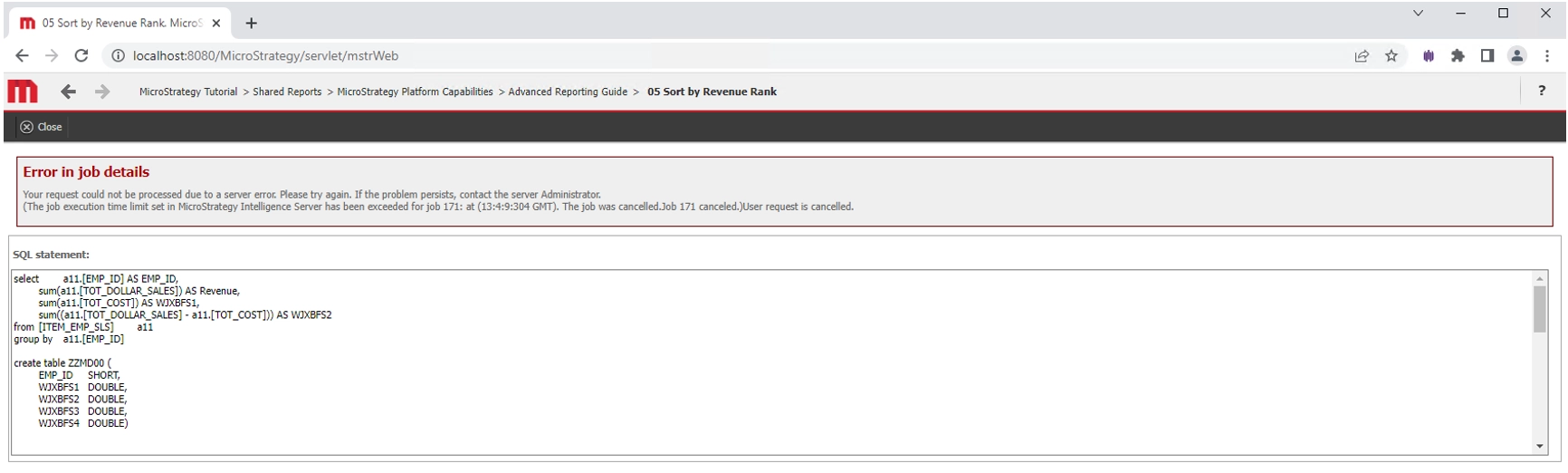
“Error in job details
Your request could not be processed due to a server error. Please try again. If the problem persists, contact the server Administrator.
(The job execution time limit set in Strategy Intelligence Server has been exceeded for job <Job ID>” … “The job was cancelled.Job <Job ID> canceled)User request is cancelled.”
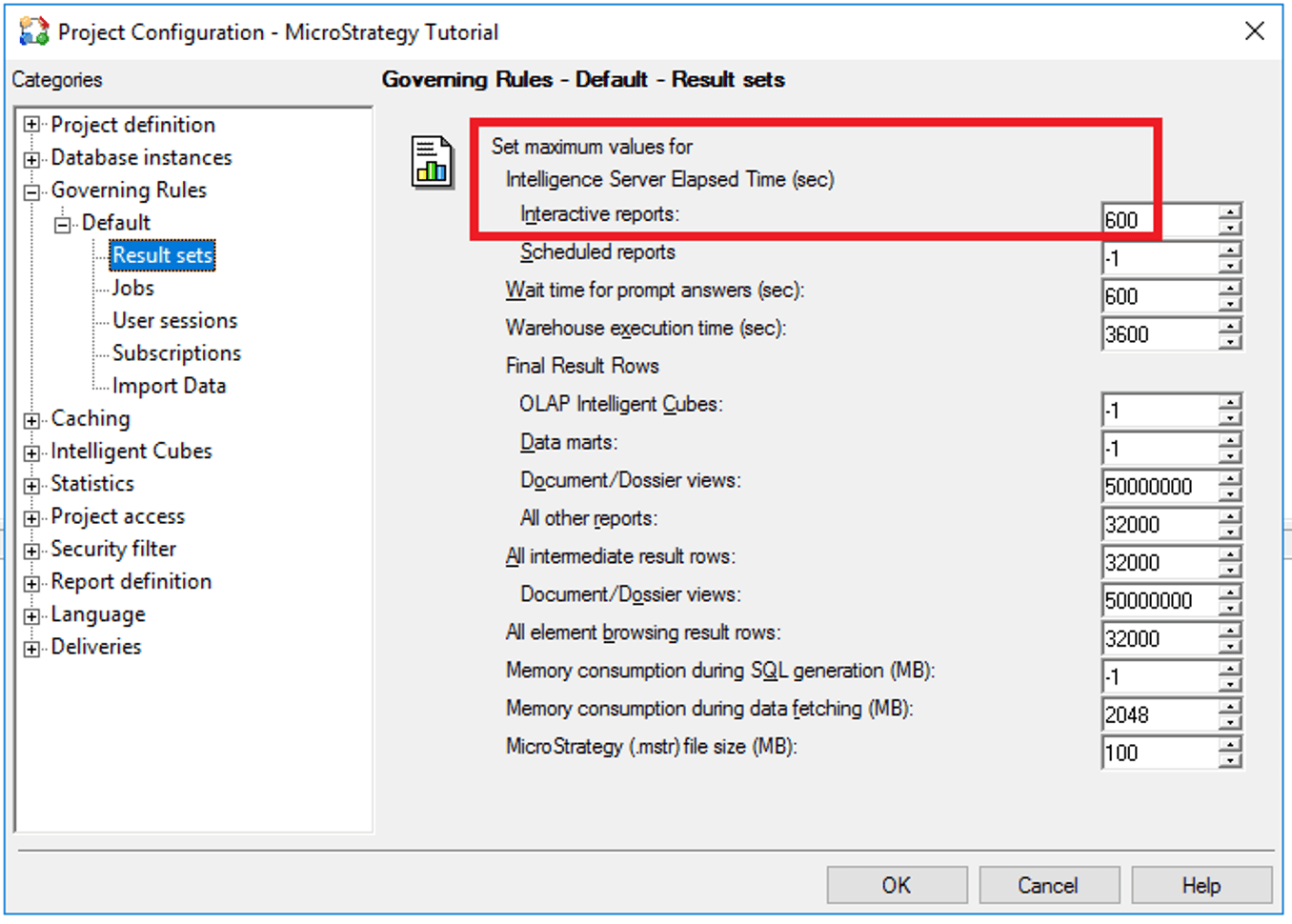
The main reason of this error message is that the report execution hit the “Intelligence Server Elapsed Time (sec)” parameter value for “Interactive reports”. This setting is accessible via Project Configuration in Strategy Developer, as shown below:
The above is also described in the following Knowledge Base article:
https://community.Strategy.com/s/article/KB18269-The-job-execution-time-limit-set-in-Strategy?language=en_US
There may be several root causes of the long time taking by the report to execute. One scenario is that, during the report execution, the Job Monitor in Strategy Developer shows “Status: Waiting” and/or the execution in Strategy Web shows “Current status: Waiting in queue”, as it can be seen in the screenshots below:
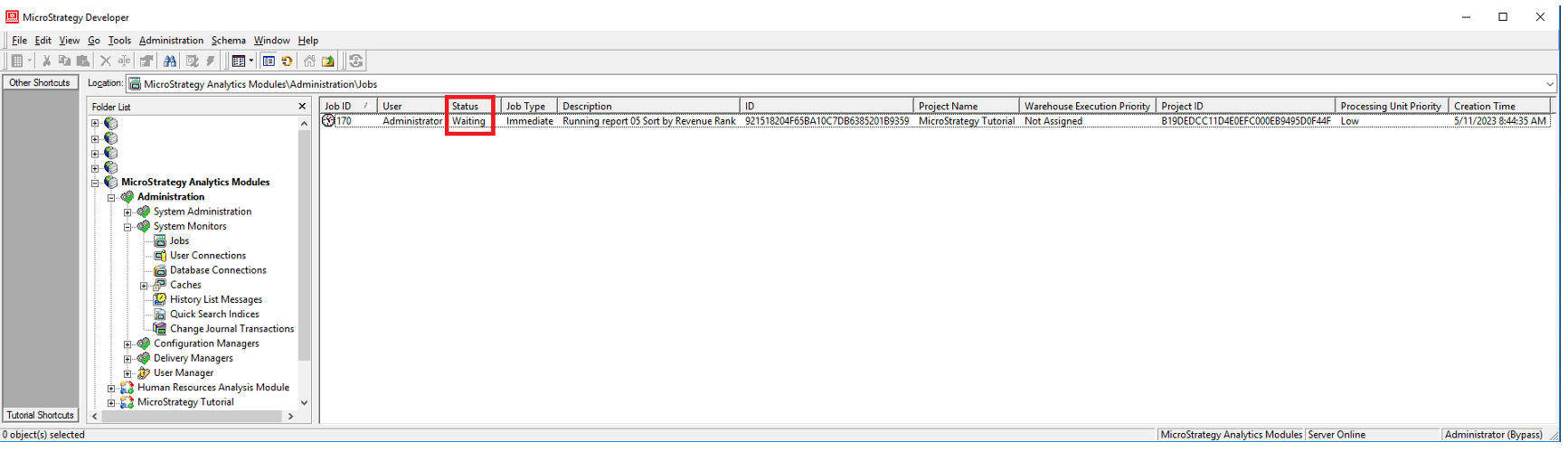
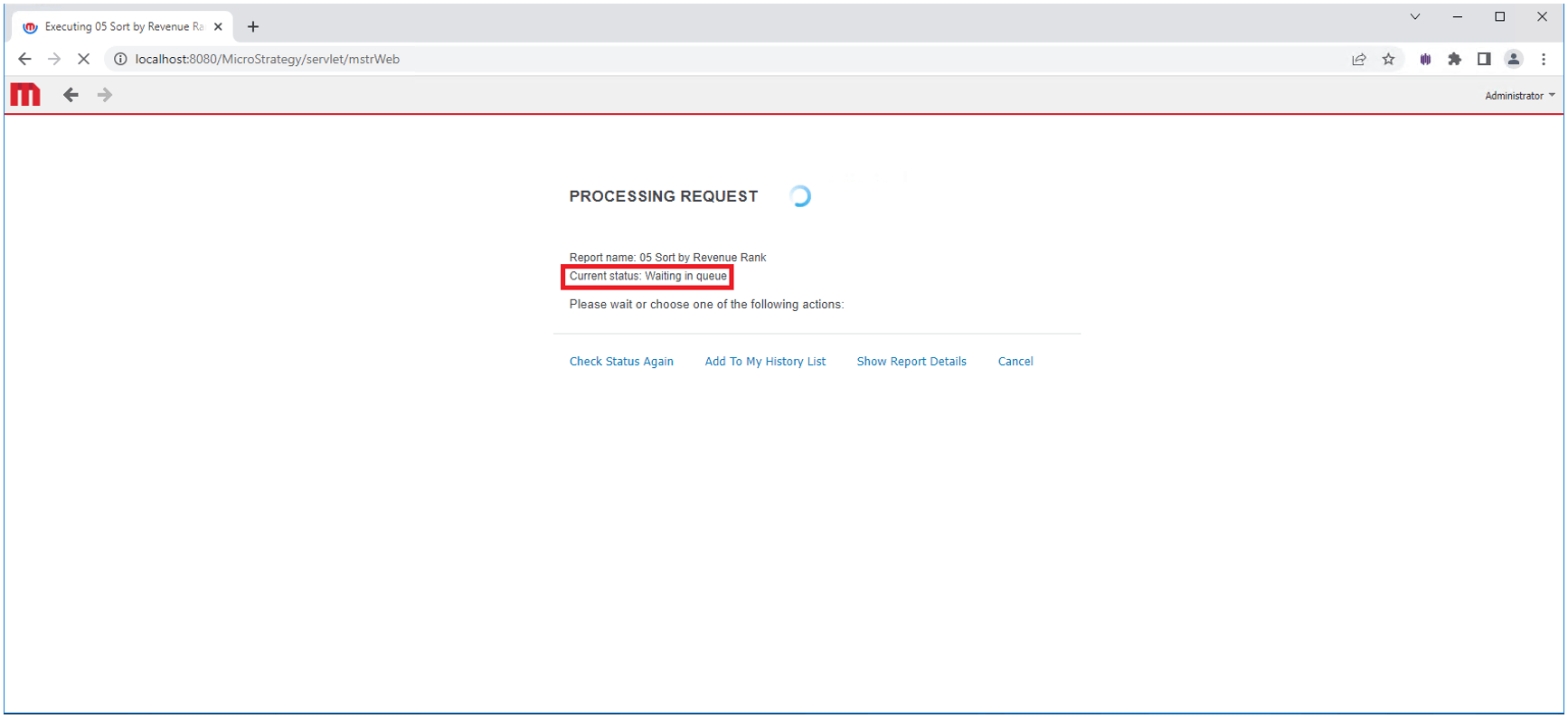
As it can be seen in the Job Monitor in Strategy Developer, the report execution is the only job in progress, so it does not make sense that the job is waiting in the queue for execution.
In Strategy Developer, having the error message displayed on the screen after the report execution, switch to “SQL View” by selecting the option as shown below:
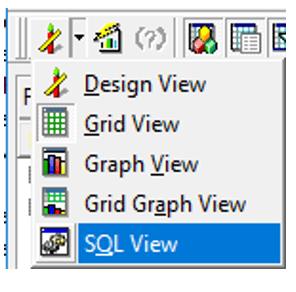
From the information displayed, look for the value of “DB Instance”.
Close the report and go to Project Source - Administration - Configuration Managers - Database Instances, right click on the observed Database Instance object name, and select “Prioritization…”. The “Job Prioritization” tab of the Database Instance object appears. In the observed scenario, the values of “High”, “Medium” and “Low” under “Number of connections by priority” were all set to “0”:
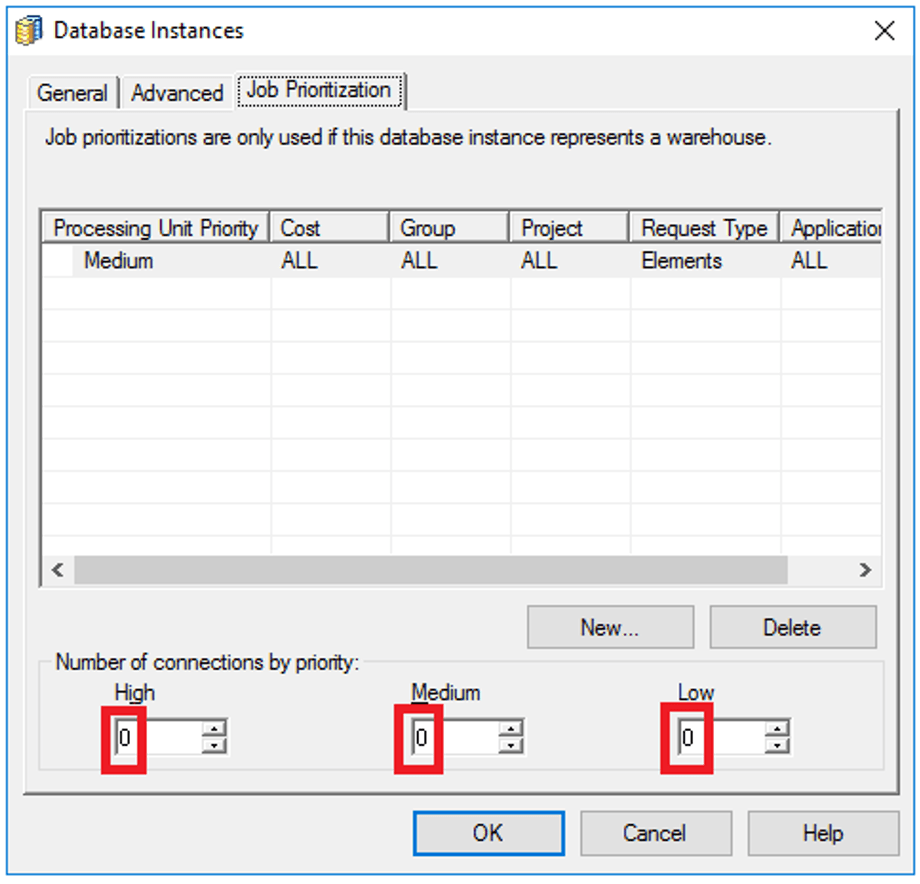
With the above configuration, jobs waiting on the queue are not allowed for execution, hence they get stuck in the queue until the “Intelligence Server Elapsed Time (sec)” parameter value for “Interactive reports” is hit. Therefore, the job times out and gets cancelled. As shown in a previous screenshot, the default value of this parameter is 600 seconds (10 minutes). In the error message screenshot of Developer, this time can be noticed in “Execution Time: 00:10:01”.
The error message is fixed by setting the “High”, “Medium” and “Low” parameters to any value different than “0” and clicking on the “OK” button (Note: An Intelligence Server service restart is NOT required).
There may be a more complex scenario, in which the above values are not equal to “0”, but the error message appears. In this case, the Job Monitor of Strategy Developer should be checked during the report execution. If there are other jobs in execution, making the report job to get stuck on the queue until it times out, an increase of the “High”, “Medium” and “Low” parameter values should be considered.
The above and more detailed information about job execution management can be found in this link:
https://www2.Strategy.com/producthelp/Current/SystemAdmin/WebHelp/Lang_1033/Content/Managing_job_execution.htm
